

Opening Instagram and seeing "Action Blocked" or "We restrict certain activity to protect our community" doesn't mean your account is banned or permanently restricted. Most action blocks are temporary, caused by activity that looked unusual to Instagram's automated systems — and most are completely fixable.
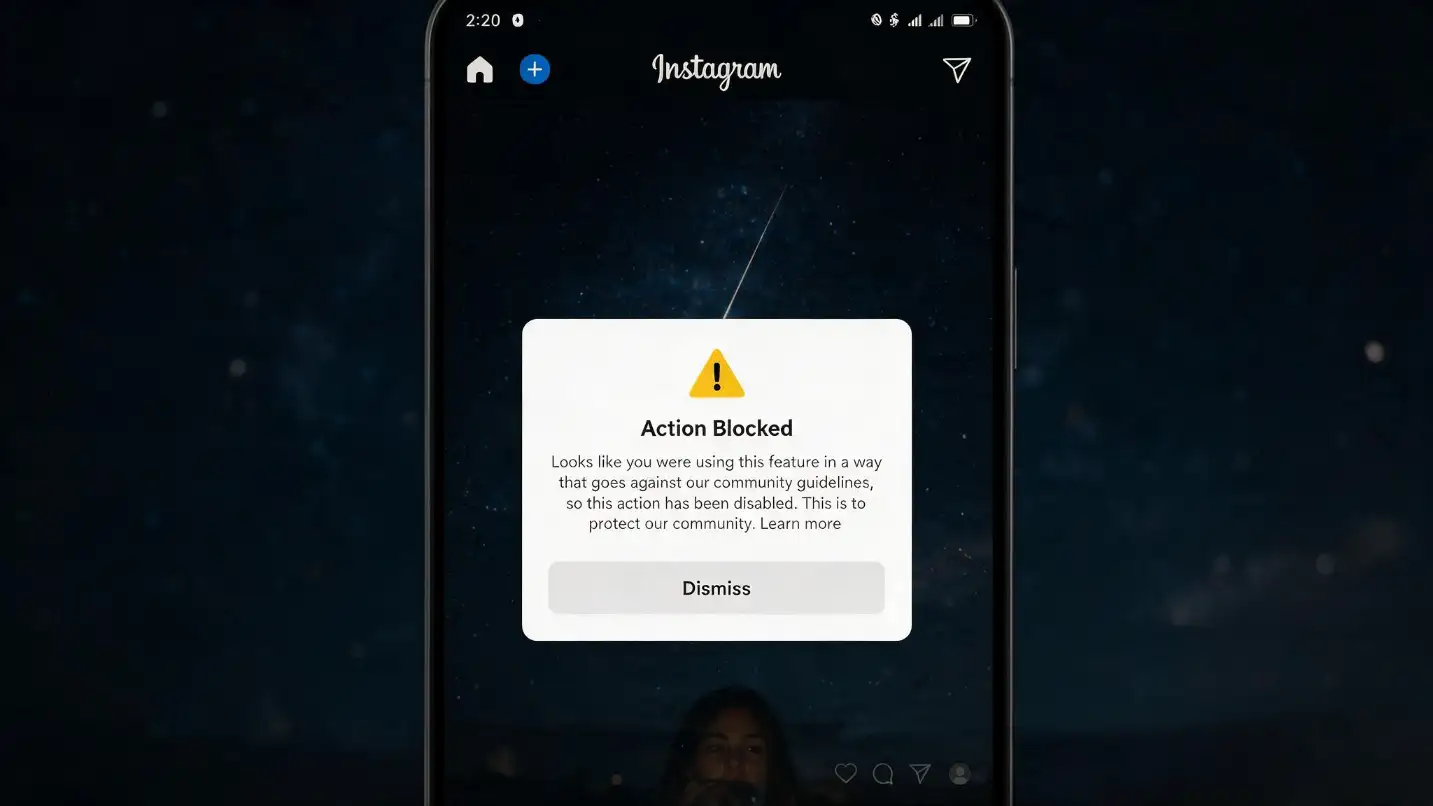
There's nothing more frustrating than opening Instagram, trying to follow someone, leave a comment, or like a post, only to see a message saying "Action Blocked" or "We restrict certain activity to protect our community." If this has happened to you, don't panic.
An Instagram action block does not necessarily mean your account has been banned or permanently restricted. In many cases, Instagram has temporarily limited a particular action because your recent activity looked unusual, repetitive, automated, or potentially spammy. The good news is that most action blocks can be resolved by stopping the activity that triggered the restriction, checking your account status, securing your account, and giving Instagram time to remove the limitation.
Why Instagram shows the "Action Blocked" error in 2026, how to fix it, how long it can last, and what you can do to prevent it from happening again. Work through the steps below rather than trying random tricks from the internet.
What Does "Action Blocked" Mean on Instagram?
An Instagram action block means that Instagram has temporarily stopped you from performing one or more actions on the platform. You may see one of these messages:
Sometimes Instagram will also display a date or time when the restriction is expected to end.
Which Actions Can Be Blocked?
An action block is different from having your entire Instagram account disabled. You can often still log in, view content, send some messages, and use other parts of Instagram normally. The important thing is to identify exactly what Instagram has restricted instead of assuming your entire account has been banned. Understanding the specific restriction is the first step to fixing it correctly.
Why Does Instagram Say "Action Blocked"? The 8 Real Causes
Instagram uses automated systems to identify behaviour that may look like spam, abuse, fake engagement, or automated activity. There isn't one single reason why an account receives an action block — it can happen because of a combination of recent activity, account history, security signals, or a technical problem.
You Performed Too Many Actions Too Quickly
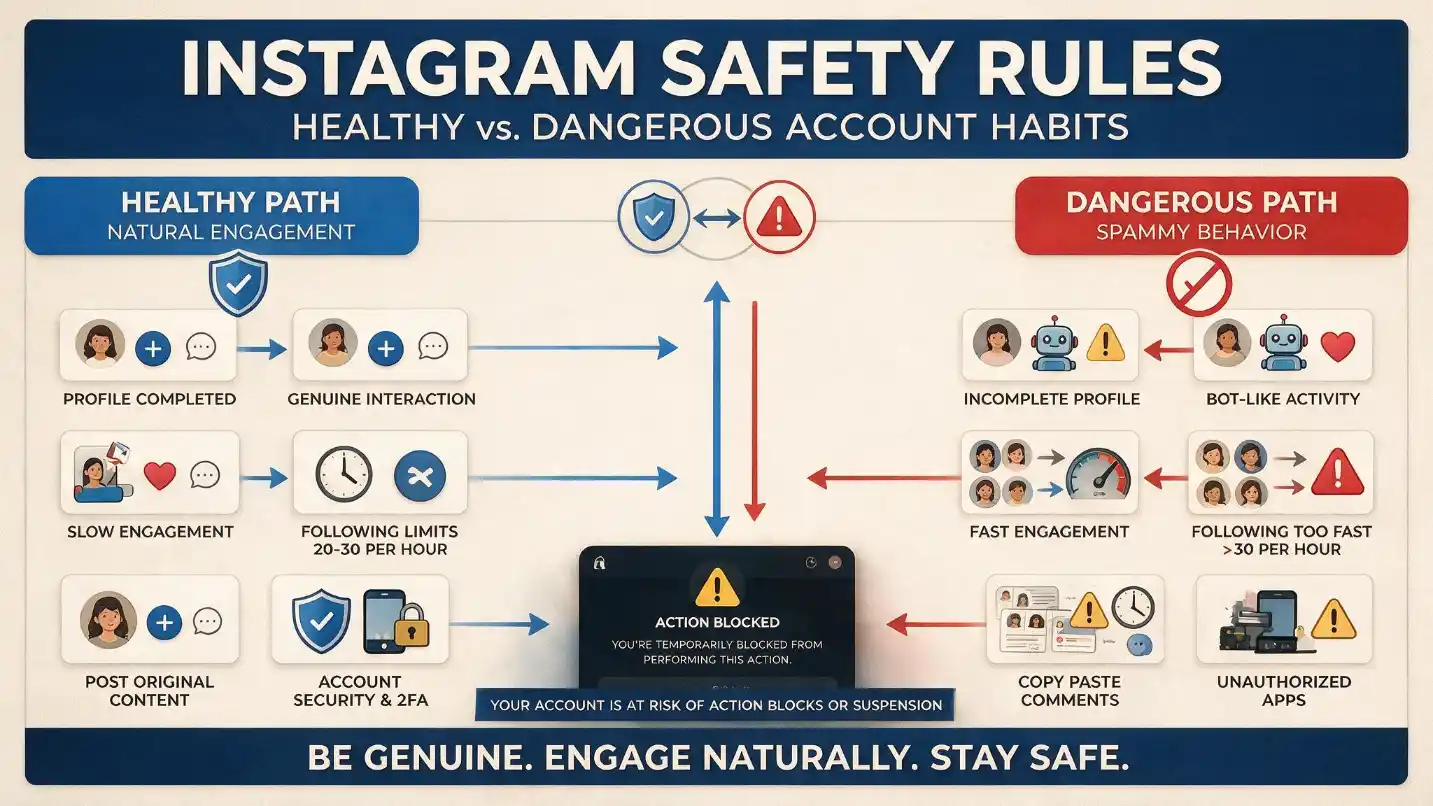
This is one of the most common reasons. Imagine spending 20 minutes following dozens of accounts, liking a large number of posts, leaving similar comments, and then sending multiple DMs. Even if you're doing everything manually, that pattern can look very different from normal human behaviour.
Instagram doesn't publish a universal "safe" number of likes or follows per hour. Be careful with articles claiming things like "Instagram allows exactly 60 likes per hour" — there is no reliable universal number. Instead, think about the pattern. If your activity suddenly increases far beyond what you normally do, Instagram may temporarily restrict you.
You Followed or Unfollowed Many Accounts Rapidly
Rapid follow and unfollow activity can look spammy, particularly when it happens repeatedly. This is especially relevant to accounts using aggressive growth strategies such as:
- Follow-for-follow campaigns
- Mass following or mass unfollowing
- Repeatedly following accounts from search results
- Quickly cycling through large numbers of profiles
If you suddenly receive an action block after a large follow/unfollow session, stop repeating the activity. Trying to continue after Instagram has already restricted the action can make the situation worse.
You Repeatedly Posted Similar Comments
Copying and pasting the same comment across many posts is another behaviour that attracts spam detection. Leaving the same "Great post! 🔥" or "DM me for more information" on dozens of posts in a short period doesn't look like natural conversation. If you're managing a business account, make your comments genuinely relevant to the post rather than repeating the same sentence everywhere. Quality engagement is safer and more valuable than simply increasing the number of interactions.
You Used Third-Party Automation or Unofficial Tools
If an Instagram account is connected to an unofficial application that performs actions such as following, liking, commenting, messaging, or scraping data, Instagram may detect activity that doesn't look like normal account use. The problem isn't necessarily that every third-party social media tool is dangerous — the important question is what the tool is actually doing and how it connects to Instagram. Be particularly careful with applications that:
- Ask for your Instagram password directly
- Automatically follow accounts, like posts, or leave comments
- Send unsolicited DMs or scrape Instagram data
- Promise to "bypass" Instagram restrictions
Your Account May Have Been Compromised
Sometimes an action block isn't caused by something you personally did. If someone else has access to your account, they could be performing actions without your knowledge. Check for unusual activity such as logins from unfamiliar locations, devices you don't recognise, messages you didn't send, accounts you don't remember following, posts or comments you didn't create, or password or email changes you didn't make. If something looks suspicious, change your password and enable two-factor authentication — account security should come before worrying about the action block itself.
You Repeatedly Tried the Same Blocked Action
Here's a mistake many people make. Instagram blocks you from following someone, so you try again. It doesn't work. You try again. Then you close and reopen Instagram and try another five times. Repeatedly testing the same blocked action isn't a good recovery strategy. If Instagram has told you that an action is restricted, stop performing that action for the time being. Give the restriction a chance to expire rather than constantly testing whether it has disappeared.
Your Account Has Previous Violations
An action block can also happen in the context of other account restrictions. Instagram's Account Status feature can show whether content has been removed or whether certain features are unavailable. If you've received previous warnings or content removals, don't ignore them. Repeated violations can result in increasingly serious restrictions.
It Could Simply Be an Instagram Technical Problem
Not every "Try Again Later" message means you've been punished. Instagram can experience bugs, temporary outages, app problems, connection issues, and account-specific glitches. If your Account Status looks normal and the problem appears suddenly without any unusual activity, troubleshoot the application before assuming you've been blocked.
How to Fix Instagram "Action Blocked" in 2026 — 10 Steps
Work through these steps rather than trying random tricks from the internet.
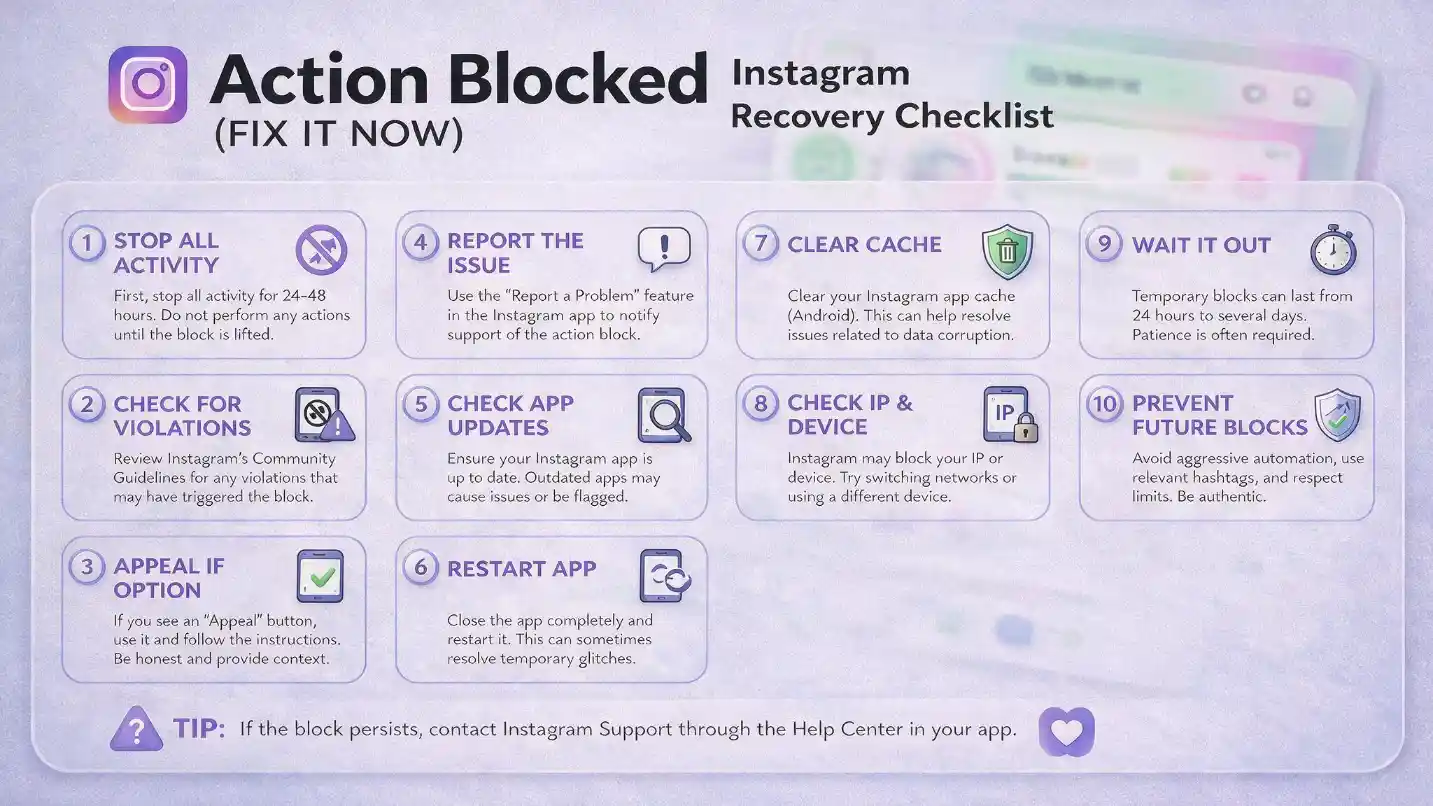
Stop the Blocked Action
This should be your first step. If Instagram has blocked you from following accounts, stop following. If commenting is blocked, stop commenting. If liking is blocked, don't keep testing the Like button every few minutes. The goal is simple: stop repeating the activity that triggered the restriction. You don't need to delete your entire Instagram account or start changing random settings. Give the account some breathing room.
Read the Entire Instagram Warning
Don't immediately press "OK" and forget about the message. Look carefully at what Instagram is telling you. Check whether the warning mentions the specific action that was blocked, a restriction period, a date when the restriction ends, a "Tell us" option, a review option, a security issue, or Community Guidelines or Terms of Use. Take a screenshot if necessary — different Instagram restrictions can look similar at first glance, and the details matter.
Check Your Instagram Account Status
This is one of the most useful troubleshooting steps and one that many users skip. To check it: open Instagram → go to your profile → open the menu → go to Settings and activity/settings → find Account Status → review anything listed under restrictions, removed content, or unavailable features. Instagram's menus can change depending on your device, app version, account type, and region. If Instagram gives you a Request Review option and you genuinely believe the restriction was an error, use the official review process — don't submit repeated appeals.
Remove Suspicious Third-Party Apps
If you have connected your Instagram account to follower trackers, automation software, engagement tools, or other services you no longer trust, review those connections and remove anything you don't recognise or no longer need. This is particularly important if the action block appeared shortly after connecting a new service. Also be cautious with websites that ask you to enter your Instagram username and password to "unlock" your account — a legitimate recovery process should not require you to hand your password to a third-party website.
Change Your Password If You Suspect Unauthorised Access
If you think somebody else may have accessed your account, change your password to a strong, unique one that you don't use on other websites. Then review your account's login activity and remove devices you don't recognise. This is more than just a way to fix an action block — it protects your Instagram account from potentially bigger problems.
Turn On Two-Factor Authentication
Two-factor authentication adds another layer of protection to your account. With 2FA enabled, someone who obtains your password may still need an additional verification method to access your account. It's particularly useful if your Instagram account is connected to a business, creator brand, online store, or other important digital asset. If you're serious about growing an Instagram account, account security shouldn't be an afterthought.
Update the Instagram App
Before assuming your account is restricted, make sure you're running the latest version of Instagram. An outdated application can sometimes create strange behaviour or prevent features from working correctly. Update Instagram through your device's official app store, restart the app, and check whether the problem remains.
Restart Your Phone and Check Your Connection
This sounds basic, but it can eliminate simple technical problems. Try closing Instagram completely, restarting your phone, checking your internet connection, and switching between Wi-Fi and mobile data. However, don't confuse changing networks with a guaranteed way to remove an account restriction. Switching from Wi-Fi to mobile data does not magically remove an Instagram action block if the restriction is attached to your account. It can help diagnose a connection problem, but it isn't a reliable "unblock" trick.
Give the Restriction Time to Expire
Sometimes the best solution is simply to wait. This isn't the answer most people want to hear, but it's often better than making the situation worse by repeatedly attempting the blocked action. Instagram doesn't publish a single universal duration for all action blocks. If Instagram displays an expiration time or date, follow that information. If no timeframe is shown, avoid assuming that a specific number such as "24 hours" or "48 hours" is guaranteed for every situation.
Report the Problem if You Believe It's a Mistake
If you've stopped the activity, checked your Account Status, secured your account, and the restriction still appears to be incorrect, use Instagram's built-in reporting/review options where available. For example: "My account appears to be restricted from commenting. I believe this may be an error because I have not intentionally violated Instagram's policies. Could you please review the restriction?" Keep it short and factual. There's no advantage to sending an angry message or submitting the same report repeatedly.
How Long Does Instagram "Action Blocked" Last?
This is one of the most searched questions about Instagram restrictions. The honest answer is: there isn't one fixed duration that applies to every account.
You may see people online claiming that an action block always lasts exactly 24 hours, 48 hours, or 7 days. Treat those claims carefully. Instagram's enforcement systems can respond differently depending on the account, the type of activity, previous violations, and the particular restriction involved.
If Instagram provides an expiration date within the warning message, that's the information you should follow — it's the most specific information available for your situation. If it doesn't provide a date, the safest approach is to stop the triggering activity and allow time for the restriction to clear. Repeated violations can potentially lead to more serious consequences over time.
Instagram itself notes that repeated content removals for Community Standards violations can eventually result in loss of account access. This is why fixing the underlying cause is more important than finding a shortcut around the restriction.
What NOT to Do When Instagram Blocks You
When people see "Action Blocked," they often search for shortcuts. That's where things can go wrong. Here are the approaches to avoid.
Be extremely sceptical of websites or individuals promising to remove an Instagram restriction instantly for money. Nobody outside Instagram can guarantee that an account restriction will disappear — and some of these services are designed to collect your login credentials.
Changing your IP address isn't a guaranteed solution to an account-level restriction. If your account itself is restricted, switching networks doesn't address the underlying issue. A VPN can help diagnose a connection problem, but it won't lift an account-level action block.
Trying to get around a restriction by immediately creating additional accounts can create even more problems. Fix the original account instead of attempting to work around Instagram's enforcement systems.
If Instagram says you can't follow, don't keep pressing Follow. If comments are blocked, don't keep posting test comments. The error isn't going to disappear because you clicked the button another 50 times — it may actually signal more suspicious activity to Instagram's systems.
Some apps claiming to restore Instagram access may be specifically designed to collect login information. Protect your credentials — do not hand your Instagram username and password to unknown services under any circumstances.
How to Prevent Instagram Action Blocks in the Future
Fixing the problem once is good. Avoiding it altogether is better. Here are the practical habits that can help.
Don't treat Instagram like a numbers game where more actions always mean better growth. Instead of following hundreds of accounts in a short session, focus on genuine interactions. Instead of leaving the same comment everywhere, participate in conversations that actually relate to your niche. Instead of sending large numbers of identical DMs, personalise your outreach. Natural behaviour is better for both account health and audience relationships.
Follow accounts because they're relevant to your content, customers, community, or interests. Don't build a strategy around rapidly following people and removing them later. It's not a sustainable way to build an audience anyway, and it's one of the most reliable ways to trigger an action block.
If you're managing a brand account, take the extra few seconds to make your comments relevant to the specific post. A thoughtful comment can start a real conversation. Twenty identical comments usually just look like spam to both the automated systems and the people reading them.
Automation can be useful for legitimate social media management tasks, but tools that attempt to imitate human behaviour or perform large volumes of actions on your behalf can create account risks. Always understand what permissions a tool requires and what actions it performs. Never give your Instagram password to an unknown service — legitimate tools don't need your password to function.
Use a strong password, two-factor authentication, updated contact information, and only recognised devices. Only connect trusted applications. If your account suddenly starts performing actions you didn't make, treat that as a security problem immediately — not as a minor inconvenience to deal with later.
Action Block vs. Shadowban — And Can You Still Use Instagram?
Is "Action Blocked" the Same as a Shadowban?
No. These terms are often mixed together, but they describe meaningfully different situations.
🚫 Action Block
- Instagram has prevented you from performing one or more specific actions
- You receive an explicit message telling you an action is blocked
- The restriction is on actions — following, liking, commenting
- Usually temporary and visible to you directly
- Check Account Status and the specific warning message
👻 Shadowban (User Term)
- Content appears to have reduced visibility or isn't being recommended to non-followers
- You can still like, comment, follow, and post normally
- No explicit message — you notice it through reduced reach
- Not an official Instagram term — check Account Status for recommendation eligibility
- Instagram's Account Status system addresses recommendation-related limitations
If you can still like, comment, follow, and post normally but your reach has suddenly dropped, don't automatically assume you're dealing with an action block. Check your Account Status and recommendation eligibility where available. The two situations require different responses.
Can You Still Use Instagram While Action Blocked?
Usually, yes. An action block typically affects specific features rather than completely locking you out of Instagram. Depending on what Instagram has restricted, you may still be able to browse your feed, watch Reels, view Stories, send some messages, manage your profile, and access certain account settings — while being unable to follow, like, or comment specifically. The exact experience depends on what Instagram has restricted, which is why it's important to identify the specific action that's failing rather than assuming your entire account has been banned.
Quick Recovery Checklist + What If It Was a Mistake?
Instagram Action Block: Quick Recovery Checklist
Stop the blocked activity. Don't continue following, liking, commenting, or messaging if that specific action is restricted.
Read the warning. Look for an expiration date or review option within the specific message Instagram showed you.
Check Account Status. Profile → Menu → Settings → Account Status. Look for removed content and restricted features.
Review connected apps. Remove suspicious or unnecessary third-party services that have access to your account.
Secure your account. Change your password if you suspect unauthorised access and enable two-factor authentication.
Update Instagram. Make sure you're using the latest app version from your device's official app store.
Check your connection. Restart the app and troubleshoot Wi-Fi or mobile data if a technical problem is possible.
Don't use questionable bypass methods. Avoid VPN tricks, fake accounts, random unblock services, and suspicious applications.
Give it time. If it's a temporary restriction, allow Instagram's systems to remove it without interference.
Request a review if appropriate. If you genuinely believe the restriction is incorrect, use Instagram's official review options — once, clearly, and honestly.
What If Instagram Blocked Me by Mistake?
False positives can happen with automated moderation systems. If you genuinely believe Instagram restricted your account incorrectly, don't try to bypass the restriction. Instead:
- Check Account Status for the specific affected feature and any policy notification.
- Use the available Request Review option if appropriate to your situation.
- Secure your account — change password, enable 2FA, review login activity.
- Stop the specific activity that's currently being restricted while you wait.
- Wait for Instagram's response — submit the review once, clearly, and wait.
- Instagram provides review mechanisms for certain enforcement decisions through Account Status. Use these official channels, not third-party services.
If you genuinely believe Instagram restricted your account incorrectly, don't try to work around the restriction. That can signal more suspicious activity and make your situation worse. Use the official review process, wait for a response, and continue using the parts of Instagram that still work normally.
Frequently Asked Questions
Final Thoughts
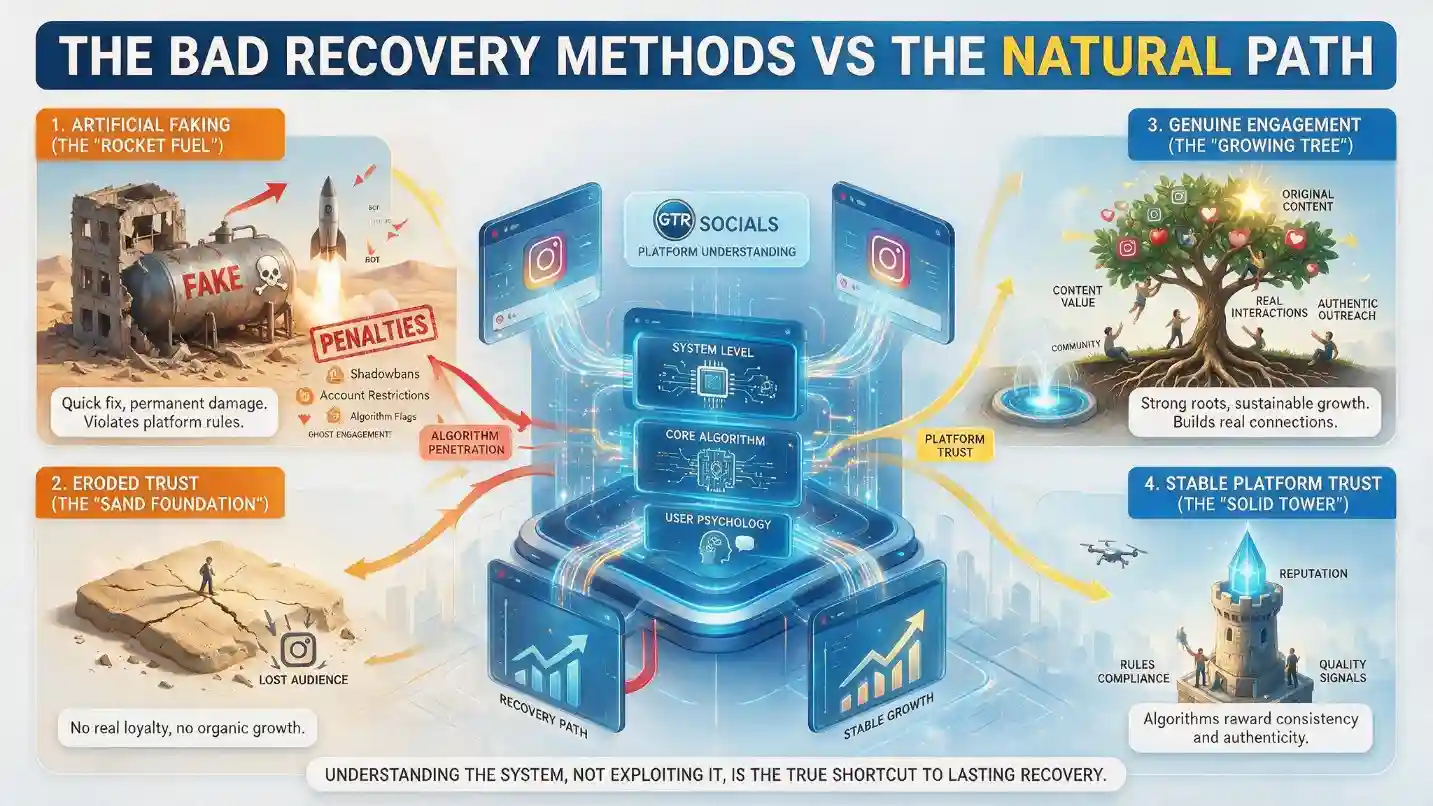
Getting the "Action Blocked" Instagram error in 2026 can be stressful, especially if you're using Instagram for business or rely on the platform to communicate with customers. But the worst thing you can do is panic and start trying every "Instagram unblock trick" you find online.
Start with the basics. Stop the activity that was blocked. Check your Account Status. Review your connected apps. Secure your account. Make sure your Instagram app is up to date. Then give the restriction time to clear.
Don't focus on finding a secret number of likes, follows, or comments that you can perform before Instagram blocks you. There is no universal magic limit that guarantees your account will remain unrestricted. Instead, build your Instagram activity around real interactions, reasonable activity patterns, relevant content, and secure account management. That's not only better for avoiding action blocks — it's a much healthier approach to growing an Instagram account in the long run.
At GTR Socials, we believe sustainable social media growth starts with understanding how platforms work rather than trying to exploit them. Whether you're building a personal profile, growing a creator account, or managing Instagram for a business, protecting your account should always come before chasing short-term numbers. A healthy Instagram account is worth far more than a few extra likes or followers today.
📸 Build Genuine Instagram Growth That Doesn't Trigger Action Blocks
GTR Socials helps Instagram creators and businesses build real followers, likes, and engagement through quality growth services — the kind of momentum that works with Instagram's algorithm rather than against it.
Comments (0)