Instant processing
Paste a public link, preview the result, and download — no desktop software required.


Free · No signup · Browser-based
Why this tool
Paste a public Snapchat Spotlight share link and download the video on any device.
Paste a public link, preview the result, and download — no desktop software required.
No app install or browser extension needed. Works on desktop and mobile.
Pair free tools with real engagement so the content you share reaches more people.
For personal use only. Respect copyright and each platform's terms of service. GTRSocials is not affiliated with third-party platforms.

Download any public Snapchat video in seconds — Spotlight, Stories, and shared links.
No account. No app. No watermarks. Paste a link, keep the video forever.
Snapchat built its entire identity around one idea: content that disappears.
That seemed fun in 2012. A decade later, it's genuinely frustrating. You receive a video that makes you laugh out loud, a tutorial you actually want to follow, a moment a friend shared that you'd love to keep. You watch it. It vanishes. And unlike Instagram Stories, you don't even get 24 hours — Snaps can disappear the second they're viewed.
The irony is that Snapchat does have a save feature. It just only works for content you create yourself. Everything received from other people? Gone on their terms, not yours.
Here's how to fix that.
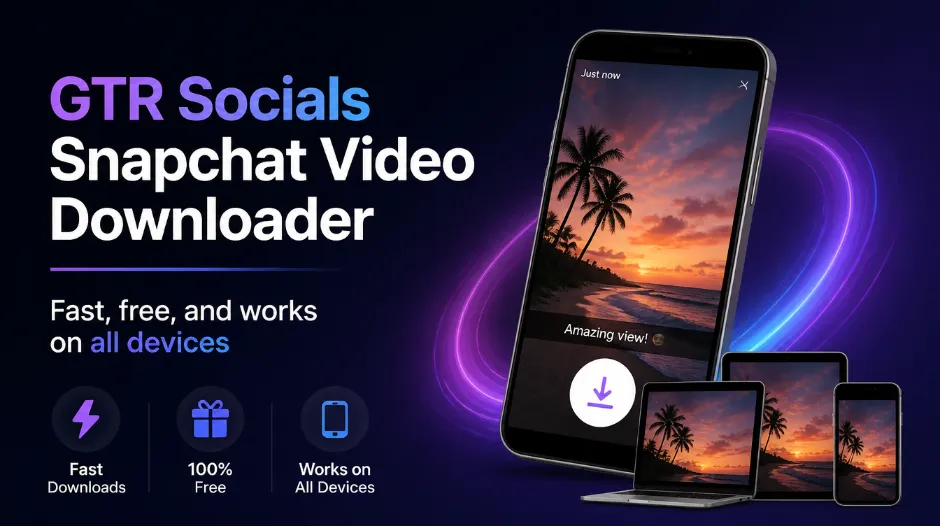
GTR Socials Snapchat Video Downloader — fast, free, and works on all devices
Snapchat's disappearing content isn't a limitation — it's the product. Ephemeral content drives re-engagement. If messages and Snaps stuck around forever, people would check in less often. The whole platform is engineered around the anxiety of missing something before it disappears.
They've also built aggressive anti-screenshot detection into the app. Send a screenshot of someone's Snap and they get notified immediately. It's one of the only platforms that actively polices how you interact with content you've already received.
But here's what they can't control: what happens outside the app. Web-based tools work at a different layer entirely — and that's exactly where GTR operates.
For Spotlight and public Story content: tap the Share icon and select "Copy Link." For direct Snaps, play the Snap and use the share option where available. On desktop: copy the URL from your browser's address bar at snapchat.com.
Visit gtrsocials.com/tools/snapchat-video-downloader, paste your link, and hit "Download."
Your video downloads instantly in original quality — no watermark, no compression, ready to keep permanently.
There are other Snapchat downloaders. Most work — sort of — until you hit the ads, the watermarks, the mandatory signups, or the sketchy app permissions. GTR keeps it clean:
Paste a link and go. We never ask for your email, phone, or Snapchat login.
Your downloaded video is the original file. Nothing stamped across it.
We pull directly from Snapchat's servers. No re-encoding, no extra compression. What was uploaded is what you get.
We don't log what you download, track your IP, or sell your data.
iPhone, Android, PC, Mac. Same three steps everywhere.
Download as many videos as you want. Free and unlimited, always.
Open Snapchat and find the public Spotlight or Story video you want to save. Tap Share → Copy Link. Open Safari, go to gtrsocials.com/tools/snapchat-video-downloader, paste your link and tap Download. The video opens in a new tab — tap and hold, then select "Download Linked File." Find it in Files → Downloads or move it to your Camera Roll.
No link available? Screen recording is your backup — but it captures everything on your screen, degrades quality slightly, and requires trimming. The web tool is cleaner every time.
Copy the video link from Snapchat (Share → Copy Link). Open Chrome, visit gtrsocials.com/tools/snapchat-video-downloader, paste and tap Download. The file lands directly in your Downloads folder or Gallery → Downloads.
Android's open file system makes this even smoother than on iOS. No extra steps, no moving files between apps.
For public Spotlight and Story content — no. Snapchat doesn't notify creators when someone downloads public content through an external tool. For direct Snaps, Snapchat does have screenshot/screen recording detection within the app — which is exactly why using the GTR web tool outside the app is the better approach for public content.
GTR works on public Snapchat content — Spotlights, public Stories, and shared links. Direct Snaps sent privately operate within Snapchat's own system. Always respect the privacy of personal conversations.
Downloading public Snapchat videos for personal use is generally legal. What gets complicated is everything that comes after.
Every Snapchat video is copyrighted to its creator automatically. Downloading for personal use is like recording a TV show to watch later — the creator still owns it entirely. If you want to share it, ask first.
Spotlight is full of videos that are genuinely working — smart hooks, tight editing, strong formats. Download high-performing videos in your niche, study what makes them land, and apply those lessons to your own content. It's research, not copying.
Trainers and wellness creators post Spotlight tutorials that are actually excellent. Download them, organise by category, and follow along offline — no data, no distractions, no ads mid-workout.
A friend posted a hilarious Story video. You know it'll be gone in 24 hours. Download it and send it to the three people who would most appreciate it. Simple.
Clients ask for examples of the vibe they want. Downloaded Spotlight videos are the fastest way to build reference folders and show exactly what you mean — no more trying to describe content in a call.
Snapchat is where a lot of genuine, unfiltered moments live. When someone shares something real and personal, saving it before it disappears is just practical. You can't go back for it later.
Clear browser cache, switch to Chrome, and make sure you've copied the full video URL — not just a profile link.
The account is private or the content has already expired.
The original was uploaded at low quality — no tool can fix that. GTR preserves what Snapchat serves.
Check if the original Snap had audio. Also verify your device isn't muted and that you selected "Media sounds" if using screen recording.
Switch to WiFi, close background apps, and try again.
Snapchat built a platform around impermanence. That works for them. It doesn't have to work against you.
Great content is worth keeping. Tutorials, funny moments, creative inspiration, personal memories — none of it should vanish just because a timer ran out. The GTR Snapchat Video Downloader gives you a way out of that cycle. Fast, clean, anonymous, and completely free.
Paste a link. Keep the video. Done.
35,000+ clients trust GTR Socials for their social media needs. Free forever. No catches.
📥 Go to GTR Snapchat Downloader 🌐 Explore GTR Socials