Instant processing
Paste a public link, preview the result, and download — no desktop software required.


Free · No signup · Browser-based
Why this tool
Preview and save public Instagram Stories photos or videos from any device in your browser.
Paste a public link, preview the result, and download — no desktop software required.
No app install or browser extension needed. Works on desktop and mobile.
Pair free tools with real engagement so the content you share reaches more people.
For personal use only. Respect copyright and each platform's terms of service. GTRSocials is not affiliated with third-party platforms.

Download any public Instagram Story in seconds — without installing anything, logging in, or watermarks.
Paste a Story link, get your file, and keep it forever. Works on iPhone, Android, and PC.
You're watching Instagram Stories from someone you follow — a travel creator posting stunning drone footage, a chef walking through a recipe step by step, or a friend sharing a moment from a holiday you wish you were on.
And then it's gone.
24 hours. That's all Instagram gives you. No warning, no archive option (unless the creator saves it themselves), no second chance. You either caught it or you didn't. And if you bookmarked it thinking you could come back later — well, bookmarks don't work on Stories. They vanish with the content.
Here's what makes it worse: Instagram knows you want to save Stories. They just don't want you to. Downloaded content means offline viewing, offline viewing means fewer app opens, and fewer app opens means less ad revenue. So they built a platform where everything feels temporary on purpose.
But what if you could download any public Instagram Story in seconds? Without installing anything. Without logging in. Without watermarks stamped across your footage.
You can. Here's exactly how.
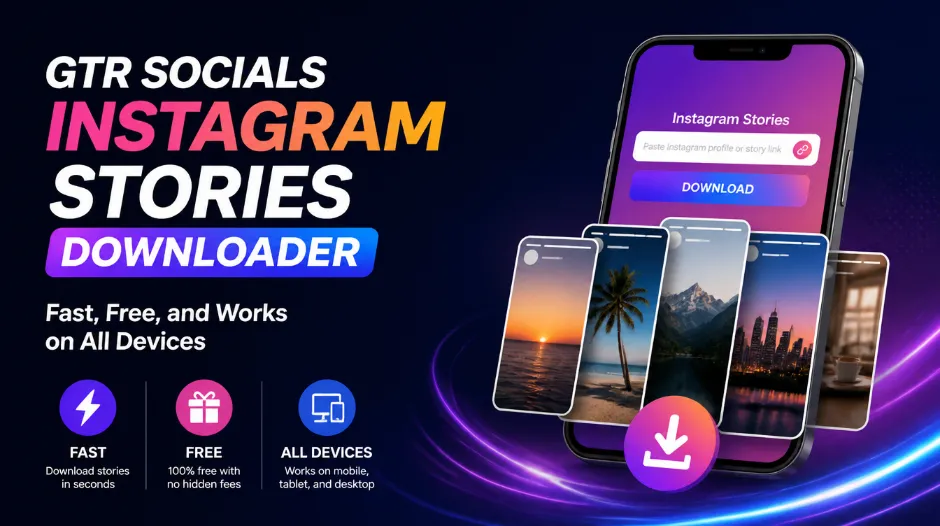
GTR Socials Instagram Stories Downloader — fast, free, and works on all devices
Instagram isn't forgetful. The 24-hour limit is a deliberate design choice, engineered to keep you coming back.
Stories were designed around urgency. If content expires, you have to check in more often to catch it before it disappears. More check-ins mean more ad impressions. More ad impressions mean more money for Meta.
The 24-hour window isn't a technical limitation. Instagram is perfectly capable of storing content indefinitely — they do it for posts and Reels. Stories disappear because disappearing content is more profitable than permanent content.
Creators can save their own Stories to Highlights. But most don't. Tutorials get posted, go live for 24 hours, and vanish. Product launches. Behind-the-scenes content. Personal moments. Gone.
And even when creators do save to Highlights, you can't download from there either without a tool.
Since 2013, we've been helping over 35,000 clients across 80+ countries with social media growth and tools. Stories downloads kept coming up as a pain point — people losing content they wanted to keep, creators losing their own work, researchers watching evidence disappear.
So we built the GTR Instagram Stories Downloader. No installs. No accounts. No watermarks. You paste the link, you get the file, done.
Open Instagram and find the Story you want to save. Tap the three dots (•••) in the bottom right corner of the Story and select "Copy Link." On desktop: open the Story and copy the URL directly from your browser's address bar.
Visit gtrsocials.com/tools/instagram-stories-downloader, paste your link into the input box, and hit "Download."
Click the download button and your file saves instantly — image or video, in full original quality, no watermark. Yours to keep forever.
There are other Instagram Story downloaders out there. Some work. Most come with catches you only discover after you've already committed — aggressive ads, mandatory signups, watermarks across your video, or permissions that make you nervous. Here's what GTR does differently:
No email address. No Instagram login. No personal information of any kind. Just paste a link and download.
Your downloaded Story is clean. No logo, no GTR branding, nothing stamped across the content. Just the original file exactly as it appeared.
We pull the file directly from Instagram's servers. No re-encoding, no additional compression. Whatever the creator uploaded — photo or video — is exactly what lands on your device.
We don't log what you download. We don't track your IP address. We don't sell your data. Your activity is yours.
iPhone, Android, PC, Mac, tablet — same three-step process across all of them. Nothing to install, nothing platform-specific.
No daily caps. No premium tier. No throttling after a certain number of downloads. Free and unlimited.
| Method | Speed | Quality | Ease of Use | Privacy | Cost |
|---|---|---|---|---|---|
| GTR Web Tool | Instant | Original | 3 clicks | Anonymous | Free |
| Screenshot / Screen Record | Slow | Degraded | Moderate | Private | Free |
| Instagram Archive (your own) | Instant | Original | In-app | Safe | Free |
| Third-Party Apps | Medium | Varies | App install | Risky | Often paid |
| Browser Extensions | Fast | Good | Install required | Risky permissions | Free |
iPhone gives you a few routes. Here's each one, from simplest to most involved:
Works on every public Instagram Story, every time:
If you're trying to save your own Stories, Instagram handles this natively:
Note: This only works for your own Stories. For anyone else's content, use the GTR tool.
When you need to grab something quickly:
Note: Screen recordings capture everything — notifications, the time, your signal bars — and quality degrades compared to a direct download. The GTR tool is cleaner.
Android users often have a smoother experience thanks to the more open file system:
Desktop downloading is often the smoothest experience:
Fair warning: Instagram's source code is minified and complex. Finding the right URL takes patience and a bit of luck. Just use the web tool — it's faster every time.
Instagram Stories quality varies depending on what was originally uploaded and how Instagram processed it.
Instagram compresses all Stories at upload. What you can download depends on the original:
Original upload quality, sharp and clean
Great quality, minor compression only visible on close inspection
Visible quality reduction, typically from re-uploaded content
Heavy pixelation, often from content recorded on older devices
Some download tools re-encode files on their own servers before delivering them, adding a second round of compression on top of Instagram's. GTR doesn't touch the file. You get the direct source — nothing added, nothing lost.
Instagram doesn't notify Story creators when someone watches, screenshots, or downloads their content. (The old screenshot notification for disappearing DMs was removed years ago.) Downloads through GTR are completely anonymous.
Only if you're an approved follower.
Private Instagram accounts restrict all content to approved followers only. No legitimate tool can bypass this, and any that claims it can is either lying or doing something that could get your device in trouble. If you're not approved, the content isn't accessible.
Is downloading Instagram Stories legal? Yes — with important caveats about what comes next.
Every Instagram Story is automatically copyrighted to its creator the moment they post it. Downloading for personal use is legally similar to recording a TV show for later viewing — you're making a personal copy. The creator still owns it entirely.
Problem: Nothing happens when you click Download.
Solution: Clear your browser cache, try Chrome if you're on another browser, and make sure you've copied the full Story URL — not just the profile URL.
Problem: The Story doesn't have a shareable link.
Solution: Tap the three dots (•••) within the Story frame itself. The "Copy Link" option appears there, not on the profile. On desktop, copy the URL directly from your browser's address bar while the Story is playing.
Problem: Error message after pasting the link.
Solution: The account is likely private, or the Story has already expired. You must be an approved follower of private accounts. If the 24 hours are up, the Story is gone — no tool can retrieve deleted content.
Causes and solutions:
Causes and solutions:
Solutions:
Unfortunate truth: Once a Story's 24 hours are up and the creator hasn't saved it, it's gone permanently. No tool — including GTR — can retrieve deleted content. Download while the Story is still live.
Your favourite trainer posted a 15-part Story series walking through a full workout programme — warmup, form cues, cooldown, all of it. Following along from a screenshot is painful. Download the series, save it to a folder, and actually use it.
The food creator you love posted a Story recipe that looked absolutely perfect. You know from experience that if you don't save it right now, the algorithm will bury it and you'll never find it again. Download it, file it under "recipes to try," and actually make it this weekend.
Your competitors are posting Stories that are clearly working — high engagement, lots of replies visible, DM mentions in follow-up posts. Download them, study the structure, understand the hook, the pacing, the CTA. Then make something better.
A client finds a creator whose Story style perfectly captures the vibe they want. Instead of trying to describe it verbally, download it and show them exactly what you're talking about. Mood boards are ten times easier with actual files.
Social media content increasingly appears in research, reporting, and documentation. Stories are especially ephemeral — gone in 24 hours, often without any archive. Download and preserve while the content is live.
A friend posted a Story from your holiday, your wedding, your graduation. Without downloading, it's one day away from disappearing forever. Save what matters before the clock runs out.
StorySaver: Popular app-based option with reasonable functionality.
Why GTR is better: No app install required, no permissions granted to your device, better privacy, web-based so it works on everything without setup.
InstaStories.io: Web tool with broad compatibility.
Why GTR is better: Cleaner interface without aggressive ad overlays, part of a trusted multi-tool suite with real support behind it, better mobile experience.
Inflact: Feature-rich platform with story viewing and downloading.
Why GTR is better: No account required, completely anonymous, no subscription model or upsells, straightforward and fast.
Dozens exist — built overnight for ad revenue, with no accountability, no support, and questionable data practices.
Why GTR is better: We've been operating since 2013. We have 35,000+ clients. We have a real support team. We're building for the long term, not quick ad revenue.
Love the Instagram Stories Downloader? Here's everything else we've built:
Instagram Stories are some of the most authentic, unfiltered content on the internet. Real moments, real tutorials, real people sharing things that matter — on a 24-hour timer that was never designed with your interests in mind.
You shouldn't lose great content because of an arbitrary expiry window. You shouldn't have to screen record everything and deal with degraded quality, cropped borders, and notification banners in your footage. You shouldn't have to install apps, hand over your Instagram credentials, or sit through five ad redirects just to save a recipe video.
The GTR Instagram Stories Downloader exists because saving content you love should be simple. Paste a link. Get your file. Done.
Whether you're archiving fitness tutorials, collecting recipe inspiration, studying what's working in your niche, or saving a memory before it disappears — you now have a fast, reliable way to do it.
The 24-hour clock is always running. Now you have a way to stop it.
Join over 35,000 satisfied GTR Socials users who trust our tools for their social media needs. Free forever. No catches.
📥 Go to GTR Stories Downloader 🌐 Explore GTR Socials