Instant processing
Paste a public link, preview the result, and download — no desktop software required.


Free · No signup · Multiple sizes
Why this tool
Enter a username to preview and save that account’s profile photo in multiple sizes — free and no signup required.
Paste a public link, preview the result, and download — no desktop software required.
No app install or browser extension needed. Works on desktop and mobile.
Pair free tools with real engagement so the content you share reaches more people.
For personal use only. Respect copyright and each platform's terms of service. GTRSocials is not affiliated with third-party platforms.

Download any public Snapchat profile photo at full resolution — no circular crop, no in-app screenshot, no notification.
Ten seconds. No account. No app. No screenshot notification.
Someone on Snapchat has a profile photo you need. Maybe it's a friend whose number you lost and you're trying to confirm it's the right person before adding them again. Maybe it's a business contact whose photo you want for your internal directory. Maybe it's your own old Bitmoji or photo that you set years ago and never saved anywhere.
You tap the profile. Snapchat shows you a small circular crop of the image inside the app. You screenshot it. What you get is a low-resolution circle with a notification sent straight to the person whose photo you just took — because Snapchat tells people when you screenshot their profile.
Not ideal.
The GTR Snapchat Profile Photo Downloader retrieves the full-resolution image cleanly, without screenshotting inside the app, without notifications, without the circular crop cutting off the edges.
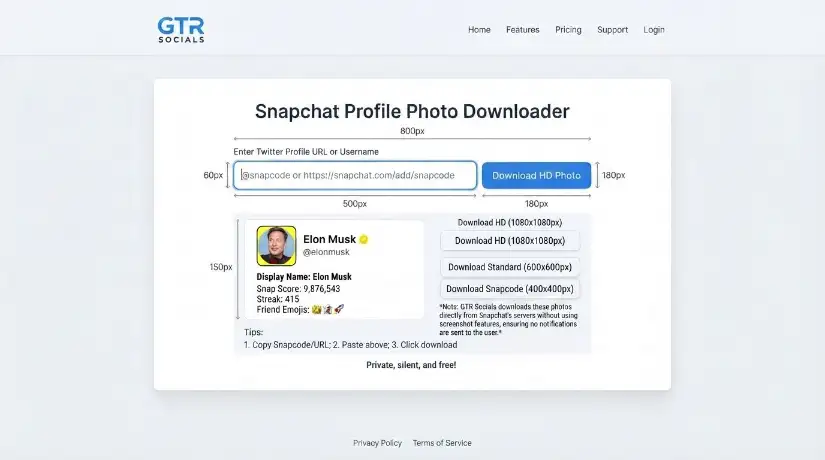
GTR Socials Snapchat Profile Photo Downloader — the full image, no crop, no notification, no hassle
Snapchat's entire identity is built around controlled sharing and ephemeral content. That philosophy extends to profile photos — they're visible on the platform but deliberately difficult to extract from it.
Snapchat notifies users when someone screenshots their profile or snaps. It's one of the platform's defining features, designed to maintain trust and transparency within the app. For the person taking the screenshot, this creates an obvious problem — saving a profile photo inside Snapchat immediately alerts the account holder.
Even when you do screenshot a Snapchat profile photo, what you capture is a small circular thumbnail — cropped, compressed, and surrounded by interface elements you don't want. The actual image the person uploaded is almost certainly larger and higher quality than what the circular avatar frame shows.
Open Snapchat and navigate to the profile. Tap Share Profile and select Copy Link. On desktop, go to snapchat.com and copy the profile URL from your browser's address bar.
Visit gtrsocials.com/tools/snapchat-profile-photo-downloader, paste the profile URL, and hit Download.
Your profile photo downloads instantly — full resolution, no circular crop, no notification sent to the account holder.
Not the compressed circular thumbnail Snapchat shows in the app. The actual uploaded image at its original dimensions.
Because GTR retrieves the image through the web rather than screenshotting inside the Snapchat app, no notification is triggered.
Paste a URL and download. No email, no account, no personal information ever required.
The full rectangular image as originally uploaded, not the circular frame Snapchat clips it into.
No logging, no tracking, no data collection of any kind.
iPhone, Android, PC, Mac. Same clean process in any browser.
Free and unlimited, always.
Copy the Snapchat profile link (Share Profile → Copy Link inside the app, or copy the URL from snapchat.com in Safari). Open Safari and go to gtrsocials.com/tools/snapchat-profile-photo-downloader. Paste the profile URL and tap Download. When the full image appears, tap and hold, then select Save to Photos. Full-resolution image lands in your Camera Roll with no notification sent anywhere.
Copy the Snapchat profile URL from the app or from snapchat.com in Chrome. Open Chrome and visit gtrsocials.com/tools/snapchat-profile-photo-downloader. Paste the URL and tap Download. Tap and hold the image and select Download Image. Find it immediately in your Gallery or Downloads folder.
Go to snapchat.com in your browser and navigate to the profile. Copy the URL from your browser's address bar. Open a new tab: gtrsocials.com/tools/snapchat-profile-photo-downloader. Paste the URL and click Download. Right-click the full image and save it to your preferred folder.
You've lost someone's number but you still follow each other on Snapchat. Before reaching out through another channel, you want to confirm it's the right person. Having their profile photo — full resolution, clearly visible — lets you cross-reference against other platforms and confirm identity before you make contact.
Teams and businesses sometimes add Snapchat contacts for professional collaboration, particularly in creative industries where Snapchat is a primary communication platform. Maintaining an internal directory with clean profile photos — without screenshotting inside the app and alerting every contact — is a straightforward professional need.
You set a profile photo on Snapchat years ago. The original file is long gone. You want it back. Snapchat has it — at full resolution — but the app gives you no clean way to retrieve your own uploaded image. GTR does.
Snapchat profile photos increasingly feature professional photography, custom artwork, and branded imagery — particularly among creators and businesses on the platform. Designers and photographers collecting visual references benefit from full-resolution images rather than compressed circular thumbnails.