Audio extraction
Pulls the audio track from the video and delivers it as a downloadable MP3 file.


Free · No signup · MP3 audio
Why this tool
Convert any public YouTube video into an MP3 on your phone, tablet, or computer — free, fast, and without installing software.
Pulls the audio track from the video and delivers it as a downloadable MP3 file.
No desktop software or browser extension required — works on desktop and mobile.
Promote your music and videos with YouTube views and likes.
For personal use only. Respect copyright and YouTube's terms of service. GTRSocials is not affiliated with YouTube or Google.

Extract MP3 audio from any public YouTube video — no account, no software, no limits.
Paste a link, get your audio file, and listen offline on any device.
You found the perfect podcast episode on YouTube. Or a lo-fi mix that's been your background soundtrack all week. Or a lecture from a professor who somehow explains things better than your entire textbook.
You want the audio. Just the audio. Without the video eating your storage, without needing Wi-Fi every time you press play, without YouTube's algorithm deciding to autoplay something completely unrelated right after.
The problem? YouTube doesn't have an audio download button. Not even for Premium subscribers — they get offline video, not audio extraction. If you want an MP3 from a YouTube video, you're on your own.
Until now.
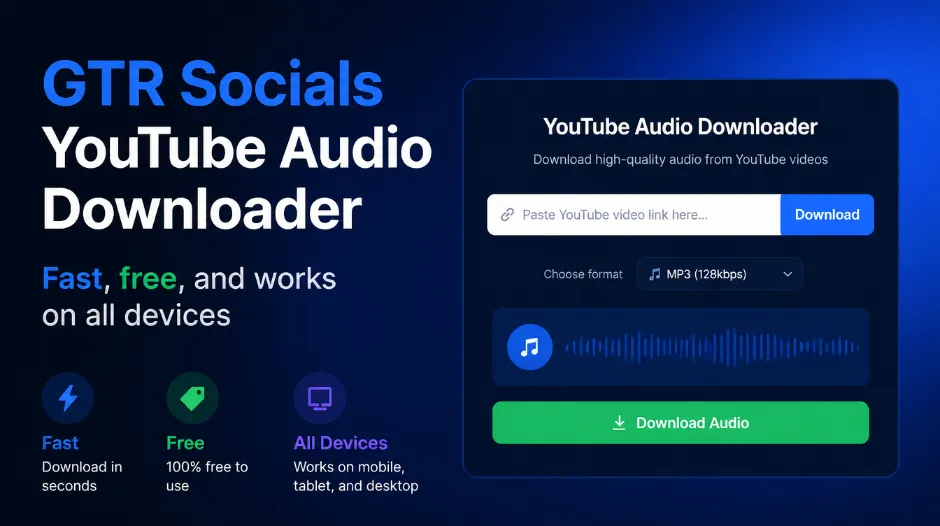
GTR Socials YouTube Audio Downloader — fast, free, and works on all devices
YouTube's business model runs on watch time. Every minute you spend on the platform — watching, waiting through ads, clicking to the next video — generates revenue. Audio-only downloads are a direct threat to that model.
If you could pull audio from any YouTube video and listen offline, you'd open the app far less. You wouldn't sit through pre-roll ads on your favourite podcast. You wouldn't accidentally keep watching when you only meant to listen.
That's not a business outcome YouTube wants. So despite the technical simplicity of extracting audio from video, they've never built the feature. And they never will.
Open YouTube and find the video you want. Copy the URL from your browser's address bar on desktop, or tap Share → Copy Link on mobile.
Visit gtrsocials.com/tools/youtube-audio-downloader, paste your link into the input field, and hit "Download."
Your audio file downloads instantly — clean, full quality, ready to play offline on any device or media player.
There's no shortage of YouTube audio downloaders online. The problem is most of them come with something attached — pop-up ads that open new tabs, mandatory account creation, files that arrive compressed beyond recognition, or tools that quietly collect your data in the background. Here's what GTR does differently:
Paste your link and go. We never ask for your email, your name, or any personal information.
We extract the audio track directly from YouTube's source. No unnecessary re-encoding, no quality degradation beyond what YouTube itself applies.
We don't log your downloads, track your IP, or build a profile on you. What you download is your business.
iPhone, Android, PC, Mac. Same clean three-step process on all of them, in any browser.
No daily caps, no premium tier unlocks, no artificial restrictions. Free and unlimited.
Safari is your best route on iOS:
The YouTube app itself doesn't cooperate with external downloaders easily on iOS, so always use the share link or browser URL rather than trying to work within the app.
Android makes this even smoother:
Desktop is the most seamless experience:
From there, drag it into iTunes, Spotify Local Files, VLC, or any media player you use. The file is yours — no DRM, no restrictions.
YouTube's audio quality depends entirely on what was originally uploaded and how YouTube processed it.
Excellent quality, indistinguishable from the original recording for most listeners
Good quality, perfectly fine for podcasts, lectures, and spoken content
Noticeable on music with complex instrumentation, typically older uploads
If the original video had bad audio, the download reflects that
Podcasts and spoken word: Even lower bitrates sound perfectly clear. 128kbps is more than enough.
Music and albums: Quality differences are more noticeable. Look for videos uploaded by official artist channels — they typically have the best available audio.
Lectures and educational content: Audio quality is rarely an issue. Focus on finding the clearest recording.
Meditation and ambient audio: Mid-range bitrates work well. The nature of the content hides compression more effectively than complex music.
Thousands of podcasts live exclusively on YouTube — interviews, commentary shows, educational series — that never make it to Spotify or Apple Podcasts. Download the audio and listen in your podcast app of choice, on your commute, at the gym, anywhere.
University lectures, conference talks, language lessons, documentary audio — YouTube is one of the best educational resources ever built. Download what you're studying and listen repeatedly without burning through mobile data.
Found a perfect workout mix or a motivational talk that hits right? Download it as audio and run it through your earbuds without your phone screen needing to stay on. Saves battery, saves data, sounds just as good.
YouTube is where a lot of independent artists, rare recordings, and live performances exist that you simply can't find anywhere else. Download audio for personal listening from content that isn't available on streaming platforms.
Guided meditations, lo-fi study playlists, binaural beats, ambient soundscapes — YouTube has an extraordinary range of focus and relaxation audio. Download and listen without an internet connection, without ads interrupting mid-session.
Your privacy matters. Here's how GTR handles it:
⚠️ Warning signs with other tools: excessive pop-up ads, mandatory app installs, multiple redirects before the download starts, no HTTPS in the browser address bar. GTR has none of these.
Downloading YouTube audio for personal use is generally legal in most jurisdictions. What matters is what you do with it afterward.
👍 Personal use — Listening offline, personal study, archiving content you enjoy.
👎 Commercial use — Using audio in your own videos, monetising content, distributing files, or any purpose beyond personal listening.
Every YouTube video's audio is copyrighted to its creator. Personal offline listening is comparable to recording a radio broadcast for your own use — the creator still owns the content entirely. If you want to use audio in your own project, you need explicit permission or a proper license.
Clear your browser cache, switch to Chrome, and make sure you've copied the full video URL including the "youtube.com/watch?v=" portion.
The source video had low-quality audio. GTR can't improve what YouTube provides.
Make sure your media player supports MP3 format. VLC plays everything and is free on all platforms.
Check your internet connection, switch to WiFi, close bandwidth-heavy background apps.
The video may be region-locked, age-restricted, or set to private. GTR works on publicly accessible videos.
YouTube is one of the greatest audio libraries ever assembled. Podcasts, music, lectures, meditations, language lessons — more useful audio content than you could consume in several lifetimes. And none of it has a download button.
The GTR YouTube Audio Downloader changes that. No apps, no subscriptions, no watermarks, no data collection. Paste a link, get your MP3, done.
Stop streaming the same content on repeat. Start building an audio library that's actually yours.