Instant processing
Paste a public link, preview the result, and download — no desktop software required.


Free · No signup · Browser-based
Why this tool
Paste a public Threads post and save photos or videos — free and browser-based.
Paste a public link, preview the result, and download — no desktop software required.
No app install or browser extension needed. Works on desktop and mobile.
Pair free tools with real engagement so the content you share reaches more people.
For personal use only. Respect copyright and each platform's terms of service. GTRSocials is not affiliated with third-party platforms.

How to Download Threads Posts: The Fastest Free Method That Actually Works [2026]
Download any Threads post in seconds - text, images, video - clean and saved to your device. No apps, no signups, no weird permissions. Works perfectly on iPhone, Android, and PC.
You're scrolling through Threads, and someone just dropped a post that stops you cold. Maybe it's a brutally honest career take you want to revisit later. Maybe it's a viral thread breaking down something complicated in a way that finally makes sense. Maybe it's a meme so perfectly timed you need to send it to three people immediately.
You screenshot it. Fine. But screenshots cut off. Screenshots lose quality. Screenshots miss the whole thread when it runs six replies deep.
Here's the thing nobody tells you: Threads doesn't have a save-to-device button. Not a real one. You can bookmark posts inside the app, sure - but the moment that post gets deleted, the account goes private, or you switch phones and lose your bookmarks, it's gone. Just gone.
What if you could download any Threads post in seconds? The full thing - text, images, video - clean and saved to your device? No apps. No signups. No weird permissions.
That's exactly what we built.
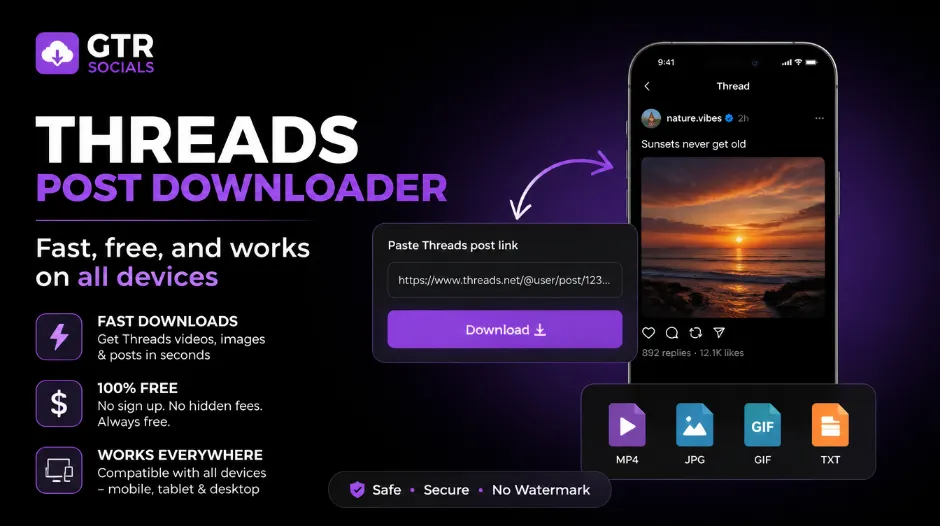
GTR Socials Threads Post Downloader - Fast, free, and works on all devices
Threads is a Meta product. And Meta has a very specific relationship with your attention.
Every time you want to find that post again, you open the app. You search. You scroll. You see ads. You get pulled into three other threads you didn't plan on reading. Fifteen minutes disappear.
That's not an accident. That's the product working as designed.
If you could download posts and reference them offline, you'd open the app less. Meta's ad model lives and dies on time-in-app. A download button is a direct threat to their revenue - which is exactly why it doesn't exist.
Threads also moves fast. Posts that go viral on Monday are buried by Wednesday. Accounts get suspended. Creators delete things. Content that felt permanent disappears without warning.
There's no archive. No Wayback Machine for your bookmarks. When it's gone, it's gone.
We've been building social media tools since 2013, serving over 35,000 clients across 80+ countries. One pattern kept coming up: people wanted to save what they were finding online, and the platforms kept making it harder.
So we built the GTR Threads Post Downloader. Web-based, no installation, no account required, no watermarks. You paste a link. You get your file. That's the whole thing.
Open Threads and find the post you want to save. Tap the three dots (...) in the top right corner of the post, then select "Copy Link." On desktop: click the share icon and choose "Copy Link."
Go to gtrsocials.com/tools/threads-post-downloader, paste your link into the input field, and hit "Download."
Click the download button. Your file saves instantly - image, video, or full thread content - ready to keep forever.
Let's be honest - there are other Threads downloaders out there. Most of them technically work. But they come with catches: walls of ads, watermarks stamped across your files, mandatory app installs, or data collection that makes you uneasy. Here's what's different about GTR:
No email. No phone number. No Threads login. Paste and go.
Your downloaded content is clean. No GTR logo, no branding. Just the original file.
We pull directly from Threads' servers. Whatever quality the creator uploaded is what you get - no re-encoding, no compression, no degradation.
We don't log what you download. We don't track your IP. Your downloads are your business.
iPhone, Android, PC, Mac, tablet - same three-step process on all of them. No device-specific apps needed.
Download as many posts as you want. No daily caps, no premium tiers, no artificial throttling.
| Method | Speed | Quality | Ease of Use | Privacy | Cost |
|---|---|---|---|---|---|
| GTR Web Tool | Instant | Original | 3 clicks | Anonymous | Free |
| Screenshot | Fast | Degraded | Easy | Private | Free |
| Screen Recording | Slow | Lower | Complex | Private | Free |
| Third-Party Apps | Medium | Varies | App install | Risky | Often paid |
| Browser Extensions | Fast | Good | Install required | Risky permissions | Free |
iPhone users have a few options depending on the situation. Here's each method from simplest to most involved:
This works on every public Threads post, every time:
For text-only posts where you just want to capture the words quickly:
Note: Screenshots degrade quality and cut off long threads. The GTR tool is cleaner for anything beyond a single short post.
When you need to grab something quickly and can't use the web tool:
Note: Screen recording captures everything on your screen including notifications, and requires trimming afterward. Use the GTR tool whenever possible.
Android users often have it a bit easier thanks to the more accessible file system:
Desktop downloading is arguably the smoothest experience:
Fair warning: this is time-consuming and fiddly. Unless you enjoy digging through source code, the web tool is just faster.
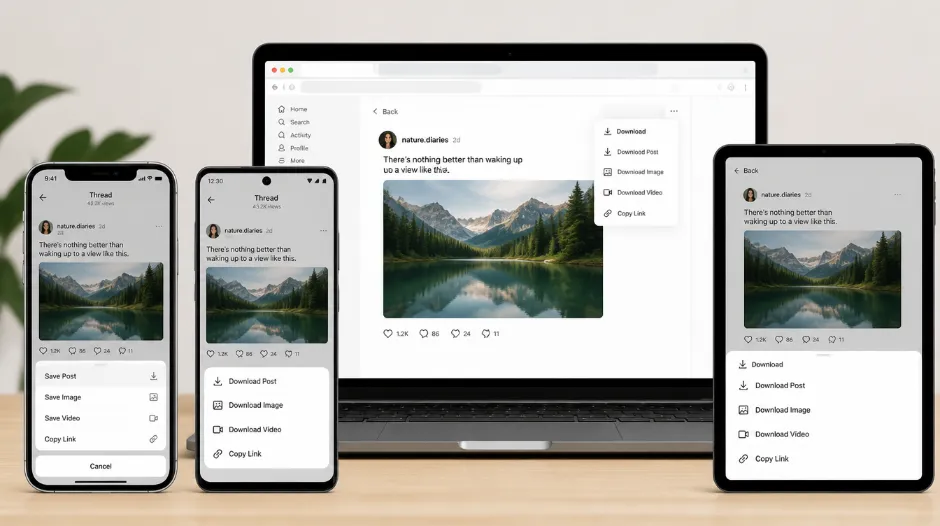
Download Threads posts easily on any device - iPhone, Android, PC or Mac
Not all Threads content downloads at the same quality. Here's what affects it:
Threads compresses uploaded content at the point of upload. What you can download depends entirely on the original:
Best possible, original upload quality
Great quality, slightly compressed
Noticeable reduction on larger screens
Visible pixelation, typically older or re-uploaded content
Many download tools re-encode files on their end, adding a second round of compression.
GTR downloads the exact file Threads serves - no re-encoding, no quality loss. What you get is the actual original.
Your privacy matters.
Here's the full picture:
Threads doesn't notify creators when someone saves or downloads their content. It's completely anonymous - same as bookmarking, just actually useful.
Only if you follow them and they've approved you.
Private Threads accounts restrict their content to approved followers only. No legitimate tool can bypass this. If you don't have approved access, the content simply isn't accessible - and any tool claiming otherwise is lying.
Is downloading Threads posts legal?
The honest answer: it depends what you do with them.
Every post on Threads is automatically copyrighted to its creator the moment they publish it. Downloading for personal use is analogous to recording a TV show for later viewing - you're making a personal copy. The creator still owns it.
Problem: The download isn't triggering.
Solution: Clear your browser cache, try a different browser (Chrome works best), and make sure you're copying the full post URL - not just the profile URL.
Causes and solutions:
Problem: Tool says it can't access the content.
Solution: The account is likely private. You need to be an approved follower first.
Solutions:
Causes and solutions:
Solutions:
Let's talk about the practical scenarios where this actually matters:
Someone in your industry just posted a 12-part thread on strategy, pricing, or industry shifts. You want to study it, share it internally, or reference it in your own work. Bookmarking means finding it again later - if it's still there. Downloading means you actually have it.
What hooks are working right now? What formats are getting traction? Download high-performing posts from creators in your niche, study the structure, and understand why they work. Build something better.
Threads has become a serious source of commentary, analysis, and breaking-take content from academics, journalists, and subject-matter experts. Download threads you want to cite or reference before they get edited or deleted.
Threads moves fast. A post that's blowing up right now might be deleted in an hour. Download first, verify second. For social media managers, downloaded posts are perfect for client mood boards and content direction examples.
Someone posted something meaningful - a moment of honesty, a funny exchange, something that mattered to you. Without downloading, it's one deletion away from being gone forever. Save what matters while you can.
Downloaded competitor posts give you an offline record of messaging, positioning shifts, and campaign launches. Useful for pattern-spotting and strategic planning.
We're not the only option. Here's how we stack up:
ThreadsDown: Basic functionality, gets the job done.
Why GTR is better: Cleaner interface, no aggressive redirect ads, part of a trusted multi-tool suite with real customer support you can actually contact.
SaveFrom: Popular multi-platform downloader.
Why GTR is better: Better privacy stance, no mandatory browser extension, mobile experience is significantly smoother.
Dozens of these exist - built overnight to catch traffic, plastered with ads, no accountability.
Why GTR is better: We've been operating since 2013. We have 35,000+ clients. We have a support team. We're not going anywhere.
Join over 35,000 satisfied GTR Socials users who trust our tools for their social media needs. Free forever. No catches.
Start Downloading Now View All Free ToolsLove the Threads Post Downloader? Here's what else we've built:
Threads is a fast-moving platform. Great content surfaces, goes viral, and disappears - sometimes within hours. The platform isn't going to give you a save button anytime soon. That's not in their interest.
But it's in yours. The GTR Threads Post Downloader exists because you shouldn't have to rely on screenshots, screen recordings, or your memory to hold onto something that mattered to you. You shouldn't have to install sketchy apps or hand over your login credentials just to save a post. Paste a link. Get your file. That's it.
Whether you're archiving industry insights, building a content swipe file, doing competitive research, or just saving something that made you laugh - you now know exactly how to do it.
Stop relying on bookmarks that disappear. Start keeping what you want.
Save your favorite Threads posts in original quality - completely free with GTR Socials
Join over 35,000 satisfied GTR Socials users who trust our tools for their social media needs. Free forever. No catches.
Go to GTR Threads Downloader Explore GTR Socials