Instant processing
Paste a public link, preview the result, and download — no desktop software required.


Free · No signup · Latest 10 videos
Why this tool
See engagement rate from likes, comments, shares, and saves across the latest public videos — no signup needed.
Paste a public link, preview the result, and download — no desktop software required.
No app install or browser extension needed. Works on desktop and mobile.
Pair free tools with real engagement so the content you share reaches more people.
For personal use only. Respect copyright and each platform's terms of service. GTRSocials is not affiliated with third-party platforms.

TikTok doesn't behave like Instagram or Facebook, where engagement is usually measured against your follower count. TikTok's algorithm pushes videos to people who've never followed you, so the number that actually matters is how your content performs against the people who saw it — not the people who follow you.
These bands shift a little depending on your niche — comedy and dance content tends to run hotter, while B2B or educational accounts often sit lower and that's completely normal. Use the scale as a general compass, not a hard rule.
The formula is simple, and it's the same one creators, agencies and brands use to benchmark TikTok performance:
Add up every interaction on the video — likes, comments, shares and saves — then divide that total by the number of views and multiply by 100 to get a percentage. Type your own numbers into the calculator above and it'll do the math instantly, along with telling you which band you land in.
Saves are one of the strongest signals TikTok's algorithm looks at, because saving a video means someone wants to come back to it. A video with modest likes but a healthy save count is often a sign the content has real, lasting value — worth keeping an eye on as you track your numbers over time.
It's tempting to treat follower count as the scoreboard, but two accounts with the same number of followers can have completely different levels of influence. A creator with 10,000 followers and a 7% engagement rate is reaching and moving people far more effectively than one with 100,000 followers and a 1% rate. Brands, sponsors and the TikTok algorithm itself all pick up on that difference.
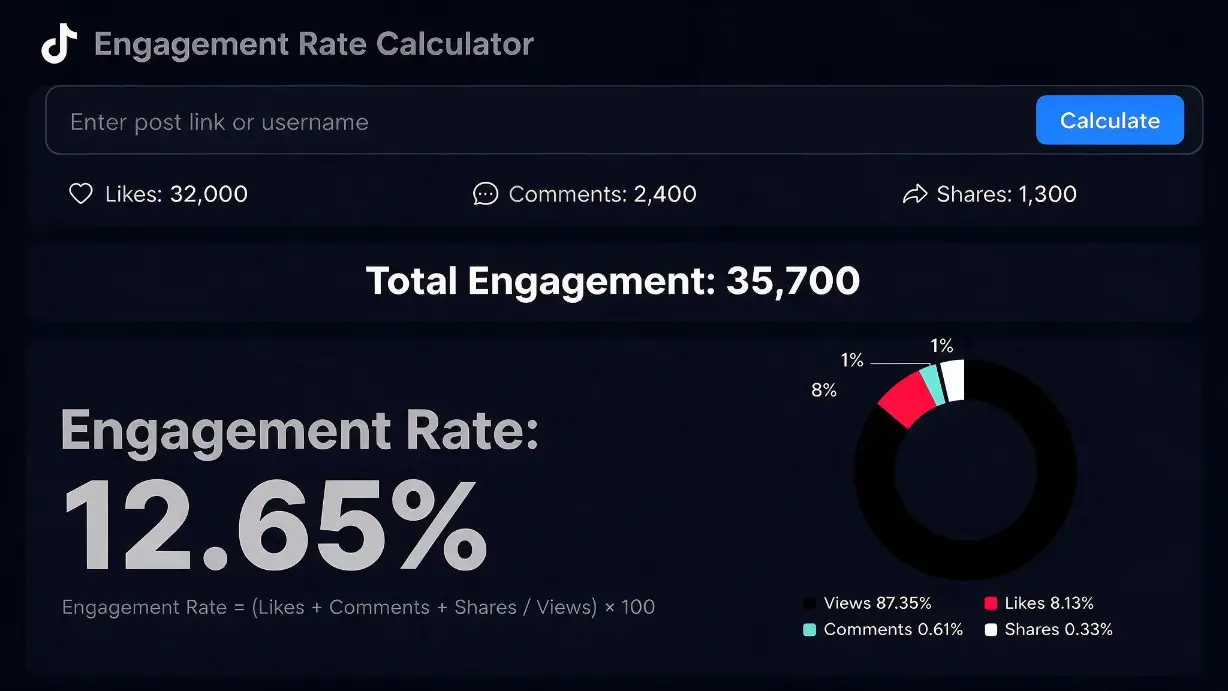
Tracking likes, comments, shares and saves side by side shows the full engagement picture
This is also exactly why new accounts and freshly posted videos so often struggle before they take off — with almost no views or interactions to begin with, there's nothing yet for the algorithm to measure. Every account runs into this cold start at some point; the ones that push through it are the ones that get some early momentum on the board and keep showing up consistently after that.
None of these require a reinvention of your content — small, consistent adjustments tend to move the number more than any single "viral hack" ever does.
If your rate is landing in the "low" or "average" range, it usually just means the video hasn't picked up enough early momentum for the algorithm to notice it yet — that cold start problem again. Rather than a shortcut, think of a bit of early engagement as a way to get the ball rolling: once a video starts collecting likes, comments and shares, it becomes far more likely to keep attracting them on its own.
If you'd like a hand getting a video's numbers moving, GTR Socials has been helping creators and brands build that early momentum since 2013, across TikTok and 24 other platforms.
Not necessarily. It sits just under the "average" band, but niche matters — a 3% rate on an educational or B2B account can be perfectly solid, while the same number on a comedy account might mean the content didn't land.
Both are useful. Per-video tells you what's working right now; an account average smoothed over your last 10–20 posts shows your overall trend and is more reliable for comparing yourself over time.
Because TikTok distribution is driven by its For You Page rather than your follower list, views give a far more accurate picture of how your content performed with the audience that actually saw it.
They're weighted equally in this formula, but TikTok's own algorithm tends to treat saves and shares as stronger intent signals than a like, since both take a bit more effort from the viewer.