

Twitter polls are one of the platform's most engaging features, yet many users barely scratch the surface of their potential. Whether you're building brand awareness, gathering customer insights, or simply sparking conversation, polls offer a unique way to connect with your audience and boost your X engagement metrics.
📋 Table of Contents
What Are Twitter Polls?
Twitter polls (now X polls) are interactive features that allow you to pose questions to your followers with up to four multiple-choice answer options. Introduced in 2015, polls have become one of the most effective engagement tools on the platform.
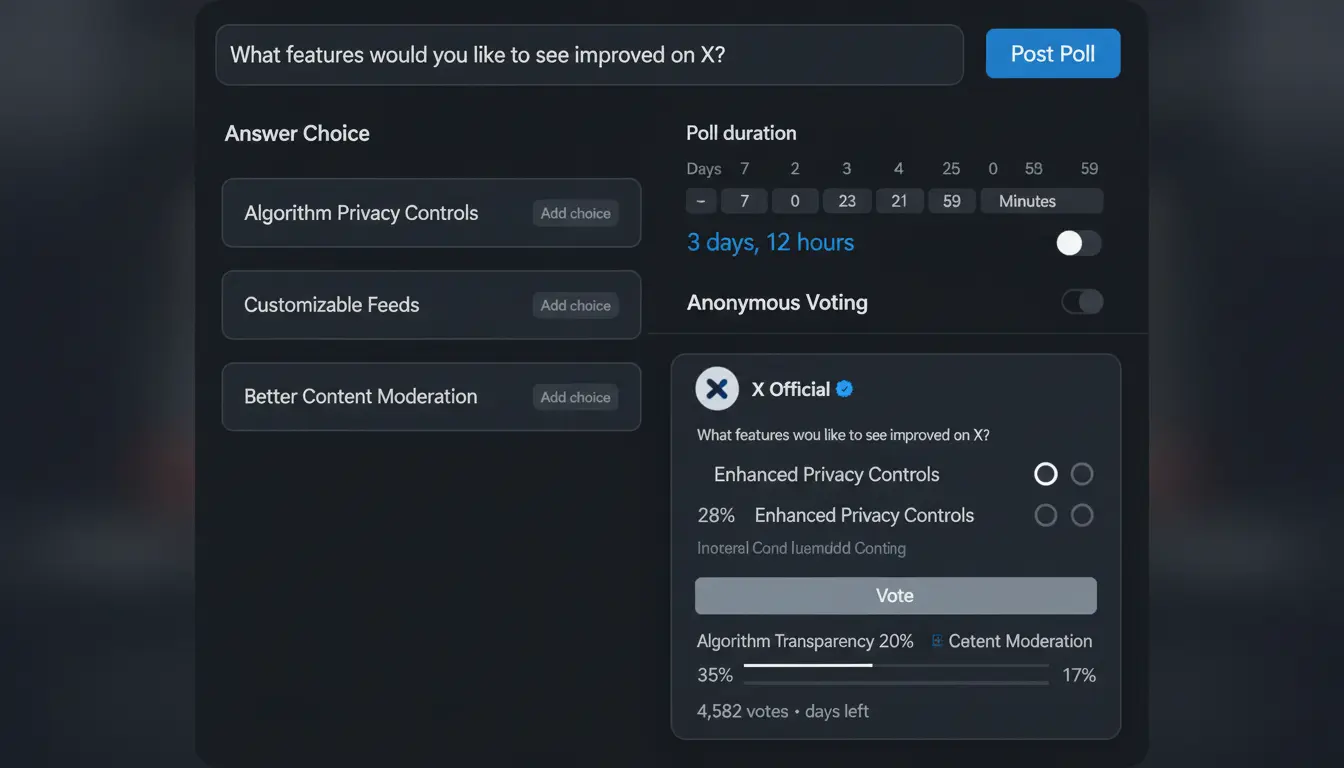
Twitter's poll interface makes it easy to create engaging questions with up to four answer choices
Key Features of Twitter Polls
- Multiple Choice Format: 2 to 4 answer options per poll
- Time-Limited: Polls can run from 5 minutes to 7 days
- Anonymous Voting: Votes are private; only the creator sees who voted
- Real-Time Results: Vote counts update live as people participate
- Universal Access: Available to all users on mobile and desktop
- Single Vote: Each user can vote only once per poll
Research shows that tweets with polls receive significantly higher engagement than standard tweets:
- Polls generate 3x more engagement than regular tweets
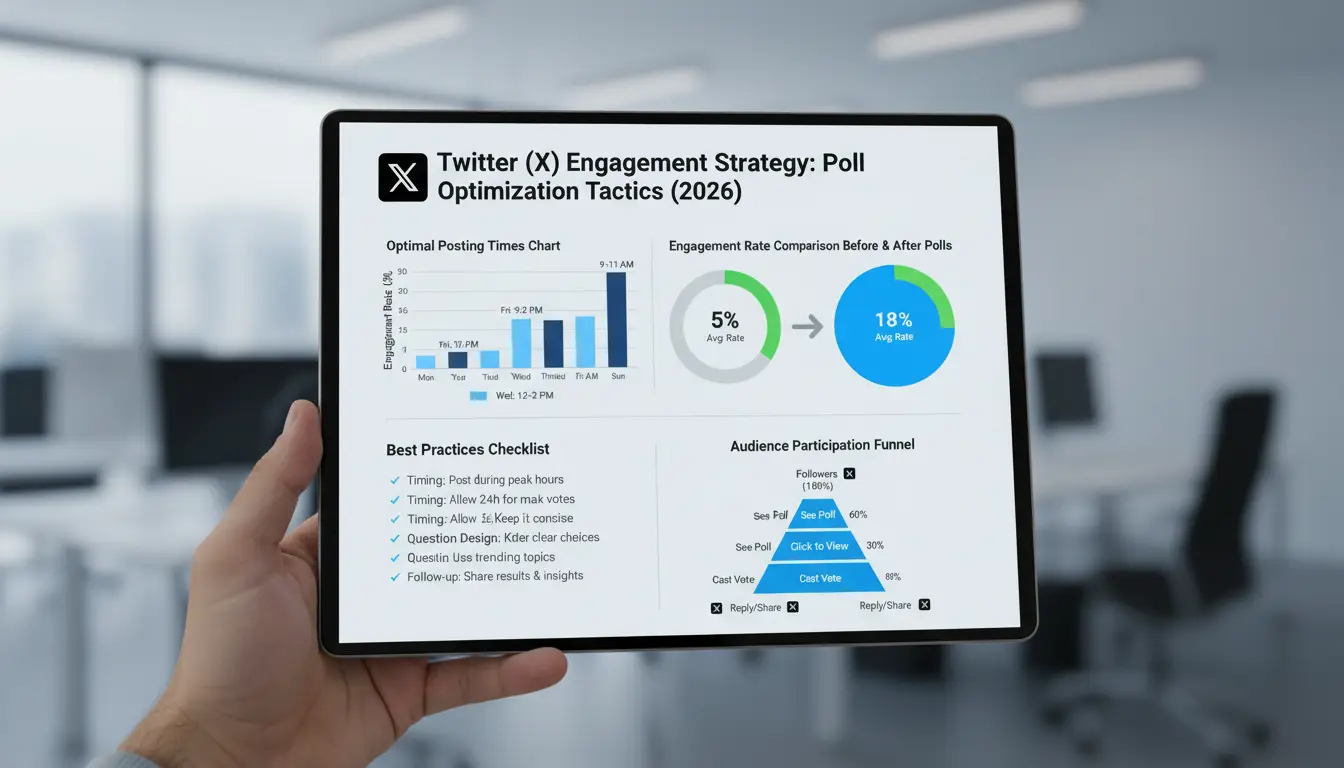
- Average poll participation rate: 15-25% of impressions
- Polls increase tweet visibility due to algorithm favorability
- Users are 2x more likely to retweet content with polls
Why Twitter Polls Matter in 2026
In the current X platform landscape, polls serve multiple strategic purposes:
- Algorithm Boost: X's algorithm prioritizes interactive content, giving polls better organic reach
- Audience Insights: Direct feedback from your community without extensive research
- Community Building: Polls create dialogue and make followers feel heard
- Content Ideas: Poll results can guide your content strategy
- Brand Personality: Polls showcase your voice and values in an interactive format
How Twitter Polls Work: The Mechanics
The Poll Lifecycle
1. Creation Phase
When you create a poll, you define:
- Your question (up to 280 characters, shared with tweet text limit)
- 2-4 answer choices (each up to 25 characters)
- Poll duration (5 minutes to 7 days)
- Optional additional tweet text or media
2. Active Voting Period
Once published:
- Followers see the poll in their timeline
- Users can vote with a single tap/click
- Results display immediately after voting
- Vote counts update in real-time
- The poll remains open for the set duration
3. Results Phase
After the poll closes:
- Final results remain visible on the tweet
- Percentage breakdown shows for each option
- Total vote count displays
- The tweet continues to generate engagement through comments
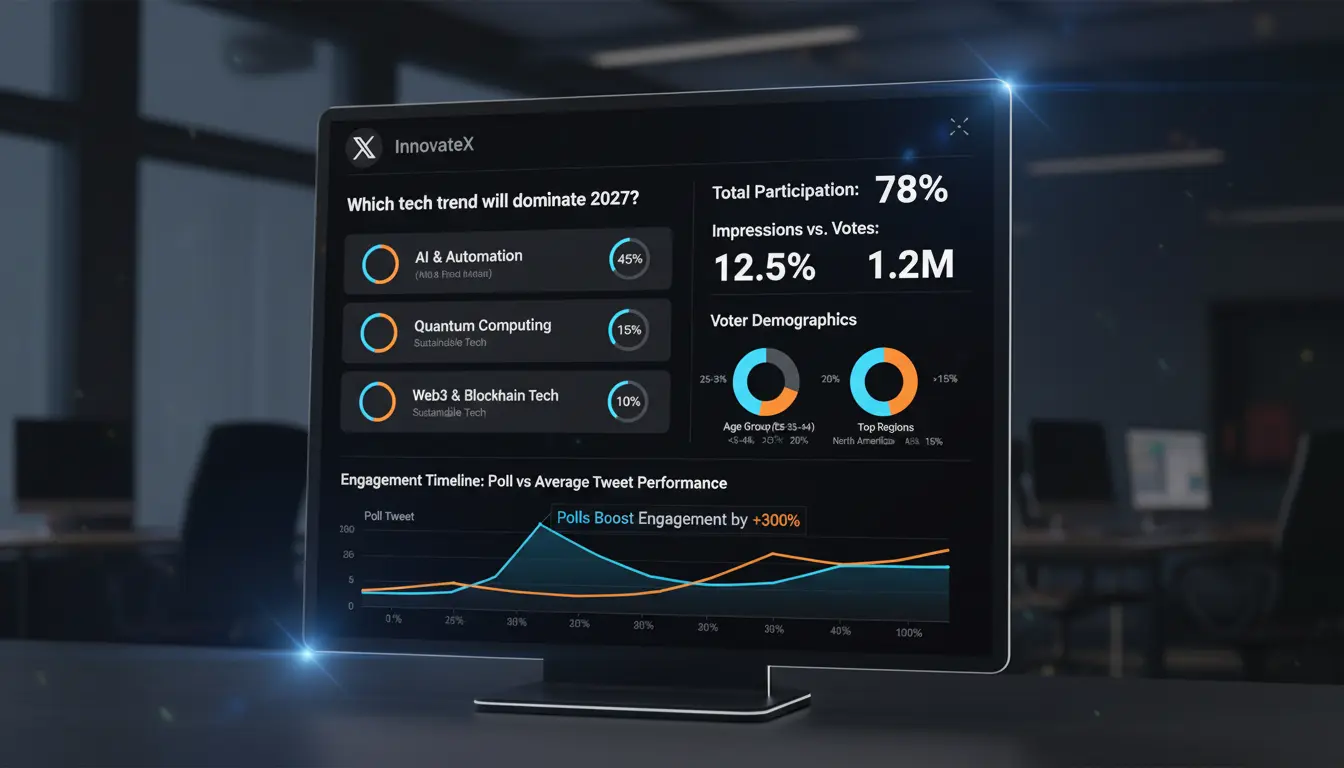
Poll analytics reveal valuable engagement patterns and audience preferences
Technical Specifications
- Question Length: Shares 280-character limit with tweet text
- Answer Options: Minimum 2, maximum 4 choices
- Answer Length: 25 characters maximum per option
- Poll Duration: 5 minutes to 7 days (preset intervals)
- Voting: One vote per user, cannot be changed
- Privacy: Votes are anonymous to public; creator sees voter list
- Editing: Cannot edit poll after posting
How Polls Affect Your Reach
Twitter's algorithm treats polls favorably because they drive engagement. Here's how they impact your visibility:
- Initial Boost: Polls receive priority placement in follower timelines
- Engagement Signals: Votes count as interactions, signaling quality content
- Extended Lifespan: Active polls stay relevant longer than standard tweets
- Conversation Starter: Polls often generate comment threads, multiplying engagement
- Retweet Incentive: Users share interesting polls with their networks
Creating Your First Twitter Poll: Step-by-Step
On Mobile (iOS/Android)
Step 1: Open the X app and tap the compose button (+ or feather icon)
Step 2: Tap the poll icon (bar chart symbol) in the formatting toolbar
Step 3: Type your question in the main text field
Step 4: Enter your answer choices (minimum 2, maximum 4)
Step 5: Select poll duration from dropdown (5 min to 7 days)
Step 6: Add any additional text, hashtags, or media if desired
Step 7: Review and tap "Post" to publish
On Desktop
Step 1: Click "Post" or the compose box on x.com
Step 2: Click the poll icon in the toolbar below the text box
Step 3: Type your question and answer options
Step 4: Choose your poll duration
Step 5: Add supplementary content if needed
Step 6: Click "Post" to publish
Match your poll duration to your question type. Quick opinion polls work well with 1-3 hours, while important decisions or research questions benefit from 2-7 day durations for maximum participation.
Crafting Effective Poll Questions
The Question Formula:
- Clear and Specific: Avoid ambiguity; voters should understand exactly what you're asking
- Relevant to Audience: Ask questions your followers care about
- Actionable Choices: Provide distinct, meaningful options
- Appropriate Scope: Don't make questions too broad or too narrow
- Balanced Options: Ensure choices are relatively equal in appeal
Example Transformations:
❌ Weak: "What do you think about social media?"
✅ Strong: "How many hours per day do you spend on social media?"
❌ Weak: "Content?"
✅ Strong: "What content format do you prefer on X?"
❌ Weak: "Yes or no on the thing?"
✅ Strong: "Should we launch our new product in Q1 or Q2?"
Creative Ways to Use Twitter Polls
1. Market Research & Product Development
Use polls to:
- Test product names or features before launch
- Gauge interest in potential offerings
- Identify customer pain points
- Choose between design options
- Prioritize feature requests
Example: "We're developing a new feature! Which would you use most?"
- Dark mode
- Scheduling posts
- Analytics dashboard
- Team collaboration
2. Content Planning & Audience Preferences
Use polls to:
- Let followers choose your next content topic
- Determine preferred content formats (video, threads, images)
- Find optimal posting times
- Select guest interview subjects
- Decide on content series themes
Example: "What topic should our next deep-dive cover?"
- SEO strategies
- Social media ads
- Email marketing
- Content creation
Creative poll strategies range from market research to community building and entertainment
3. Community Engagement & Fun
Use polls to:
- Host "This or That" debates
- Run trivia questions
- Create personality quizzes
- Start friendly competitions
- Share controversial opinions (carefully)
Example: "Settle this debate once and for all:"
- Pineapple belongs on pizza
- Pineapple does NOT belong on pizza
- I don't eat pizza
- What's pizza?
4. Industry Insights & Trend Tracking
Use polls to:
- Survey industry professionals
- Track sentiment on current events
- Predict trends or outcomes
- Compare tools or methodologies
- Gather best practices
Example: "Which marketing trend will dominate 2026?"
- AI-generated content
- Short-form video
- Interactive experiences
- Influencer partnerships
5. Customer Service & Feedback
Use polls to:
- Measure customer satisfaction
- Prioritize support improvements
- Identify common issues
- Test new policies before implementation
- Gather quick feedback on updates
Example: "How would you rate your recent experience with our support team?"
- Excellent ⭐⭐⭐⭐⭐
- Good ⭐⭐⭐⭐
- Average ⭐⭐⭐
- Needs improvement ⭐⭐
6. Event Planning & Logistics
Use polls to:
- Choose event dates or times
- Select venues or formats (virtual vs. in-person)
- Determine topics or speakers
- Gauge attendance interest
- Plan event activities or agenda
7. Educational Content & Awareness
Use polls to:
- Test knowledge on topics
- Highlight misconceptions
- Share surprising statistics
- Create teaching moments
- Assess audience expertise level
Twitter Poll Best Practices
1. Timing is Everything
Optimal Poll Durations by Type:
- Quick Opinions: 1-3 hours for immediate feedback
- Daily Engagement: 24 hours for consistent participation
- Research Questions: 2-3 days for thoughtful responses
- Important Decisions: 5-7 days for maximum reach
- Event-Related: 12-24 hours for timely relevance
Launch polls during your audience's peak activity hours (typically 9-11 AM and 5-7 PM in their timezone) to maximize initial engagement, which signals the algorithm to boost distribution.
2. Question Design Principles
✅ DO:
- Keep questions concise and clear
- Use simple, accessible language
- Make options mutually exclusive
- Balance serious and fun topics
- Include an "other" or "see results" option when appropriate
❌ DON'T:
- Ask leading or biased questions
- Create overly complex scenarios
- Use jargon your audience won't understand
- Make all options similar or confusing
- Forget to proofread for typos
3. Answer Choice Strategy
Creating Compelling Options:
- Be Specific: "Morning person 🌅" beats "Yes"
- Use Emojis: Visual elements increase engagement
- Keep Length Balanced: Similar character counts for all options
- Include Variety: Offer genuinely different choices
- Add Personality: Inject your brand voice into options
4. Context & Framing
Enhance your polls with:
- Explanation Tweet: Add context in the main tweet text
- Thread Follow-Up: Reply with additional information
- Media Addition: Include relevant images or GIFs
- Hashtag Strategy: Use 1-2 relevant hashtags
- Call-to-Action: Encourage voting and sharing
5. Engagement Optimization
Boost participation by:
- Asking questions people have opinions about
- Creating stakes or consequences for results
- Promising to share insights from results
- Responding to voters in comments
- Retweeting your poll after a few hours
Maximizing Poll Engagement
Algorithm-Friendly Tactics
1. Early Engagement is Critical
The first 30-60 minutes determine your poll's reach:
- Post during peak audience hours
- Notify your team or community to vote immediately
- Share in relevant group chats or Discords
- Consider pinning to profile temporarily
2. Leverage Your Network
- Ask collaborators or partners to retweet
- Share in your newsletter or other channels
- Cross-post to other social platforms
- Tag relevant accounts when appropriate
3. Create Conversation Hooks
- Ask voters to explain their choice in comments
- Share your own vote and reasoning
- Pose follow-up questions in replies
- Highlight interesting perspectives
Content Strategy Integration
Make Polls Part of Your Rhythm:
- Weekly Series: "Monday Poll" or "Friday Predictions"
- Themed Days: Industry insights on Wednesdays, fun polls on Fridays
- Event Tie-Ins: Polls related to upcoming launches or announcements
- Seasonal Topics: Polls aligned with current events or seasons
Strategic poll optimization significantly increases engagement and audience participation rates
Follow-Up Strategies
After Your Poll Closes:
- Share Results: Create a summary tweet with key insights
- Thank Participants: Acknowledge voter engagement
- Act on Feedback: Demonstrate you value their input
- Create Content: Turn results into blog posts, videos, or threads
- Compare Data: Reference past polls to show trends
Post a follow-up thread analyzing poll results 1-2 hours after closing. This creates a "second wave" of engagement as voters return to see final outcomes and your analysis.
Building Poll Series
Create Connected Polls for Deeper Engagement:
- Multi-Part Questions: "Part 1: Which feature?" → "Part 2: When to launch?"
- Tournament Style: Bracket-style elimination polls
- Progressive Revelation: Use results to inform next poll
- Comparison Series: "Tool A vs B" → "Winner vs C"
Common Twitter Poll Mistakes to Avoid
Mistake #1: Too Many Polls
The Problem: Posting polls too frequently dilutes their impact and can annoy followers.
The Fix: Limit polls to 2-3 per week maximum. Mix them with other content types to maintain variety.
If more than 50% of your posts are polls, you're likely experiencing diminishing returns. Your audience will start scrolling past them without engaging.
Mistake #2: Ignoring Results
The Problem: Asking for input but never acting on it erodes trust.
The Fix: Only create polls when you genuinely want feedback and can act on results. Always follow up with outcomes.
Mistake #3: Biased or Leading Questions
The Problem: Questions that push voters toward a specific answer compromise data quality.
Examples of Leading Questions:
- "Don't you think X is the best option?" (assumes agreement)
- "Only [negative group] would choose Y, right?" (creates social pressure)
- Providing 3 positive and 1 negative option (unbalanced choices)
The Fix: Use neutral language and balanced options. Test questions with others before posting.
Mistake #4: Poor Answer Options
Common Option Mistakes:
- Overlapping choices: "0-5 years" and "3-8 years" (confusion)
- Missing middle ground: "Love it" and "Hate it" (no neutral option)
- Joke answers only: All options are humorous, no real choice
- Unequal appeal: Three specific options and one vague catchall
The Fix: Ensure options are mutually exclusive, collectively exhaustive, and roughly equal in specificity.
Mistake #5: Wrong Poll Duration
The Problem: Duration doesn't match question importance or audience availability.
Examples:
- 7-day poll for "What should I have for lunch?" (trivial question)
- 1-hour poll for "Which product should we develop?" (major decision)
- Overnight poll when your audience is in different timezones
The Fix: Match duration to question weight and ensure your audience has time to see it.
Mistake #6: No Context or Call-to-Action
The Problem: Polls posted in isolation without explanation get fewer votes.
The Fix: Add context in your tweet text:
- "We're planning our Q2 content calendar and need your input!"
- "Vote below and reply with why you chose that option 👇"
- "This will determine our next product feature. Your vote matters!"
Mistake #7: Never Changing Your Approach
The Problem: Using the same poll format repeatedly leads to declining engagement.
The Fix: Vary your poll types:
- Mix serious and fun questions
- Alternate between 2-option and 4-option polls
- Try different durations
- Experiment with topics and formats
- A/B test question phrasings
Analyzing Poll Results & Performance
Understanding Poll Metrics
Key Performance Indicators:
- Total Votes: Raw number of participants
- Vote Rate: Votes divided by impressions (aim for 10-20%)
- Engagement Rate: All interactions (votes + likes + RTs + replies) / impressions
- Completion Rate: How many people who saw it voted
- Comment Rate: Replies generated per vote
Accessing Twitter Analytics
To view detailed poll performance:
- Go to analytics.twitter.com (or click "Analytics" in app menu)
- Navigate to "Tweets" tab
- Find your poll tweet
- Click to view detailed metrics
Available Data:
- Impressions (how many times shown)
- Engagements (all interactions)
- Engagement rate percentage
- Likes, retweets, replies breakdown
- Link clicks (if included)
Interpreting Results
What Good Performance Looks Like:
- Vote Rate: 15%+ is excellent, 10-15% is good, under 10% needs improvement
- Engagement Rate: 5%+ is strong for polls
- Comments: More than 10% of votes becoming comments indicates passionate audience
- Retweets: 5%+ retweet rate shows shareability
Average Twitter poll performance by account size:
- Under 1K followers: 100-300 votes, 15-25% vote rate
- 1K-10K followers: 300-1,500 votes, 10-20% vote rate
- 10K-100K followers: 1,500-10,000 votes, 8-15% vote rate
- 100K+ followers: 10,000+ votes, 5-12% vote rate
Learning from Low Performance
If your poll underperforms, analyze:
- Timing: Did you post during low-activity hours?
- Question Quality: Was it confusing or uninteresting?
- Audience Relevance: Does your audience care about this topic?
- Options: Were choices appealing and distinct?
- Competition: Did breaking news overshadow your poll?
- Frequency: Are you posting too many polls?
Using Results Strategically
Turn poll data into action:
- Content Planning: Create content about winning topics
- Product Decisions: Let votes guide development priorities
- Audience Insights: Build demographic and preference profiles
- Marketing Messages: Use language and angles that resonated
- Future Polls: Refine question styles based on what performed
Advanced Twitter Poll Tactics
1. The Controversy Strategy
How it works: Pose divisive (but not offensive) questions that spark debate.
Examples:
- "Tabs or spaces?" (programming)
- "Gif or Jif pronunciation?"
- "Is a hot dog a sandwich?"
Why it works: People feel compelled to vote and defend their position in comments.
Caution: Avoid genuinely divisive topics (politics, religion) unless that's your niche.
2. The Prediction Gambit
How it works: Ask followers to predict future outcomes.
Examples:
- "Who will win tonight's game?"
- "What will the stock market do tomorrow?"
- "Which trend will dominate 2026?"
Why it works: People enjoy testing their forecasting abilities.
Follow-up: Share results after the event and acknowledge winners.
3. The Choose-Your-Adventure Format
How it works: Create poll series where results determine the next poll.
Example Flow:
- Poll 1: "Which topic should we cover?" → Topic A wins
- Poll 2: "How should we approach Topic A?" → Format B wins
- Poll 3: "When should we publish?" → Date C wins
Why it works: Creates ongoing engagement and investment in outcomes.
4. The Data Reveal Technique
How it works: Use polls to educate by revealing surprising statistics.
Example:
"What % of users abandon carts due to shipping costs?"
- 20%
- 40%
- 60% ← Correct answer
- 80%
Follow-up: Reply thread with the correct answer, source, and implications.
Why it works: Educational value drives engagement and sharing.
5. The Exclusivity Angle
How it works: Give voters special access or priority.
Examples:
- "Voters get early access to our announcement tomorrow"
- "We'll implement the winning suggestion for our poll participants first"
- "Vote to join our exclusive focus group"
Why it works: Creates incentive beyond curiosity.
6. The Multi-Platform Strategy
How it works: Run same poll across different platforms and compare results.
Platforms to compare:
- Twitter/X
- Instagram Stories
- Your email newsletter
Follow-up: Share comparison data showing how different audiences think.
Why it works: Creates cross-platform content and drives traffic between channels.
7. The Collaboration Boost
How it works: Partner with other accounts for co-created polls.
Approach:
- Find complementary accounts in your niche
- Create poll relevant to both audiences
- Both accounts post and promote
- Share combined results
Why it works: Doubles your reach and brings new followers from partner's audience.
Schedule polls to close just before major announcements or events. This builds anticipation and ensures results are top-of-mind when you make your reveal, creating a cohesive narrative arc.
Making Twitter Polls Work for You
Twitter polls are far more than simple yes/no questions—they're strategic tools for building engagement, gathering insights, and strengthening your community. When used thoughtfully, they can transform passive followers into active participants in your brand's journey.
Key Takeaways:
- Start Simple: Your first polls don't need to be perfect. Learn from each one.
- Stay Consistent: Regular polls train your audience to engage with your content.
- Listen and Act: Use results to inform decisions and show you value input.
- Mix It Up: Vary topics, formats, and durations to keep things fresh.
- Analyze Results: Track what works and refine your approach.
- Have Fun: Authenticity and personality make polls memorable.
This Week:
- Create your first poll using the step-by-step guide
- Choose a question your audience genuinely cares about
- Set appropriate duration and post during peak hours
This Month:
- Post 2-3 polls per week with varying topics
- Track performance metrics for each poll
- Identify which question types resonate most
Long-term:
- Develop signature poll series (weekly themes)
- Build audience insights database from results
- Create content based on poll-driven feedback
Remember: The best polls come from genuine curiosity about your audience. Ask questions you actually want answers to, and your followers will sense that authenticity. Their engagement will follow naturally.
Whether you're using polls for market research, content planning, or pure engagement, the strategies in this guide give you everything you need to maximize their impact. Start experimenting, track your results, and watch your Twitter engagement soar.
Your audience is waiting to be heard. What will you ask them first?
🚀 Amplify Your Twitter Poll Engagement
Great polls deserve great visibility. Boost your poll reach and ensure your questions get the participation they deserve with strategic engagement support from GTR Socials.
Comments (0)