

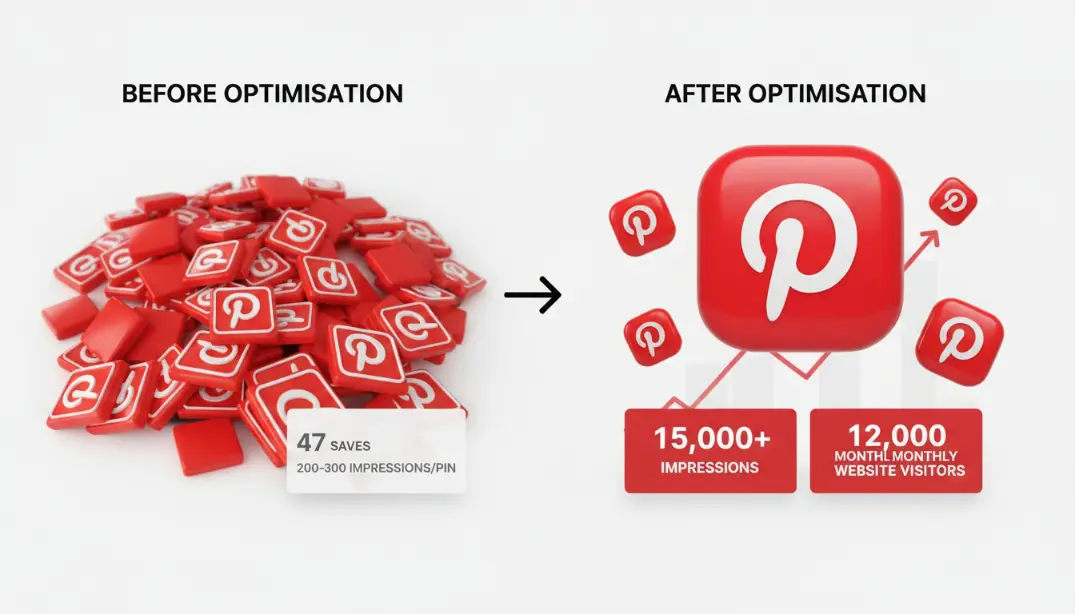
Rachel's home decor post got 3,200 likes on Instagram and 47 saves on Pinterest. Same content. When I told her "Pinterest isn't a social media site — it's a visual search engine," everything changed. Six weeks later: 15,000+ impressions per pin and 12,000 monthly website visitors.
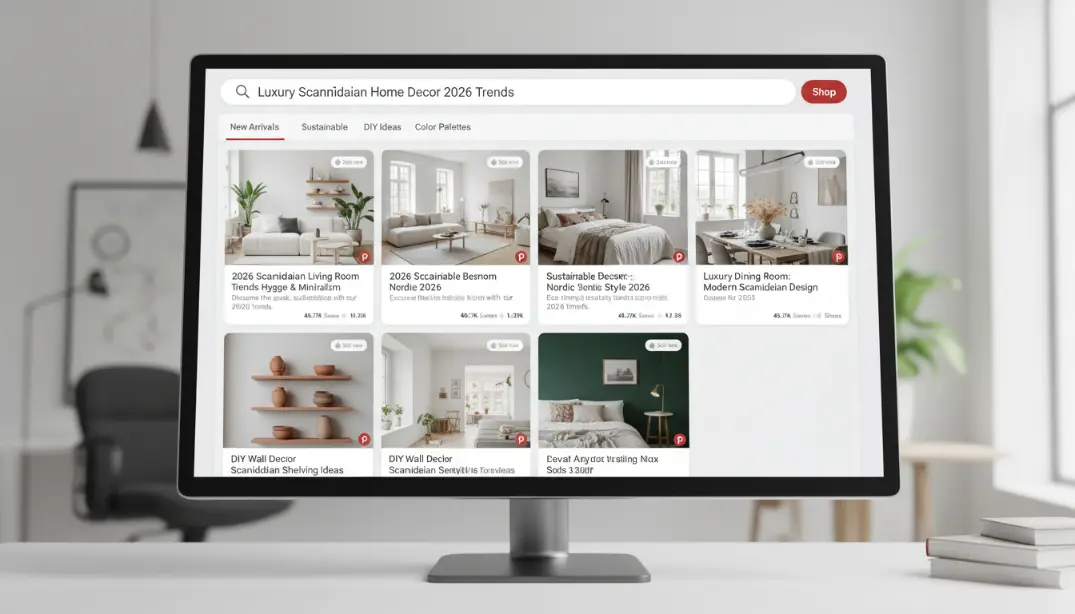
Three months ago, I met Rachel, a blogger about home decor. She didn't understand why her Pinterest account wasn't performing.
She had posted the same content about renovating her living room on both Instagram and Pinterest. Instagram: 3,200 likes, lots of comments, good reach. Pinterest: 47 saves, almost no views, almost no visibility.
She said, "I don't get it — the writing is great and the pictures look professional. Why does Pinterest not like it when Instagram does?"
I had to tell her something that changed everything: "Pinterest isn't a social media site. It's a visual search engine. You're trying to get likes when you should be trying to get search results."
We completely changed how she used Pinterest. Stopped thinking about beautiful pictures. Started thinking about things that people can find. Changed the way she wrote pin names, titles, and descriptions. After six weeks:
Pinterest's algorithm is more like Google's than Instagram's. Understanding this fundamental difference is the single most important thing. If you want people to like, comment on, or follow you like on social media, Pinterest isn't the right mindset. But if you make content that helps people find things — using keywords, solving problems, and delivering genuine value — you'll consistently win on Pinterest.
The Pinterest Algorithm Ranking Signals
Here's what actually determines whether your pin shows up — ranked by their impact on visibility.
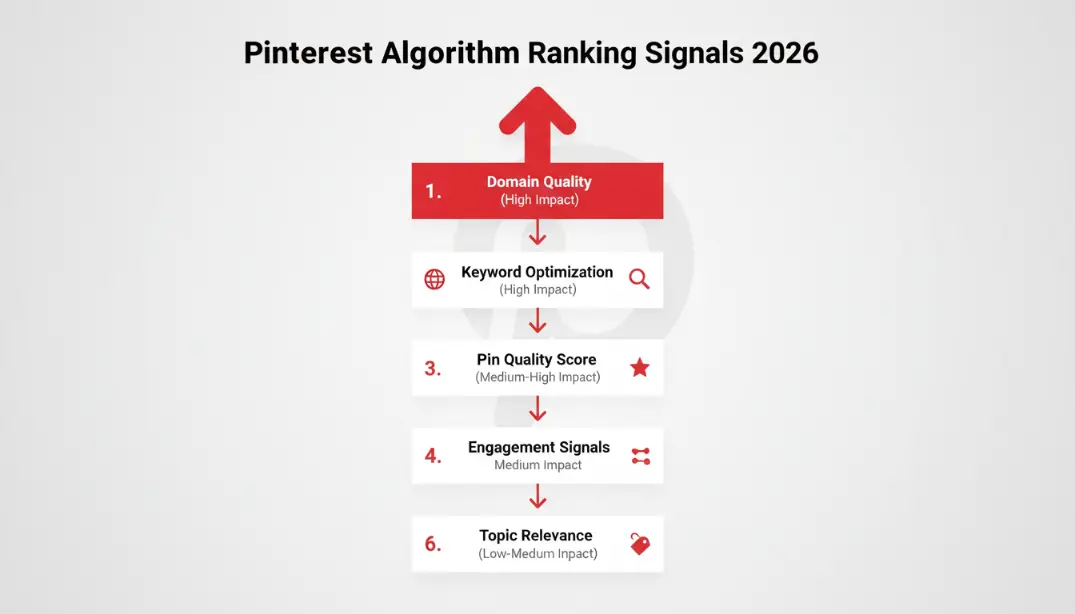
Domain Quality
Highest ImpactThe authority and quality of the website your pin links to. Pinterest evaluates prior performance of pins from that domain, how users interact with the linked content, and overall domain trustworthiness. All your pins benefit when your domain is trusted. Claim your website, enable Rich Pins, and ensure your site is fast and mobile-friendly.
Keyword Optimisation
Very High ImpactPinterest evaluates keywords in your pin title, pin description, board name, and board description. Pinterest looks at all accompanying text to match against user search queries. The ranking score is based on relevance — more keyword matches mean higher rankings. Use the Pinterest search bar autocomplete to find what people actually search for.
Pin Quality Score
Very High ImpactImage clarity (minimum 600px wide, 900px+ better), correct 2:3 vertical format, relevance of image to linked content, text overlay readability, and historical engagement on that pin. High save rate is the single most important engagement signal here.
Pinner Quality
High ImpactYour account's overall authority — how long it has been active, how consistently you pin, whether your prior content has been saved and clicked. Do people save your pins and click through? Regular, genuine platform participation signals a high-quality account to Pinterest's algorithm.
Freshness / New Pins
Medium ImpactNew pins get a brief algorithmic boost for 24–48 hours as Pinterest tests them with a small audience. If they perform well, distribution expands. Consistent pinning (5–20 per day) keeps your account active. Old pins can resurface and gain traction — don't delete them.
Engagement Signals
Moderate ImpactSaves are the most important signal (highest proof of value). Clicks show the content is interesting and useful. Closeups show genuine interest. Negative signals like hides and reports actively hurt ranking. Likes exist but have minimal algorithmic weight compared to saves.
Views and impressions alone (they're input, not output). Total follower count (network quality matters more than size). Passive likes without saves (minimal algorithmic weight). Post length alone — keyword-rich descriptions only work if they maintain natural language that Pinterest users actually search for.
How to Make Pinterest's Algorithm Work with Your Content
Knowing the signals is one thing. Creating content that consistently triggers them is the actual work.
Creating the Right Pin Design
Technical requirements: 2:3 vertical aspect ratio (600x900 minimum, 1000x1500 ideal). PNG or JPEG file format, under 10MB. High resolution, correct lighting, clear subject — not blurry or pixelated. Works well on mobile, where the majority of Pinterest users browse.
Text overlay best practices (optional but highly effective): use a large, readable font (40–100 points depending on image size). High contrast so text is readable against the background. Be specific and actionable — "10 Budget Bathroom Ideas" instead of "Bathroom Ideas." Keep it to 3–8 words. Don't cover the full image.
What to avoid: blurry or low-quality images, horizontal photos (not suited for Pinterest format), too much text (Pinterest may flag as spam), misleading images (hurts long-term performance), generic stock photos with no connection to the content.
Writing Keyword-Rich Pin Descriptions
The structure of a strong pin description: Line 1 (first 50–60 characters) should contain your main keyword and the most compelling hook — this shows in the feed before "...more." Body (50–400 characters) should use 2–3 natural keyword variations, a clear description of what the pin delivers, and user benefits. Close with a clear call to action and 2–5 relevant hashtags.
Board Strategy — More Important Than Most People Realise
Create many smaller, specific boards rather than one large generic one. Use keyword-rich board names — "Scandinavian Bedroom Ideas" instead of "Rooms I Like." Write board descriptions of 50–500 characters with keywords and a clear explanation of the topic. Organise related boards together to show topical depth. Each pin should go on its most relevant board — don't send the same pin to multiple boards, as this signals unclear categorisation to the algorithm.
A board named "Healthy Chicken Recipes" will rank and surface in search. A board named "Dinner Ideas ✨" will not. Pinterest users search in plain, specific language — your board names should match that language exactly.
How Often and How to Pin for Maximum Algorithmic Impact
When and how you pin can amplify or undermine everything else you're doing with content and keywords.
Optimal Pinning Volume
Most accounts perform best with 5–20 pins per day, spread throughout the day rather than all at once. A healthy content mix is 60–70% your own original pins from your site and 30–40% curated high-quality content from others in your niche. Curating shows Pinterest — and your audience — that you're a genuine community participant, not just a broadcaster. Evenings (8–11 PM) and weekends generally see higher Pinterest activity, but test against your own analytics.
The Fresh Pin Priority
Pinterest actively rewards fresh pins — new image URLs pinning to new content. What makes a pin "fresh": a new image file that hasn't been uploaded before, linking to a new destination URL, without copied text from a prior pin. What doesn't count as fresh: repinning an old pin to a different board, using the same image file again, or republishing identical content.
Strategy: create 3–5 different pin designs for each blog post. Pin Design 1 on Monday. Pin Design 2 on Thursday. Pin Design 3 the following Monday. Pinterest has never seen any of them before — each gets a fresh algorithmic test window.
Scheduling Tools
- Tailwind — built specifically for Pinterest with SmartSchedule, analytics, and bulk scheduling. Around $15/month.
- Later — multi-platform scheduler including Pinterest with visual planning and analytics. Free to $40/month depending on tier.
- Pinterest Scheduler — built into your Business account at no cost. Limited but functional — can schedule up to two weeks ahead.
Plan a week ahead, keep a buffer of extra content ready, and adjust based on performance data. Scheduling tools make it possible to maintain daily consistency without spending hours on the platform every day.
Advanced Pinterest SEO Tips
These steps separate accounts with average performance from accounts that dominate their niche in Pinterest search.
Claim Your Website and Enable Rich Pins
Claiming your website verifies you own the domain, unlocks Rich Pins which display more information automatically, gives you access to Pinterest Analytics, and increases your domain authority score with Pinterest. How to claim: switch to a free Pinterest Business account, go to Settings → Claimed Accounts, and either upload an HTML file to your website or add a meta tag. It takes about 10 minutes and should be done before anything else.
Rich Pin types: Article Pins (blog posts that show title, author, and description), Product Pins (e-commerce that shows price and availability), and Recipe Pins (showing ingredients, cooking time, and servings). These automatically pull metadata from your website and make pins more informative and clickable without any extra work per pin.
Optimise Your Landing Pages
Pinterest pays attention to what happens after someone clicks your pin. Page load time under 2–3 seconds. Mobile-optimised design. High-quality content on the page. Clear navigation. Related content suggestions that keep people on your site. Strong on-page SEO with keyword-rich title tags, meta descriptions, heading structure, and image alt text. If people click your pin and leave your site immediately (high bounce rate), Pinterest records that negative signal and deprioritises your future pins from that domain.
Track and Improve Using Pinterest Analytics
Free with a Business account. Key metrics to watch: impressions, saves (your most important metric), clicks through to your website, which specific pins are gaining traction, and which traffic sources are performing (search vs home feed vs related pins). Improvement cycle: create pins based on keyword research → monitor performance for 2–4 weeks → identify top performers → create more of what works → adjust or retire what doesn't. Run this cycle consistently and your Pinterest performance compounds month over month.
Things That Hurt Pinterest Performance
These mistakes consistently sabotage Pinterest reach — even for creators with genuinely excellent content.
Creating visually beautiful pins with no keyword strategy. Pinterest rewards content that is findable and keyword-optimised first — aesthetics alone won't rank anything.
Pinning 50 times in one week then nothing for a month. The algorithm assigns more weight to active, consistent accounts. Inconsistency signals unreliability to Pinterest's ranking system.
Pinning only your own content without curating others' pins. This looks like spam. Pinterest users want genuine community participants, not pure self-promoters.
Vague, creative descriptions like "This made me smile 🌸" or generic captions with no search terms. Pinterest cannot match your content to user searches with no keywords.
Uploading square or horizontal images. Pinterest's grid is designed for vertical content — horizontal images take up less space, get less visibility, and perform significantly worse on mobile.
Promising one thing in the pin and delivering something different on the website. Users leave immediately. Pinterest sees the high bounce rate and penalises the pin in future distribution.
Pinning without a verified website. This means no Rich Pins, no analytics, and no domain authority benefits — all of which directly affect how your pins rank.
The GTR Socials Perspective: Pinterest Takes Time to Master
We help businesses and creators across all platforms at GTR Socials, including Pinterest — and we're honest about what actually works on this specific platform.
Pinterest is not like the social media platforms most people use for immediate results. The most common mistake is expecting Pinterest to behave like Instagram or TikTok and deliver results quickly.
Success on Pinterest starts slow but compounds rapidly once traction builds. It can take weeks for new pins to gain traction. Results accumulate over months, not days. A pin you created six months ago can suddenly take off. Your content can still be driving traffic years after you published it. This is fundamentally different from every other social platform.
What We're Honest About
There are services that help with Pinterest engagement (saves, repins), but the reality on Pinterest is different from other platforms. Pinterest is highly effective at detecting artificial engagement patterns. Fake saves don't build domain authority — they're just numbers. The risk/reward equation is worse on Pinterest than on most other platforms. Pinterest's own paid ads are a significantly better investment than engagement services for building real, compounding traffic.
Months 1–3 (Foundation): Keyword research and SEO optimisation, quality pins created consistently, daily pinning without fail, patience as authority builds. Months 4–6 (Traction): Pins beginning to rank in search, traffic starting to arrive and compound, optimisation based on analytics data. Months 6–12 (Execution): Established pins performing consistently, compounding traffic, old pins still delivering value, a reliable and predictable traffic source.
When strategic support might help: a small number of initial saves to validate pin quality during testing, or before scaling a new account to establish baseline credibility. When it definitely doesn't help: buying thousands of fake saves (detected and penalised), expecting paid engagement to substitute for SEO optimisation, or using it to compensate for genuinely poor content quality. Pinterest is one of the few platforms where evergreen content truly delivers. A well-optimised pin created today could still be driving traffic to your website in 2028 — but only if the fundamentals are right.
Your Pinterest Algorithm Action Plan
A structured, month-by-month system for building Pinterest visibility from scratch or recovering a stalled account.
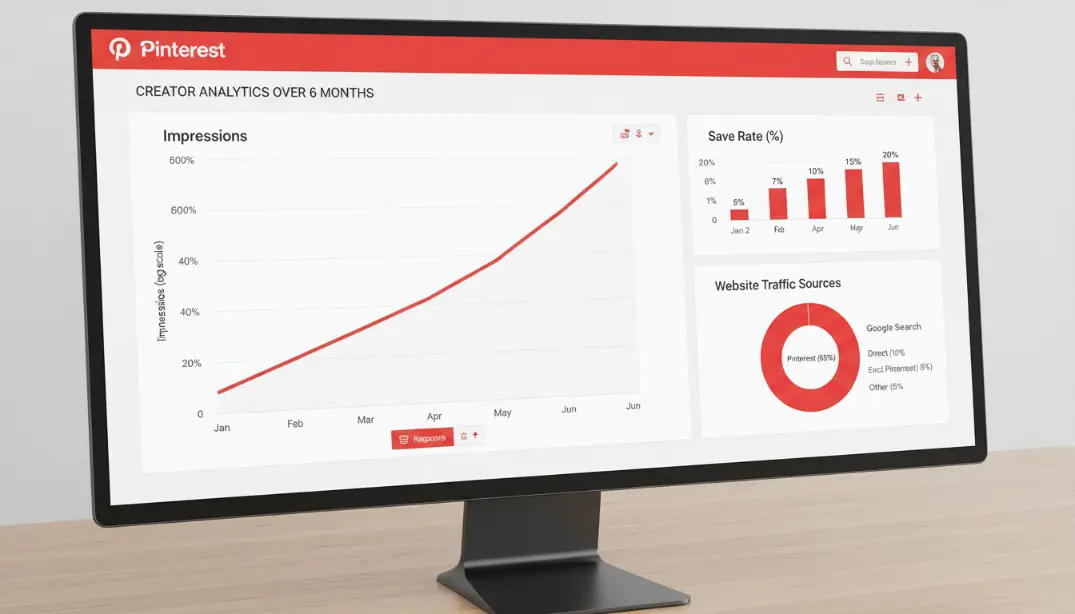
Account Optimisation and Keyword Research
Get the foundation right before creating a single pin.
- Switch to a Pinterest Business account if you haven't already
- Claim your website and activate Rich Pins
- Add keywords to your profile bio and name
- Create 5–10 keyword-optimised boards with descriptive names and full descriptions
- Use Pinterest search bar autocomplete to find 10–15 keywords for your niche
- Check Pinterest Trends for seasonal and evergreen keyword opportunities
- Document your keyword list in a spreadsheet for consistent use
Pin Creation and Scheduling Setup
Build your content system and first batch of optimised pins.
- Create 3–5 vertical pin templates in 2:3 format
- Make pins for your 10 highest-traffic blog posts or pages
- Create 3–5 different designs for each post
- Write keyword-rich titles and descriptions for every pin
- Choose and set up a scheduling tool
- Set up a daily schedule of 10–15 pins (60% yours, 40% curated)
Maintain Daily Pinning and Analyse Results
Build authority through sustained, consistent activity.
- Pin 10–15 times daily without gaps
- Create new pins for all new content you publish
- Update older content with fresh pin designs
- Check Pinterest Analytics weekly — identify top performers
- Track which keywords are driving traffic
- Do more of what's working, adjust what isn't
Accelerate and Diversify
Build on your established authority with more advanced strategies.
- Add more pin varieties to your best-performing content
- Plan and create seasonal pins 4–6 weeks before peak search periods
- Create new boards around topics your existing boards already do well in
- Test Pinterest Ads on your best organic-performing pins (start at $5–$10/day)
- Try video pins for a format with growing algorithmic preference
- Run monthly analytics reviews and add new keywords quarterly
Questions People Often Ask About the Pinterest Algorithm and Pin Ranking
Pinterest Rewards Patience and Strategy
Rachel, the home decor blogger from the beginning, told me something six months into her Pinterest journey that perfectly captures what the platform is:
"I'll always choose Pinterest because it brings me traffic over time, while Instagram gives me instant approval."
What she meant: people like her Instagram posts, but those posts are gone within 48 hours. Months or even years after she creates her Pinterest pins, people save, search for, and click on them. One perfectly optimised pin sends people to her website every single day — making the work she put into creating it more valuable over time, not less.
It doesn't reward what's currently popular. It rewards what is useful, findable, and worth something over time. The algorithm favours keyword-friendly, searchable content; high-quality vertical images; consistent daily pinning; domains that satisfy users; saved content with genuine value; and pins that match what users are actively searching for.
Your Pinterest Success Formula
- Think search engine, not social media: focus on keywords over likes
- Create content worth saving: solve problems and give people something actionable
- Use vertical, high-quality, readable designs that match Pinterest's format
- Be consistent: pin daily, not sporadically
- Build domain authority by maintaining a high-quality website and pinning frequently
- Be patient: results take months to accumulate, then compound significantly
- Repeat what works based on data, not assumptions
Pinterest won't make you famous. It won't give you instant validation. But if you're willing to play the long game — optimising for search, creating good content, staying consistent, and letting results compound over time — Pinterest will give you traffic that keeps arriving long after you've moved on to the next piece of content. Don't treat Pinterest like a social network. Treat it like the search engine it is from the very beginning. Make content that is useful, findable, and evergreen. Optimise without mercy. Be patient when it starts slowly. Let the algorithm work for you across months and years. Your traffic is waiting in Pinterest's search results. Go get it.
📌 Ready to Build a Pinterest Presence That Drives Traffic for Years?
GTR Socials helps creators and businesses grow across every platform — with real engagement, real followers, and strategies that compound over time rather than disappearing after 48 hours.
Comments (0)