

My friend Jessica woke up to 47 frantic texts. Six years, 42,000 followers, and her photography business — all locked behind a hacker's new password. Here's the exact system that got her account back in 8 days, and how to prevent this from ever happening to you.
My friend Jessica woke up on a Tuesday at 3 AM to 47 frantic text messages.
Her Instagram account, which she had built up over six years to 42,000 followers and used to make money from her photography business, had been hacked. It had thousands of personal photos on it. The hacker changed her password, email address, phone number, and username. Posted stories about crypto scams. Sent her followers direct messages with links to phishing sites. She changed the picture on her profile to a random logo.
And she couldn't get in at all.
For the next twelve hours, she was in a state of panic that I had never seen before. She couldn't reset her password no matter how hard she tried. Instagram's automated systems kept sending her in circles. It looked like the "Report Hacked Account" button didn't go anywhere.
She said, "It feels like losing a part of my identity," her voice shaking. "Six years of memories. My business. My community. Just... gone."
She isn't the only one. Every day, hundreds of thousands of Instagram accounts are hacked. Some people get better in a few hours. Some people have to fight with Instagram support for weeks. Sadly, some of them are never found again.
There is a specific order of steps that greatly raises your chances of getting your account back. People who know exactly what to do in the first few hours are the ones who get their accounts back the fastest. This guide covers everything: what to do right away, step-by-step recovery methods, how to deal with Instagram's support system, and how to stop future hacks.
How to Tell If Your Instagram Account Has Been Hacked
Let's first make sure that you really have been hacked and not just having trouble logging in. The distinction matters because the recovery steps are different.
🚨 Clear Signs You've Been Hacked
✅ Situations That Might NOT Be a Hack
Ask a friend to look at your profile — can they see it, and are there posts you didn't make? Check your email for security alerts from Instagram. Look for stories or activity you didn't create. If you can't log in AND see strange changes, you have been hacked. Act immediately.
Immediate Actions: The First Hour Is Critical
When you're hacked, time is everything. Do these steps in order — the sequence matters as much as the steps themselves.
Try to Log In Immediately
Try your password via the Instagram website and app. If it fails, click "Forgot password?" immediately and check whether the reset goes to YOUR phone or email. If it does, you still have some control. If the reset goes to an email or phone you don't recognise, the hacker has already changed your recovery information — go straight to Step 3.
Protect Your Email Account First (Critical)
If a hacker changed your Instagram password but you can still access your email: check for security alert emails from Instagram immediately. Look for emails about the password change — they contain links saying "Didn't authorise this?" or "Secure your account." Click that link right away — this is your fastest possible recovery path. Then change your email password immediately and enable two-factor authentication on your email account.
Why this matters: if hackers also access your email, they can change your Instagram password faster than you can recover it.
Report the Hack to Instagram
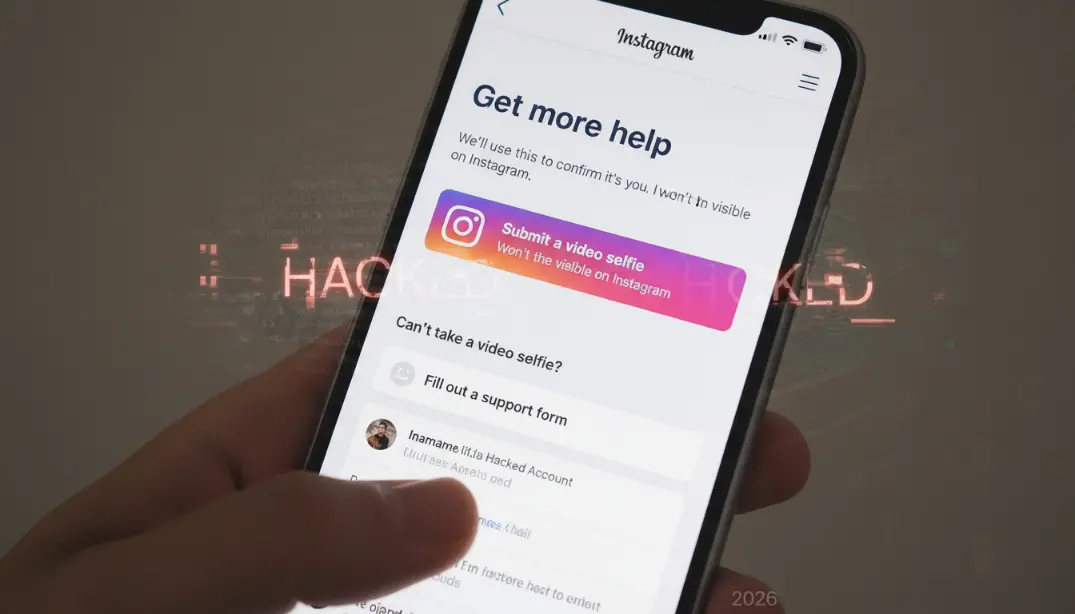
In the app: Settings → Help → Report a Problem → "Something isn't working." Via browser: go to instagram.com/hacked and enter your email address or username. Instagram will ask you to verify your identity, give your original email or phone number, and potentially take a selfie video to prove account ownership.
Warn Your Followers
Post on Facebook, Twitter, LinkedIn, or any other social platform you have access to. Tell your followers the account has been hacked and to ignore any DMs or posts from it — especially links. Ask trusted friends to leave warning comments on hacked posts and report stories as spam. Community reporting can slow down the hacker's damage significantly.
Document Everything
Take screenshots of security warning emails, how the hacked account looks, any Instagram support communication, and dates and times for every step. Documentation helps with Instagram support, provides proof if needed, and tracks your recovery attempts. If the hacker contacts you, screenshot that too.
The Recovery Process: Step-by-Step Methods
Here are the real recovery methods, starting with the fastest and easiest, progressing to the more involved. Try them in this order.
Instagram's Security Notification Emails
The fastest method by far. If you received emails from Instagram about unauthorised changes, open them immediately. Look for the "Secure your account" or "Revert this change" button — these emails come from @mail.instagram.com. Clicking the link takes you to Instagram's verification page, confirms you didn't authorise the change, and lets you reset your password and reverse email/phone number changes immediately.
- Create a new strong, unique password — minimum 12 characters, mix of letters, numbers, symbols
- Enable two-factor authentication immediately after recovering access
- Save your backup codes in a safe place
Instagram Support Request
If Method 1 didn't work or you didn't receive the email, go to instagram.com/accounts/login/ and click "Need help logging in?" or "Forgot your password?" Enter your email, username, or phone number, then click "Need more help?" and select "My account was hacked." Provide the email address or phone number originally linked to the account and your full name as it appears on the account.
- Instagram may ask for a video selfie — move your head as directed on screen
- They use this to verify you are the real account owner
- Check your email regularly, including spam folder, for Instagram's response
- Successful verification results in a secure password reset link
Facebook Business Support (Business/Creator Accounts Only)
If you have a Facebook Business Manager account linked to your Instagram, this pathway is often faster. Go to business.facebook.com/help, navigate to the Instagram section, and choose "Hacked Accounts." Submit a detailed support request with a full explanation of the situation, proof of ownership (original email, photos, business documents), and screenshots of the hacked account. Facebook Business support often resolves things faster than standard Instagram support.
Instagram's Appeal Forms
Visit help.instagram.com → Privacy and Safety Center → Report Something → "Report a hacked account." Provide complete information: hacked account username, original email, original phone number, account creation date, when you last had access, and a full description of what happened. Additional verification may include government-issued ID, holding up a code Instagram gives you, or uploading old photos to prove ownership.
Public Figure / Creator Escalation
Verified accounts and high-follower creators can use creator and business support channels specifically. Mention verified status or creator tool usage explicitly in your request. Tag @Instagram on Twitter professionally (not aggressively) to raise visibility. If you know anyone with media or Meta contacts, this is the time to use them. Social media escalation sometimes works when official channels are moving slowly.
After eight days using Methods 2 and 3 simultaneously, she got her account back. The key was using both channels at the same time rather than waiting for one to fail before trying another.
What to Do When Instagram Support Isn't Helping
Sometimes Instagram's automated systems loop you in circles without making progress. If you've been trying for more than 5–7 days without resolution, escalate using these strategies.
Escalation Strategies
- Try multiple recovery channels simultaneously — don't wait for one to fail. Submit through the app, the website, and Facebook Business at the same time. Multiple tickets from different channels sometimes get faster attention.
- Follow up persistently but not aggressively — check in every 48–72 hours. Don't submit 20 requests at once (this looks like spam). Polite and persistent works better than angry and frequent.
- Use social media professionally — tag @Instagram in a post about your situation. Be honest, factual, and professional. Community attention sometimes accelerates reviews. Other creators may amplify your request.
- Contact the Meta/Facebook Help Center — go to facebook.com/help. Facebook support occasionally assists with Instagram issues, especially for connected accounts.
- File a BBB complaint — go to bbb.org. Meta does respond to Better Business Bureau complaints. Include all documentation. Can take up to 30 days but does sometimes work.
- File with the FTC or relevant regulatory body — in the US, go to ftc.gov/complaint. Sometimes regulatory complaints trigger action, especially if there's a financial impact involved.
The sad reality is that some accounts cannot be restored. Signs that recovery may be impossible: more than 30 days with no response despite multiple escalation attempts, the hacker has completely deleted the account, the account was used for illegal activity (Instagram won't assist), you cannot prove ownership, or the original email and phone are completely inaccessible. If recovery seems impossible, begin a new account, inform followers on other platforms, and use everything you've learned to build back with much stronger security.
How to Handle the Hacker
Important: Never attempt to negotiate with hackers. This is one of the most critical pieces of advice in this entire guide.
If the Hacker Contacts You
Common hacker tactics include DMing you from a different account, emailing you demanding money, threatening to delete your account, or promising to return it for payment. The correct response is simple but requires discipline:
❌ Never Do This
✅ Always Do This
Why paying doesn't work: there is no guarantee they will return the account, they may demand more money, your payment information becomes at risk, and it encourages more hacking activity by demonstrating it pays.
If They're Using Your Account to Scam People
Damage control is critical here. Post immediately on every other platform you have access to warning your followers. If you have an email list, send a warning immediately. Ask friends to report posts and stories as spam — mass reporting can make content disappear faster and reduces damage to your community. If followers received phishing links, reach out individually to apologise and warn them clearly.
Locking Down Your Account to Prevent Future Hacks
Take these steps immediately after recovery — or right now if your account is currently safe. Prevention takes 20 minutes. Recovery can take weeks, or never happen at all.
Enable Two-Factor Authentication
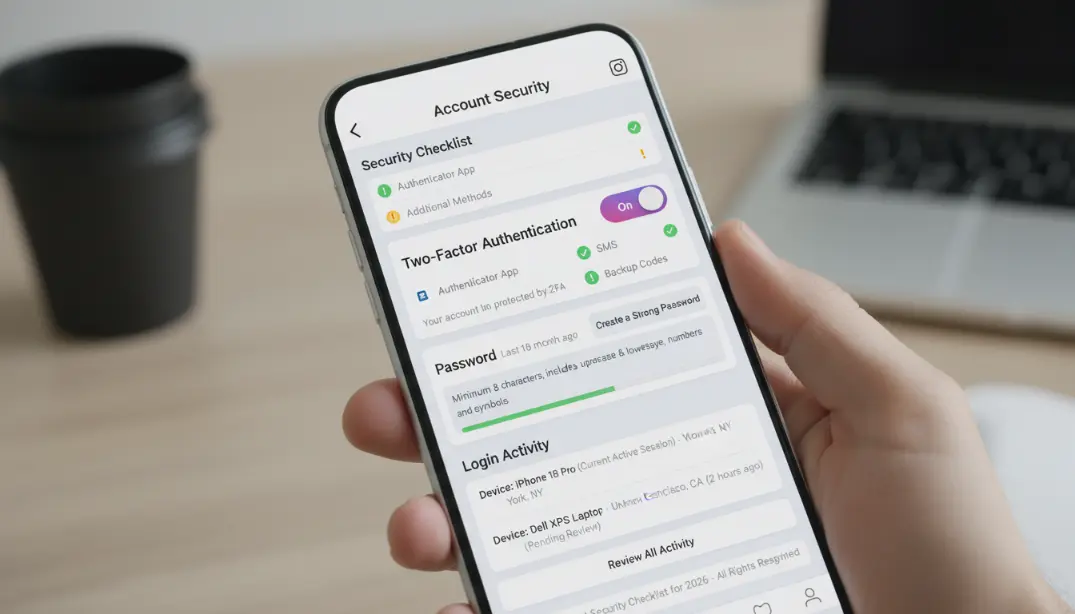
Settings → Security → Two-Step Verification. Use an authenticator app (Authy, Google Authenticator) not SMS — SIM swap attacks can bypass SMS 2FA. Save your backup codes somewhere safe. Even if someone gets your password, they cannot log in without the second factor.
Strong Unique Password
Minimum 12 characters, mix of uppercase, lowercase, numbers, and symbols. Not used anywhere else. Not based on personal info. Use a password manager (LastPass, Bitwarden, 1Password) to generate and store unique passwords for every account.
Secure Your Email Account
Your email is the master key to everything. Use a strong unique password for your email, enable 2FA on your email account, update recovery email and phone, check for suspicious forwarding rules, and review account recovery settings regularly.
Review Authorised Apps
Settings → Security → Apps and Websites. Remove anything unfamiliar immediately. Many hacks happen through compromised third-party apps you granted Instagram access to. Audit this list regularly and remove anything you no longer use.
Check Active Sessions
Settings → Security → Login Activity. Look for unknown locations or devices. Log out of any sessions you don't recognise. If you see anything suspicious, change your password immediately — don't wait to investigate first.
Enable Login Alerts
Settings → Security → Login Requests. Get notified when someone attempts to log in from a new device. This lets you deny access immediately if it isn't you — turning a potential hack into a failed attempt in real time.
Warning Signs a Hack Is Coming
Watch for these red flags that your account may be actively being targeted:
- Emails that appear to be from Instagram about "account verification" or "community rule violations" with suspicious links
- DMs saying "Your account will be blocked" or "You've been chosen for a verification badge" — Instagram never sends these
- Emails about login attempts from unfamiliar countries or cities
- Password reset emails you didn't request
If you see any of these: change your password immediately, enable 2FA if it isn't on, review authorised apps, and ensure your email is secure. Don't click any links in suspicious emails — go directly to instagram.com instead.
Mistakes That Make Recovery More Difficult
These are the mistakes that slow down or permanently prevent account recovery. Avoid all of them.
Sending 50 recovery requests at once through every channel simultaneously. This makes Instagram's system harder to process, looks like spam, creates conflicting information, and makes the review process significantly longer.
Different recovery attempts listing different names, emails, or other account details. Instagram uses this to verify you are the real owner — inconsistency flags your request as potentially fraudulent and stops recovery.
You cannot make a new Instagram account with the email address that was on your hacked account (after the hacker changed it away from it). This creates confusion in Instagram's system and can complicate recovery.
Posting specifics like "My password was ___ and my original email was ___" in public posts or comments. This gives hackers more data, risks other accounts, and makes you vulnerable to additional attacks.
Focusing entirely on Instagram while not securing the email account. If the hacker still has access to your email, they can intercept recovery emails and keep changing your password every time you reset it — creating an endless loop.
Paying shady third-party companies claiming they can recover your account. Most are scams — you lose money, they may compromise additional accounts, and there is no guarantee of any result.
How Losing Your Account Affects You Emotionally
Let's be honest about the real emotional experience of account hacking. This section is for the people who are in the middle of it right now.
Losing your Instagram account is genuinely distressing. Years of memories lost. A community you built suddenly cut off. A source of income threatened. Your identity and ability to express yourself compromised. Your feelings are real. This isn't "just social media" — for many people, it's a significant part of their lives and livelihood.
Taking Care of Yourself During Recovery
The recovery process can take days or weeks. During that time, take breaks — don't spend 12 hours straight attempting recovery. Eat, sleep, and take care of your basic needs. Chronic stress doesn't speed up Instagram's response time. Tell friends and family how you're feeling. Connect with others who have been through the same experience. Don't isolate yourself in the panic.
Focus on what you can control: starting the recovery process, protecting other accounts, reaching out to your community. Accept what you cannot control: Instagram's response time, what the hacker does with the account in the meantime.
Planning for the Worst
Having a contingency plan reduces anxiety significantly. Tell yourself: "If I can't get it back, I'll start over — and I'll build back stronger with better security." That plan being in place makes the uncertainty feel less paralyzing.
Create a new account. Announce the transition on every other platform you have. Ask followers to report the hacked account. Set up proper security from day one on the new account. Mourn the loss — it's okay to feel it — then commit to rebuilding. Some people find that starting fresh, with everything they learned, leads to a stronger and more secure presence than they had before.
Jessica's reflection: "Getting my account back was one of the most stressful weeks of my life. But it taught me to never take digital security lightly again. I now use 2FA on everything, have strong unique passwords, and check my security settings regularly. I also back up my important photos somewhere else now. It shouldn't have taken a hack to teach me that, but at least I learned."
How to Get Your Instagram Account Back: FAQ
Final Thoughts: Prevention Is Everything
After 8 days of stress, paperwork, and persistence, Jessica got her account back. But she said something that has stayed with me: "I wish I'd spent 20 minutes setting up proper security instead of 8 days trying to fix the damage I did by ignoring it."
When they happen, they're terrible. The recovery process is slow, frustrating, and sometimes doesn't work. Instagram support can feel like screaming into a void. And even if you get your account back, you'll never feel as safe as you did before. But most hacks can be prevented before they happen.
Most Often Hacked Accounts
- Use weak or reused passwords
- Don't enable two-factor authentication
- Click on links in DMs that look like phishing
- Allow sketchy third-party apps to access their account
- Ignore security warnings and login alerts
- Use the same password across multiple sites
Accounts That Stay Safe
- Use password managers with strong, unique passwords for every account
- Have two-factor authentication enabled with an authenticator app
- Are sceptical of unexpected emails and messages
- Conduct regular security audits
- Keep their email accounts equally secure
- Understand how hackers typically operate
If you've been hacked: Follow the recovery steps in order. Protect your email first. Document everything. Keep trying with Instagram support. Don't pay hackers. Prepare for the possibility you won't get it back. If you haven't been hacked yet: Enable two-factor authentication right now. Change your password to a strong, unique one. Secure your email account. Remove suspicious third-party apps. Check your login history. Set up login alerts. Don't wait until 3 AM when you're locked out and in a panic.
Protect your account today. Back up your important photos somewhere else. Make your passwords strong. Turn on two-factor authentication. Spending 20 minutes on security now is a million times better than spending days — or weeks — trying to get your hacked account back later. Your Instagram account, which holds your memories, your community, and potentially your business, deserves that protection. Do it today.
🔒 Build Your Instagram Presence the Right Way
GTR Socials helps creators and businesses grow their Instagram accounts safely and sustainably — with real followers, real engagement, and real results you can be proud of.
Comments (0)