

From $800 to $8,000 a Month: A Real Instagram Success Story
My friend Sarah makes and sells handmade candles.
For two years she ran a small Etsy shop, posted on Instagram occasionally, and cleared about $800 a month. Decent side income — but nowhere close to the full-time income she actually wanted.
Then she got serious about Instagram selling.
She set up her Instagram Shop properly. Revamped her content approach. Used product tags consistently. Invested time in Reels. Engaged with her audience with real intention, not just going through the motions.
Six months later? $8,000 a month.
Same products. Same quality. Completely different strategy.
And here's the part most people find surprising: she didn't have a massive following. Just 12,000 engaged followers who genuinely loved her candles. Four months after hitting that $8K figure, she quit her day job.
Sarah discovered something most businesses miss entirely: Instagram isn't just a place to show off products. It's a fully equipped sales platform — with discovery tools, shopping features, checkout options, and audience targeting built right in. When used correctly, it turns casual scrollers into loyal customers.
The difference between businesses thriving on Instagram and those that struggle isn't budget, product quality, or follower count. It's strategy.
Whether you're building from scratch or fixing a strategy that isn't converting, this is your complete Instagram selling roadmap for 2026.
The right Instagram strategy turns your account from a gallery into a genuine sales machine
Step 1 — Build Your Business Foundation Right
Before you can sell anything, you need the right setup. Skipping this step is like opening a store with no cash register — you'll lose sales before you even make them.
📱Switch to a Business or Creator Account
If you're still using a personal Instagram account for your business, stop — and change that today.
Go to Settings → Account → Switch to Professional Account
Choose Business if you're a company, brand, or store. Choose Creator if you're an influencer or solo entrepreneur without physical products of your own.
What a Business Account Actually Unlocks
- Instagram Insights — real data about your posts and audience
- Instagram Shopping and product tags in every post type
- Instagram Ads — boost posts and run full campaigns
- Profile action buttons (email, phone, get directions)
- The Shop tab on your profile
- Scheduling tool integrations
- Access to branded content tools and collab features
🎯Optimise Your Profile for Sales
Your Instagram profile is your storefront window. Most businesses waste this prime real estate with generic bios and forgettable visuals. Here's the complete optimisation checklist:
Profile Picture
Use your logo or a clean, professional brand image. It needs to be instantly recognisable at thumbnail size — it appears tiny in comment sections, search results, and tagged posts. Test it small before committing.
Name Field (This Is Searchable — Use It)
Include your business name AND a keyword. For example: "Sarah's Candles | Luxury Home Fragrance" — the keyword portion appears in Instagram search results and dramatically improves discoverability.
Bio (150 Characters — Make Every Single One Count)
A great bio hits four things: what you sell, who it's for, what makes you different, and a clear call to action.
❌ Weak Bio
"We sell candles. Visit our store!"
✅ Strong Bio
"Hand-poured soy candles that smell like a spa in your living room 🕯️ Ships in 24hrs · 500+ 5-star reviews · New scents monthly 👇"
Link in Bio
Use a link-in-bio tool — Linktree, Later's Linkin.bio, or a custom landing page — to direct traffic to your store, specific product pages, or current promotions. Update it every time you run a campaign or drop new products.
Story Highlights (Your Permanent Navigation Menu)
Create and maintain highlights for: Products/Shop, Reviews & Testimonials, FAQ, Behind the Scenes, and Offers & Sales. New profile visitors use these like navigation tabs — this is often where purchase decisions are made silently.
🔗Connect Commerce Manager and Your Facebook Page
You need a Facebook Page and a Commerce Manager account linked before Instagram Shopping goes live for you.
Create a Facebook Business Page (if you don't already have one)
Visit business.facebook.com/commerce and open a store
Link your Instagram account and submit for review
Review takes 24–48 hours typically, but can run up to a week. Don't wait — submit immediately and keep building your catalog in the background.
Step 2 — Set Up Your Instagram Shop & Product Catalog
Instagram Shopping is the single biggest differentiator between businesses making real money on the platform and those just posting pretty pictures into the void.
📦Build Your Product Catalog
Your product catalog is the backbone of everything — it's where every product you want to tag in posts, Stories, and Reels lives. Get this right and the rest of the shopping features fall into place.
Option 1 — Manual Upload
Commerce Manager → Catalog → Add Items. Upload images, descriptions, prices, and links manually. Only practical for very small product ranges — becomes unmanageable at scale.
✅ Option 2 — Connect Your Store (Recommended)
Link your existing platform directly. Inventory, prices, and stock levels sync in real time automatically — no manual updates ever required.
Supported Platform Integrations
- Shopify: Install the Facebook & Instagram app from your Shopify App Store
- WooCommerce: Use the Facebook for WooCommerce plugin
- BigCommerce: Built-in Facebook & Instagram integration in the platform
- Squarespace: Native Instagram Shopping integration available in Commerce plans
🖼️Product Catalog Best Practices
- Product images minimum 500×500px (square or 4:5 ratio preferred for feed placement)
- Keyword-rich product titles and descriptions that reflect how customers actually search
- Accurate, up-to-date pricing — Instagram will remove products with incorrect prices
- Multiple images per product: front, back, close-up details, and lifestyle shots
- Correct product categorisation to improve search discoverability
- Size and colour variants properly configured to reduce customer confusion
🛒Enable Instagram Shopping and Start Tagging
Once your catalog is reviewed and approved, activate it and start tagging immediately:
Instagram Settings → Business → Shopping
Link your approved product catalog and begin tagging products in all content types.
Product Tags— tag products directly in feed posts and Reels (up to 20 tags per image, 1 per video)
Story Shopping Stickers— link products directly from Stories with a tappable sticker
Instagram Shop Tab— a dedicated, browsable shop page on your profile
Instagram Checkout— complete purchases without leaving the app (US businesses currently)
Shopping Ads— product tags in paid campaigns that lead directly to purchase
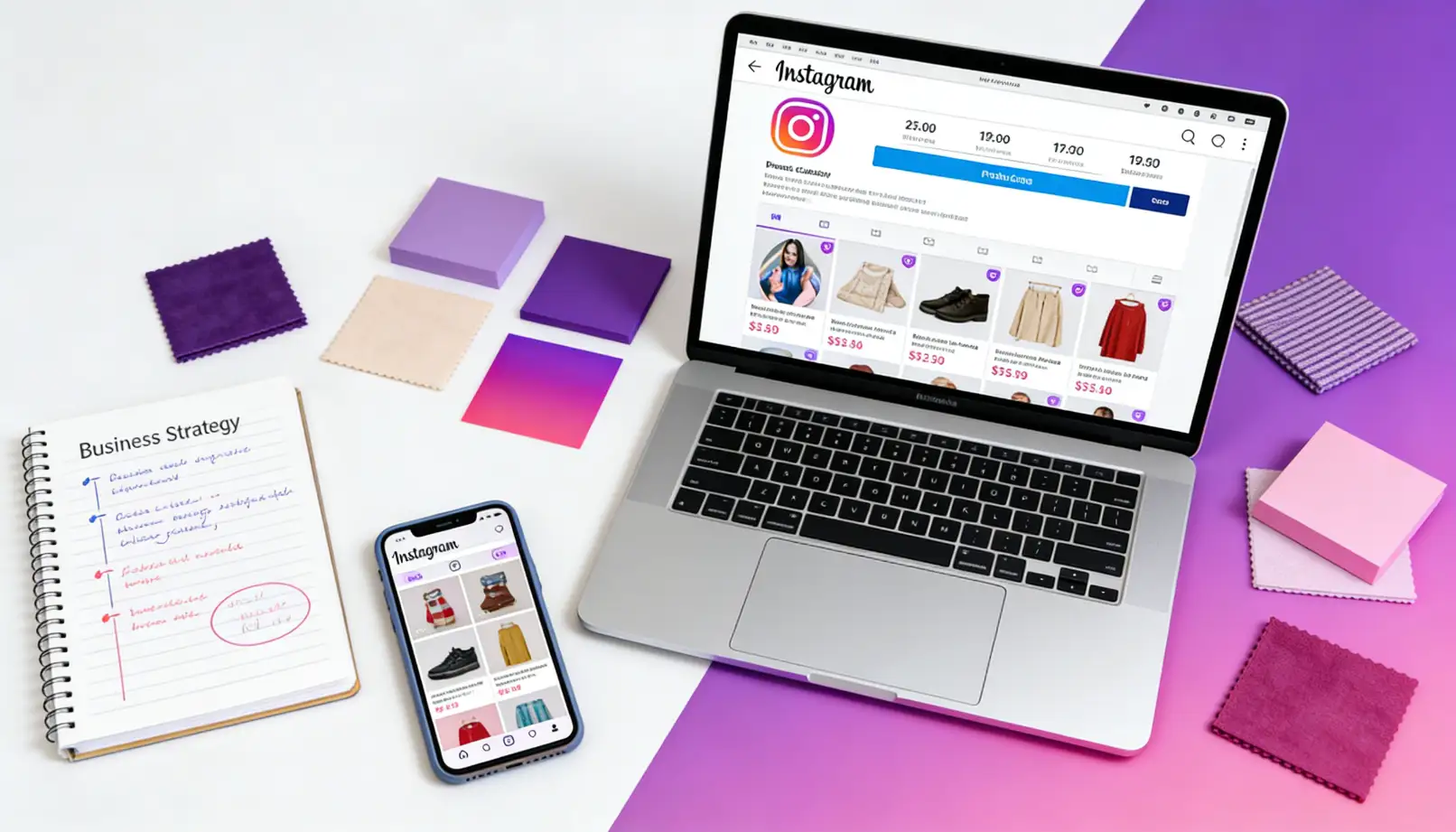
Instagram Shopping turns every post into a shoppable storefront — the tag does the selling for you
Step 3 — Create Content That Actually Sells
This is where most businesses go wrong — and it's the most common reason great products don't sell on Instagram.
They set up their Shop perfectly, post beautiful product photos, and wonder why nothing converts. The problem? They're creating content that showcases products instead of content that makes people want them and drives actual purchase decisions.
Those are very different things.
📊The Content Mix That Drives Real Sales
Educational Content — 25%
"3 reasons soy candles outlast paraffin" · "How to choose the right scent for each room" · "5 signs it's time to trim your wick"
Builds genuine expertise. Creates trust with people who don't know you yet. Attracts future buyers before they're ready to purchase.
Lifestyle & Aspirational Content — 25%
Beautiful product-in-context visuals. Not a product on a white background — a product creating a life moment. Candles in a relaxing bath. In a cosy reading corner. At a dinner party with friends.
Don't sell the product. Sell the life it represents.
Social Proof Content — 15%
Customer photos, reviews, video testimonials, and user-generated content (UGC).
"This customer @username ordered our Vanilla Oak candle and sent us this photo from their living room 🤍" — real people using your products is more persuasive than any professional ad you'll ever create.
Behind the Scenes — 15%
The making process. Your workspace. Packing orders at midnight. The brand owner as an actual human being with a story.
People buy from brands they like and trust. You can't shortcut that — you have to earn it. Show them who you are.
Direct Product Showcases — 20%
New arrivals. Product spotlights. Sales and limited offers. These posts work precisely because the other 80% has already built the trust that makes people click Buy.
🎬Content Formats Ranked by Sales Impact
Reels — Highest Reach and Discovery
Reels are shown to non-followers — they're your primary growth and discovery engine. No other format reaches as many new potential customers.
High-converting Reel ideas: product reveals and unboxings · "how it's made" behind the scenes · customer video reviews · product-in-use demonstrations · trending audio with your product · quick tutorials
Ideal lengths: 15–30 seconds for how-tos, 30–60 seconds for storytelling and brand content.
Carousel Posts — Highest Engagement and Education
Carousels consistently outperform single images because they keep people swiping — a strong engagement signal the algorithm rewards generously.
High-converting carousel ideas: "5 ways to use [product]" (one per slide) · before-and-after transformations · "which is right for you?" comparison guides · customer review collections · step-by-step tutorials
Stories — Best for Flash Sales and Daily Connection
Stories expire in 24 hours, which creates natural urgency. Perfect for: flash sales with countdown timers · "only 3 left in stock" alerts · daily behind-the-scenes moments · live Q&As · polls and interactive questions.
Stories are also how you maintain daily visibility with your existing audience without flooding their feed.
Single Image Posts — Brand Aesthetic and Consistency
Still valuable for maintaining visual brand identity and feed cohesion. Best for: lifestyle photography · hero product shots · sale announcement graphics · quote and educational graphics.
✍️Writing Captions That Actually Convert
Beautiful images make people stop scrolling. Captions make them buy. Most businesses nail the visual and completely neglect the copy.
Line 1 — The Hook:Stop the scroll. Make it specific and intriguing. "The candle that sold out 3 times in one week is finally back in stock."
Lines 2–5 — Value and Story:Create desire and emotional connection. Don't tell them what it is — tell them what it does for their life. "It smells like a Sunday morning in a French bakery. Over 400 people were on the waitlist for this one."
Lines 6–8 — Social Proof:Remove hesitation before purchase. "47 five-star reviews in the first month. Our most-reviewed product ever."
Final Line — Clear CTA:Tell them exactly what to do next. "Tap the product tag above before it sells out again 👆"
Step 4 — Attract Buyers, Not Just Followers
10,000 followers who never buy are worth less than 1,000 followers who purchase regularly. Audience quality always beats audience size — don't let vanity metrics distract you from this.
🎯Define Your Ideal Customer Before Posting Anything
Know exactly who you're talking to:
- Age and gender demographics
- Location — critical for shipping-based businesses
- Income level — directly shapes your pricing and messaging strategy
- Lifestyle, interests, and values
- What specific problems does your product solve for them?
- Which other accounts do they follow on Instagram right now?
Use this intelligence to choose hashtags they actually search, create content that speaks to their specific needs, write captions addressing their exact pain points, and build partnerships with accounts they already trust.
#️⃣Hashtag Strategy That Finds Buyers
The right hashtag mix puts your products directly in front of people who are actively looking to buy. Here's the formula that works in 2026:
Niche-Specific Hashtags — 10 to 15
Instead of #candles (far too saturated), use: #soycandleaddict · #handmadecandles · #luxuryhomefragrance · #cozyhomeaesthetic. These attract the right people — people who are already enthusiasts, not casual scrollers.
Buyer-Intent Hashtags — 5 to 10
#candlegifts · #candlelovers · #housewarminggift · #selfcaregifts · #homeDecorShop — these signal purchase intent rather than passive interest.
Community Hashtags — 3 to 5
#smallbusiness · #shopsmall · #handmade · #supportsmallbusiness — builds brand trust and attracts buyers who actively support independent businesses.
Location Hashtags — 2 to 3 (for local/regional businesses)
#[cityname]smallbusiness · #[cityname]shop — essential if shipping area or local pickup is part of your model.
💬Engagement Strategy That Builds a Buying Community
Respond to every single comment — especially in the first hour
Comments in the first 60 minutes are algorithmically precious. Don't just say "Thanks!" — ask follow-up questions and start real conversations. "Which scent interests you most?" → they answer → you give a personal recommendation → they feel genuinely seen → they're significantly more likely to buy. This sequence works every time.
Proactively engage with your ideal customer's world
Find accounts your target customer already follows. Leave thoughtful, genuine comments on their posts. Engage with content under your target hashtags. When done authentically, this isn't spam — it's community. Be genuinely interested and it shows.
Use Instagram's Interactive Story Tools Deliberately
Polls: "Should we launch Vanilla Oak or Smoke & Cedar next?" — Question stickers: "What's missing from your home fragrance collection?" — Countdowns: "New collection drops in X days." Every interaction deepens the relationship, and relationships directly drive purchases.
📸User-Generated Content — Your Highest-Converting Sales Tool
Nothing sells your products more powerfully than real customers who genuinely love what they received.
How to Use UGC:Repost with permission and credit · Use in Instagram ads (enormous credibility boost over studio photography) · Feature in Stories and permanent Highlights · Embed on product pages · Reference it in captions as ongoing social proof.
Real people + real products = real sales. Every time.
Mixing content formats strategically — Reels for reach, carousels for engagement, Stories for daily connection
Step 5 — Run Instagram Ads That Actually Pay Off
Organic content builds your community. Ads accelerate its growth. Here's how to advertise without burning through budget on campaigns that don't convert.
🚀Start With Boosted Posts
If you're new to Instagram advertising, boosting proven organic posts is the lowest-risk, highest-clarity entry point.
What to Boost — The Priority List
- Posts with strong organic engagement already (proven content — let the audience vote)
- Posts with product tags that lead directly to purchase
- Posts featuring heavy social proof — reviews, testimonials, UGC
- Limited-time offers and flash sales where urgency is built in
Boost Settings That Actually Work
- Audience: "People with similar interests" over "People who follow you" — you already reach your followers organically
- Budget: $5–10/day for a 7-day test run
- Goal: "Website visits" or "Promote your shop" for sales conversions
- Duration: 7–14 days consistently outperforms shorter one-off bursts
📊Ads Manager for Serious Scale
Traffic Campaigns
Goal: Drive visitors to your website or store · Best for: Brand awareness stage and building website traffic before retargeting
Conversion Campaigns
Goal: Optimise directly for purchase events · Best for: Direct sales from high-intent, warm audiences
Catalog Sales Campaigns
Goal: Dynamically display products from your catalog · Best for: Retargeting people who browsed your website but didn't buy
🔄The Retargeting Strategy That Multiplies Conversions
Run a Traffic Campaign to your website
Install the Facebook Pixel on your website
This tracks every single visitor — what they viewed, what they added to cart, and what they didn't buy.
Run a Retargeting Campaign to website visitors who didn't purchase
People who've already visited your site and seen your products convert at dramatically higher rates than cold audiences who've never heard of you.
Step 6 — Use Instagram's Built-In Sales Tools
Instagram keeps adding features specifically designed to make selling easier. These are the ones worth your time in 2026:
🎥Instagram Live Shopping
Go live, showcase products in real time, and let viewers purchase directly from the stream. This is one of the most underused tools available to product businesses.
Live Shopping Tips That Work: Announce your Live 24–48 hours in advance to build anticipation. Have someone moderate comments so you stay focused on selling. Demonstrate the product in actual use — not just showing it sitting there. Offer an exclusive live-only discount to reward the people who showed up. Aim for at least 20–30 minutes — shorter Lives don't build enough momentum to drive sales.
🤝Collab Posts and Influencer Partnerships
Collab posts appear on both accounts' feeds simultaneously, doubling your reach in a single publish.
Influencer Partnerships That Actually Drive Sales (Not Just Awareness)
Forget chasing mega-influencers. Micro-influencers (10K–100K followers) in your specific niche typically deliver dramatically higher ROI because their audiences trust their recommendations far more than celebrity endorsements.
What to evaluate before partnering:
- Audience demographics that mirror your ideal customer profile
- Genuine engagement — real conversations in comments, not just emoji chains
- Historical transparency around paid sponsorships
- Content quality and aesthetic that aligns with your brand standards
🔍Instagram SEO — Get Found Without Paid Ads
People use Instagram search like a search engine. Optimise deliberately and you generate constant organic discovery.
- Username: Include a relevant keyword if your brand name allows it
- Name field: Add your primary keyword — this is directly searchable
- Bio: Write in natural language that mirrors how your customers search
- Captions: Incorporate keywords naturally throughout — never stuffed
- Alt text: When uploading, go to Advanced Settings → Write Alt Text. Describe your product and include relevant keywords — this is largely untouched by most brands
Step 7 — Measure, Improve and Scale
Businesses that grow consistently on Instagram don't guess. They measure, analyse, and make informed decisions. Here's how to do it properly.
📊The Metrics That Actually Matter
❌ Vanity Metrics
- Total follower count
- Individual post likes
- Story view totals
✅ Revenue-Driving Metrics
- Engagement rate — 2–5% is healthy for product accounts
- Profile visit rate from individual posts
- Website clicks from bio link
- Shopping tag taps per post
- Instagram-attributed revenue in Google Analytics
📋Monthly Performance Review Checklist
- Which posts drove the most profile visits?
- Which content types generated the most product tag taps?
- How many people clicked from Instagram to your website?
- Which hashtags drove the most impressions from non-followers?
- What time did your best-performing posts go live?
- Which content format consistently underperforms? Stop doing that.
📈Scale What's Working — Don't Reinvent What Isn't Broken
- Create more content in the formats and styles that perform consistently well
- Allocate ad budget specifically to boost already-proven organic posts
- Repurpose your best content across formats: Reel → Story → Carousel → Ad
- Double down on the audience segments and content themes that convert
- Test variations of your best performers rather than starting from scratch each time
Mistakes That Kill Instagram Sales (and How to Fix Every One)
These are more common than you think — and every one of them is costing businesses real money, every day.
The Fix:Mix storytelling, lifestyle content, and education. Your feed should make people feel something — desire, inspiration, trust. The purchase follows the feeling.
The Fix:Reply to every comment within two hours. Turn comments into genuine conversations. The sequence is simple: engagement → relationship → trust → sale. You can't skip any step.
The Fix:Every single post needs a clear, explicit next step. "Tap the product tag above." "Link in bio." "DM us the word SHOP." Never make customers guess how to buy from you.
The Fix:A realistic, sustainable 3–4x per week schedule consistently outperforms sporadic bursts. Consistency signals reliability — to the algorithm and to your audience.
The Fix:Build the relationship when you're not selling. That's what makes your promotional posts actually work when you do publish them.
The Fix:Tag products in every applicable post, Reel, and Story. The path from inspiration to purchase should be one tap. Remove every barrier between wanting and buying.
The Fix:Design every content and growth decision around attracting your ideal customer — not maximising raw follower numbers. The right 1,000 followers are worth more than the wrong 100,000.
Overcoming the Cold Start Problem
Every new Instagram business hits the same wall: it's almost impossible to sell when nobody knows you exist yet.
You can have the perfect shop setup, incredible products, and flawless content. But if your initial audience is tiny, organic traction takes time. Often longer than your patience — or your cash flow — can comfortably allow.
For new business accounts with few followers, that initial test group is tiny. Even exceptional content can completely underperform simply because it doesn't reach enough people to generate meaningful early engagement signals.
This is exactly where strategic initial growth can make a genuine, measurable difference.
At GTR Socials, we work with businesses to solve this cold start problem — building the initial engagement signals that tell Instagram's algorithm your content is worth distributing to a wider audience.
🚀Why Strategic Initial Growth Works
- Establishes immediate social proof — an account with 500 engaged followers looks far more credible to potential buyers than one with 50
- Generates the early engagement signals that trigger wider algorithmic distribution of all future content
- Creates the appearance of an established, trusted brand — not a ghost account that raises questions
- Attracts genuine organic followers who are far more likely to follow an active, engaged account than a dormant one
Strategic engagement from real users interested in your niche creates that initial momentum. It's not replacing authentic community building — it's giving it the push it needs to actually take off and generate its own momentum.
Explore our Instagram growth services to see how we can help accelerate your momentum and overcome the cold start problem in the early stages of your Instagram business.
Your 30-Day Instagram Selling Action Plan
Everything you've read means nothing until you execute it. Here's exactly what to do, week by week, starting today:
Build the Foundation
- Switch to a Business account if you haven't already
- Fully optimise your profile — name field, bio, link in bio, profile picture
- Set up your product catalog and Instagram Shop
- Create Story Highlights: Products, Reviews, FAQ, Behind the Scenes, Offers
- Install the Facebook Pixel on your website
Build Your Content System
- Plan your first full month of content: 25% educational, 25% lifestyle, 15% social proof, 15% behind-the-scenes, 20% promotional
- Schedule two full weeks of posts in advance
- Set up a scheduling tool — Buffer, Later, or native Instagram scheduling
- Apply product tags to every applicable post in your existing feed
Build Your Buyer Audience
- Research and test three different hashtag sets
- Engage genuinely with 10–20 ideal customer accounts per day
- Reply to every comment within two hours without exception
- Launch one interactive Story — question box or poll
- Post your first Reel if you haven't published one yet
Scale and Optimise
- Boost your best-performing post from weeks 1–3
- Reach out to one micro-influencer about a potential collaboration
- Review your analytics — identify your highest-performing content types and double down
- Set up your first retargeting campaign in Ads Manager
Ready to Accelerate Your Instagram Growth?
GTR Socials helps businesses overcome the cold start problem and build authentic Instagram momentum. Real engagement that triggers real algorithmic distribution — and real sales.
Explore Instagram Growth Services →
Consistent strategy, quality content, and the right growth tools turn Instagram into a reliable revenue channel
Frequently Asked Questions
Instagram Is a Long-Term Investment — That Pays Off
Sarah didn't go from $800 to $8,000 a month overnight.
She showed up every day for six months. She tested content and refined her approach. She built genuine connections with her audience. She treated Instagram as a serious, strategic sales channel — not an afterthought squeezed in between other priorities.
What she got right:
- Set up the business foundation properly before expecting results
- Created desire-driven content, not just awareness content
- Used product tags to make the path from inspiration to purchase frictionless
- Engaged consistently to build a real community that trusted her
- Was patient with results but relentless in her weekly execution
Businesses that fail on Instagram expect fast results and quit when they don't arrive on schedule. The ones that succeed treat it like any serious marketing channel that demands strategy, consistency, and time.
In 2026, Instagram has over a billion active users, native shopping features that remove purchase friction, a direct path from discovery to checkout, and the ability to reach the right customers at precisely the right moment with exactly the right message.
But only if you use it with intention, consistency, and strategy.
Build your foundation right. Create content that genuinely creates desire rather than just awareness. Use Shopping features to make buying effortless. Act like a person, not a brand broadcast channel. Measure honestly and improve relentlessly.
Do those things consistently — and Instagram won't just be a social platform for your business.
It becomes a sales machine.
Now go set up your Instagram Shop.
Your first sale is waiting.
Comments (0)