

The mystery of who saved your playlist - what Spotify shows and what stays hidden
The Truth About Who Saved Your Playlist
Here's what happened when I created my "Ultimate Workout Bangers" playlist.
I spent three weeks curating it. 150 songs. Perfect flow. High-energy tracks for cardio, heavy beats for lifting, motivational hip-hop for that final set. I tested every transition. Removed songs that killed the vibe. Added hidden gems that deserved more love.
I shared it everywhere. Posted on Instagram. Dropped the link in fitness Facebook groups. Tweeted about it. Even put it in my Instagram bio.
Two weeks later: 247 saves.
247 people thought my playlist was good enough to add to their library. And I couldn't help wondering: Who are these people?
Were they my followers? Random gym-goers who found it through search? Fitness influencers who might share it? Friends being supportive? Genuine fans of my music taste?
I was curious. Not in a creepy, stalker way—in a "I want to understand my audience and create more content they'll love" way.
So I did what any curious person in 2026 would do: I Googled "how to see who saved my Spotify playlist."
Spotify does not have a feature that shows you who saved your playlist. This is intentional. It's not a bug, missing feature, or something you can hack. It's a deliberate privacy decision by Spotify.
But here's what frustrated me more than not being able to see the data: none of the articles I found were honest about it. They made me scroll through ads and filler content, burying the truth under paragraphs of nonsense before admitting "actually, you can't do this."
So let me save you that time and frustration with the complete, honest truth:
While you can't see individual names, you CAN see data about your playlists, track engagement through creative methods, and build strategies to understand and grow your playlist audience. This guide shows you exactly how.
What You CAN See About Your Spotify Playlists
Before we dive into workarounds, let's establish what Spotify DOES show you.
✅ For Playlists You Created
✅ You CAN See
- Total follower count
- Total number of playlist likes
- Play count (sometimes)
- Your personal Wrapped stats
- Song popularity within playlist
❌ You CANNOT See
- Names of people who saved it
- Follower usernames
- Follower demographics
- When someone saved it
- If someone unsaved it
- Individual listening habits
📊 Detailed Breakdown of Available Data
1. Total Follower Count
What it shows: When you open your playlist, you'll see "X followers" directly under the playlist title.
What it means: This is the total number of people who have saved or followed your playlist. It's a number, not a list of names.
Updates: This number updates in real-time as people save or unsave your playlist.
2. Playlist Likes
What it shows: People can "like" (heart icon) your playlist when they interact with it. You can see the total count.
What it means: This indicates active engagement beyond just following. Someone who likes your playlist is showing extra appreciation.
Limitation: You can see the number but not who specifically liked it.
3. Play Count (Inconsistent)
What it shows: Sometimes Spotify displays play counts for individual songs within playlists.
What it means: This can indicate which songs are most popular in your playlist.
Limitation: This data is inconsistent and not always available. It also doesn't show who played what.
4. Spotify Wrapped Stats
What it shows: At year-end, Spotify Wrapped sometimes provides stats about how many people listened to playlists you created.
What it means: Annual summary data that can validate your playlist's impact.
Limitation: Only available once per year, and still no individual names.
👥 For Collaborative Playlists
If you make your playlist collaborative, you get one additional piece of information:
You can see who added songs to collaborative playlists—their username appears next to each song they contribute. However, you still cannot see who followed or saved the playlist itself.
The one exception to all of this? Musicians with Spotify for Artists accounts get more detailed analytics—but only for playlists containing their own songs. Even then, they can't see user names. More on that later.
Why Spotify Hides This Information
This isn't a bug or oversight. It's a deliberate design choice rooted in privacy principles. Here's why:
Spotify's privacy-first approach protects both playlist creators and listeners
🔒 Reason #1: User Privacy Protection
Spotify believes users should be able to enjoy music privately without feeling surveilled.
Think about it: If you could see who saved your playlist, you could:
- Track which friends saved it and which didn't (creating social awkwardness)
- See if your ex is still listening to the breakup playlist you made together
- Monitor coworkers, family members, or acquaintances
- Judge people based on their music taste
Spotify wants users to feel free to save any playlist—including deeply personal ones, embarrassing guilty pleasure collections, or content they don't want publicly associated with them.
Someone might save your "Songs for Crying in Your Car" playlist during a tough breakup. They don't want anyone—including you—to know they're listening. Privacy protects vulnerable moments.
⚠️ Reason #2: Preventing Harassment
If playlist creators could see who saved their work, it could lead to:
- Unwanted messages ("Hey, I saw you saved my playlist, wanna chat?")
- Harassment ("Why didn't you save my playlist?")
- Pressure to save content ("I can see you didn't save it...")
- Stalking behavior
Spotify learned from social media's mistakes. Platforms showing "who viewed your profile" or "who saved your post" often create uncomfortable dynamics.
💼 Reason #3: Competitive Intelligence
In the music industry, "who saved" data could be weaponized by labels, managers, and artists to:
- Poach fans from competitor playlists
- Target specific listener demographics
- Use aggressive marketing tactics
By keeping this data private, Spotify maintains a more organic discovery ecosystem.
⚖️ Reason #4: Legal Compliance
Under GDPR (Europe) and other global privacy laws, platforms must minimize data collection and give users control.
Showing who saved what would require:
- Storing more relational data
- Providing users opt-out options
- Managing consent preferences
- Handling data deletion requests
It's simpler and more privacy-respecting to just... not collect or display this information.
Spotify prioritizes listener privacy over creator curiosity. While there's a trade-off, it's intentional. The same privacy that frustrates you also protects you when you save playlists privately.
Spotify for Artists: What Musicians Actually See
If you're a musician with music on Spotify, you can access Spotify for Artists—a dashboard with detailed analytics.
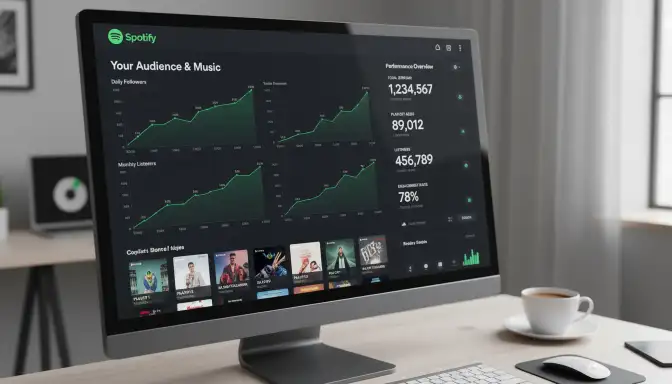
Spotify for Artists provides detailed analytics - but only for musicians tracking their own songs
This only works if YOUR music is uploaded to Spotify under YOUR artist name. Regular users who create playlists don't get this access. This is specifically for musicians tracking their own songs.
📊 What Artists CAN See
1. Playlist Additions
Artists can see how many playlists their songs are on, and when they're added to editorial and user-generated playlists.
Example: "Your song 'Summer Nights' was added to 47 playlists this week."
2. Playlist Performance
Artists can view streams from specific playlists:
- Algorithmic playlists (Discover Weekly, Release Radar)
- Editorial playlists (Spotify-curated)
- Listener playlists (user-created)
3. Top Playlists
A ranked list of playlists driving the most streams for your songs.
Example: "'Chill Vibes' playlist generated 12,400 streams for your track."
4. Listener Demographics
Aggregated data showing listeners by age, gender, and location—but not individual listener identities.
5. Follower Growth
Track how your artist profile following grows over time.
❌ What Even Artists DON'T See
Despite having artist access, you still cannot see:
- Names of specific people who added your song to their playlist
- Who listens to specific playlists containing your music
- Personal information about listeners
- Who saved playlists you created (if you're also a playlist curator)
🔑 How to Access Spotify for Artists
Visit artists.spotify.com
Go to the official Spotify for Artists website.
Claim Your Artist Profile
Verify you're the artist and rights holder.
Access Your Dashboard
Once verified, you'll have access to all available analytics.
This is only useful if you're a musician tracking your own songs. If you just created a playlist of other people's music, you don't get this access. Spotify for Artists is for artists, not playlist curators.
Creative Ways to Track Playlist Engagement
Okay, so you can't see who saved your playlist. But you're not completely in the dark. Here are creative methods to understand who's listening:
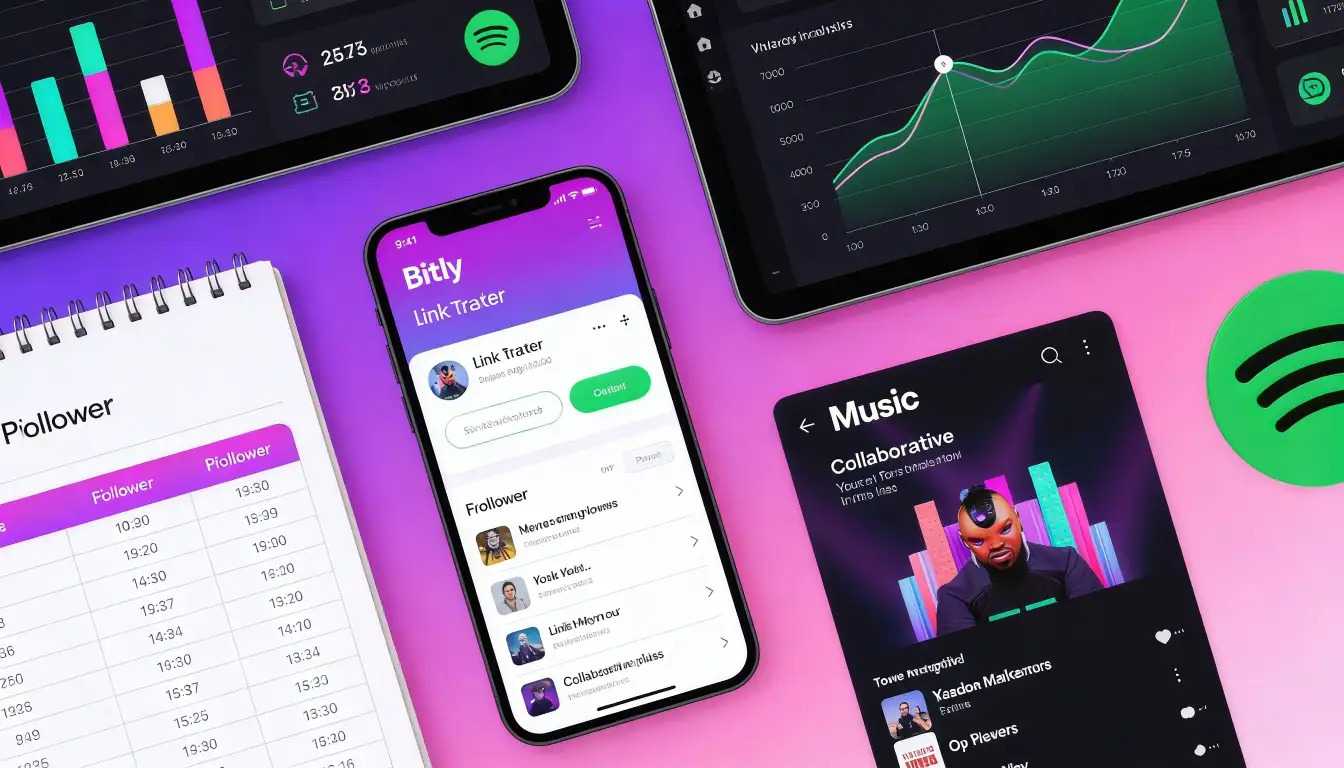
Creative tracking methods like link shorteners help you understand playlist engagement patterns
📈 Method #1: Track Follower Count Over Time
Create a Tracking Spreadsheet
Record your playlist's follower count daily or weekly. Take screenshots or write it down.
Monitor Growth Patterns
Look for spikes that correlate with your promotional activities.
Analyze Promotional Impact
If you share on Instagram and gain 50 followers in one day, you know your Instagram audience engaged.
Growth rate, promotional effectiveness, engagement patterns, and which marketing channels work best—even without individual names.
🤝 Method #2: Use Collaborative Playlists
How it works: Create a collaborative playlist (Settings → Make Collaborative).
What you see: When someone adds a song, their username appears next to it. This shows active participation.
The tradeoff: This only works if people add songs. It also transforms your playlist from solo curation to community effort.
Best for: Community-focused playlists where audience involvement is the goal.
🔗 Method #3: Create Link Trackers
Use a Link Shortener
Instead of sharing the Spotify link directly, create a shortened URL using Bitly, Rebrandly, or similar services.
Track Click Data
Monitor who clicked your playlist link:
- Number of clicks
- Click sources (Instagram, Twitter, email)
- Click timing patterns
Calculate Conversion Rate
If 500 people clicked but only 247 saved, you have a ~49% conversion rate. This reveals your promotional effectiveness.
Create bit.ly/MyWorkoutPlaylist, share it, track the link. You'll see 500 clicks even if only 247 people saved the playlist. Now you know: which platforms drive most engagement, which posts perform best, and your total interest level.
💬 Method #4: Leverage Social Media Engagement
How it works: Ask people to comment, tag friends, or share their favorite song from your playlist.
Example post:
What's the perfect song for 2am drives?
Drop it in the comments 👇 [playlist link]"
What you learn: Who's engaging on social media. Most commenters have probably saved it. You get engagement data from social platforms, not Spotify.
🔄 Method #5: Create Multiple Versions for Different Audiences
How it works: Make slight variations of your playlist for different audiences or platforms. Track which version performs best.
Example:
- "Workout Bangers 2026" (shared on Instagram fitness)
- "Gym Motivation Mix" (shared on Reddit fitness forums)
- "High Energy Training" (shared on Facebook running groups)
What you discover: Which audience segment engages most, even without specific names.
Third-Party Tools: Truth vs. Scams
Google this topic and you'll find apps and websites claiming they can show you who saved your playlist.
They can't. And many are scams or privacy violations. Here's what you need to know.
🚫 Common Scam Claims
❌ "Download our app to see playlist savers!"
Reality: These apps request access to your Spotify account, collect whatever data they can, and often:
- Violate Spotify's Terms of Service
- Risk getting your account banned
- Harvest your personal data for marketing
- Show fake or misleading information
❌ "Spotify playlist analytics tool!"
Reality: Legitimate analytics tools like Chartmetric and Soundcharts exist for music industry professionals, but they show:
- Playlist follower growth trends
- Comparative playlist performance
- Industry benchmarks
They don't show individual saver names because Spotify's API doesn't contain that data.
❌ "Spotify API hack reveals followers!"
Reality: Spotify's public API intentionally excludes endpoints for individual follower data. Any "hack" claiming to bypass this is either:
- Fake
- Violating Spotify's terms (and will get shut down)
- Compromising your account security
⚠️ Red Flags to Avoid
- Apps requesting your Spotify login credentials
- Websites claiming to "unlock hidden Spotify data"
- Services charging money to "unlock follower lists"
- Browser extensions claiming exclusive access
- "Secret methods" that seem too good to be true
Avoid third-party tools promising to show specific savers. They don't actually work, and the risk isn't worth it. You could compromise your account security, violate Spotify's terms, or waste money on fake services.
✅ Legitimate Third-Party Tools That Work
These tools operate within Spotify's terms and provide real data—just not the fictional "who saved my playlist" information:
• Chartmetric: Tracks playlist placements and performance
• Soundcharts: Music analytics and playlist tracking
• Spotify for Artists: Official (discussed earlier)
✅ For Playlist Curators:
• Stats.fm: Shows your personal listening stats (not playlist saver info)
• Last.fm: Tracks your listening habits (not who follows your playlists)
These tools work within Spotify's rules and offer genuine insights.
How to Grow Your Playlist Following Without Seeing Savers
Here's the truth: you can grow your playlist without knowing who saved it. What you need is a strategy for creating playlists people want to save and promoting them effectively.
🎯 Strategy #1: Create Specific, Value-Driven Playlists
❌ Generic Playlist
"Good Songs"
✅ Specific Playlist
"Indie Folk for Rainy Sunday Mornings (Coffee Not Included)"
Specific playlists attract specific audiences. They're easier to market and more likely to be saved because they solve a particular need or emotion.
Winning playlist types:
- Activity-based: "Study Music Without Lyrics," "Running at 160 BPM"
- Mood-based: "Main Character Energy," "Sad Girl Autumn"
- Genre-specific: "Underground UK Garage," "90s R&B Deep Cuts"
- Occasion-based: "Road Trip Singalongs," "Dinner Party Sophistication"
Specificity = shareability and memorability.
🔍 Strategy #2: Optimize Playlist Title & Description
SEO matters on Spotify. When users search for "workout playlist" or "chill study music," Spotify considers:
- Playlist titles
- Descriptions
- Song selections
Optimization tips:
- Include keywords people actually search (check Google Trends for music terms)
- Write clear, benefit-focused descriptions
- Add "Updated weekly" or "Fresh tracks added every Monday"
- Use emojis strategically (they stand out in search results)
❌ Bad
"My Playlist"
✅ Good
"High Energy Workout Mix 2026 🔥 | Gym Motivation | 140+ BPM Hip Hop & EDM"
🔄 Strategy #3: Update and Share Consistently
Active playlists get followed. Best practices:
- Add 3-5 new songs every week to keep it fresh
- Remove songs that no longer fit (quality over quantity)
- Announce updates on social media ("5 new bangers added 🔥")
- Set a regular update schedule (e.g., every Monday, first Friday of month)
Regular updates trigger Spotify to show your playlist in followers' "Recently Updated" sections.
📱 Strategy #4: Leverage Social Media Promotion
Platform-specific tactics:
- Story polls: "Which song should I add? A or B?"
- Carousel posts: "Top 10 songs from this month's playlist"
- Reels: Short video showcasing playlist vibe
- Link in bio (with call-to-action to follow playlist)
TikTok
- Create videos using songs from your playlist
- "POV: You need the perfect playlist for [scenario]"
- Duet/stitch with trending songs from your playlist
Twitter/X
- Thread explaining why each song was chosen
- Quote tweet artists whose songs are in your playlist
- Engagement bait: "Reply with your favorite [genre] song and I might add it"
- Share in relevant subreddits (r/playlists, r/spotify, genre-specific communities)
- Add value first (comment, engage) before self-promoting
- Follow community self-promotion rules
🤝 Strategy #5: Collaborate
Collaboration ideas:
- Cross-promotion: Partner with another curator in your niche. You promote theirs, they promote yours.
- Community playlists: Make it collaborative where fans can add songs (increases investment)
- Featured artists playlists: Reach out to smaller artists on your playlist—they might share it with their fans
🌐 Strategy #6: Cross-Promote Across Platforms
Don't limit your playlist to just Spotify:
- Create a YouTube version (with visualizer)
- Share tracklist on Instagram carousel
- Pin it on Pinterest with custom graphic
- Include in your email signature
- Embed in relevant blog posts or Medium articles
Every platform drives traffic back to Spotify, multiplying your follower potential.
🚀 Overcoming the Cold Start Problem
New playlists face a challenge: without initial followers, the algorithm doesn't push your playlist. Without visibility, you can't get followers. It's a catch-22.
This is where strategic growth services can help. At GTR Socials, we help creators overcome this initial momentum challenge with real engagement from genuine users—not bots or fake accounts.
Our Spotify growth services provide that crucial initial engagement that signals to Spotify's algorithm your playlist is worth promoting. Unlike fake followers (which Spotify detects and removes), strategic engagement from real users boosts your playlist's credibility organically.
We've helped over 35,000 creators build sustainable audiences across platforms. Explore our approach to authentic growth.
Why Privacy Actually Helps You
I know it's frustrating not being able to see who saved your playlist. But after understanding it deeply, I've come to appreciate Spotify's privacy approach.
🔐 Benefit #1: You Can Save Music Privately Too
Consider this: would YOU want all playlist creators to see that you saved their work?
Probably not for:
- Embarrassing guilty pleasure playlists
- Ex-partner playlists you still listen to
- Competitor research (if you're a curator)
- Private emotional music playlists
The privacy works both ways. The same protection that frustrates you also protects you.
🎯 Benefit #2: Focus on Quality Over Ego
Without individual saver data, you focus on:
- Creating genuinely great playlists
Instead of:
- Obsessing over who saved it or didn't
- Comparing yourself to friends' playlists
- Gaming the system for vanity metrics
Follower count is sufficient data to track success. Individual names wouldn't add value—they'd just feed ego.
💪 Benefit #3: Less Social Pressure
With privacy, you can:
- Save playlists without feeling obligated to listen
- Explore music outside your "brand" or social circle
- Support indie creators without performative gestures
It keeps music discovery authentic.
🛡️ Benefit #4: Protection from Harassment
Especially important for:
- Women playlist creators (who face disproportionate online harassment)
- LGBTQ+ creators with themed playlists
- Anyone curating vulnerable or intimate content
Privacy features make Spotify safer for everyone.
Success isn't knowing who listened—it's knowing your playlist is good. The 247 followers validate that. The steady growth validates that. The Instagram comments validate that. That's enough.
Frequently Asked Questions
Embrace What You CAN Control
I get it. I wanted to know who saved my workout playlist too.
But after researching, testing workarounds, and understanding Spotify's reasoning, I've made peace with it.
Here's what changed my perspective:
The people who saved my playlist did so because the music resonated with them. My curation added value to their lives. They wanted those songs in their library.
That's enough.
I don't need to know their names to know my playlist is good. The 247 followers validate it. The steady growth validates it. The Instagram comments validate it.
• Creating playlists people love
• Promoting them effectively
• Tracking growth over time
• Building community around your music taste
• Respecting others' privacy (and your own)
Follower count tells you your playlist works. The rest is ego.
Instead of obsessing about who saved your playlist, focus on:
- Making your next playlist even better
- Finding hidden gems to share
- Creating compelling titles and descriptions
- Growing your audience on platforms where engagement is visible
- Providing genuine value to music lovers
That's how you build a successful playlist following—whether or not you see individual names.
Ready to Grow Your Spotify Presence?
GTR Socials helps creators build authentic engagement across music platforms. No bots. No fake followers. Just real growth strategies that work.
Explore Growth Services →The final word: You cannot see who saved your Spotify playlist. Spotify doesn't offer this feature, and there's no legitimate workaround. This isn't a bug or oversight—it's a privacy safeguard.
But you CAN track follower count, measure engagement through creative methods, promote strategically, and build a thriving playlist audience.
Focus on what you can control: creating incredible playlists and promoting them effectively.
The saves will follow. And the number is all you really need.
Comments (0)