

The Moment I Realised Verification Really Mattered
I can remember the exact moment YouTube verification stopped being optional for me.
I'd been building my YouTube channel for about eight months. Solid subscriber growth. Consistent content. Real community engagement I was genuinely proud of.
Then someone slid into my Instagram DMs asking if my YouTube channel was actually real.
They had searched my name and found three channels — mine and two imposters who had copied my profile picture, bio, and even some of my thumbnails. Without a verification badge, casual visitors couldn't tell which one was me.
I was losing subscribers to fake channels. Missing brand deals because companies couldn't confirm which channel was real. Watching my community unknowingly interact with impersonators who thought they were talking to me.
That experience made something very clear: getting verified on YouTube isn't just a vanity badge. It's a trust signal, a protection mechanism, and a credibility builder that most creators underestimate until they need it.
That's where this guide starts.
The gray checkmark next to your channel name is one of the most underrated trust signals on the platform
The Two Types of YouTube Verification (Most People Confuse These)
This is the most important distinction in the entire guide. YouTube operates two completely separate verification systems — each with different rules, different processes, and different meanings. Confusing them is the most common mistake creators make.
Type 1 — The Gray Checkmark
What most creators mean when they say "YouTube verified." Appears next to your channel name in search results and on your channel page. Confirms this is the real, legitimate channel behind the name or brand.
Requires: 1,000 SubscribersType 2 — The Official Badge
The more prominent badge next to major public figures, celebrities, big brands, and official artists. YouTube awards this based on cultural prominence and public presence — not through an open application.
Requires: Notable Public PresenceKnowing which you're aiming for will save you significant confusion. Let's break down each one completely.
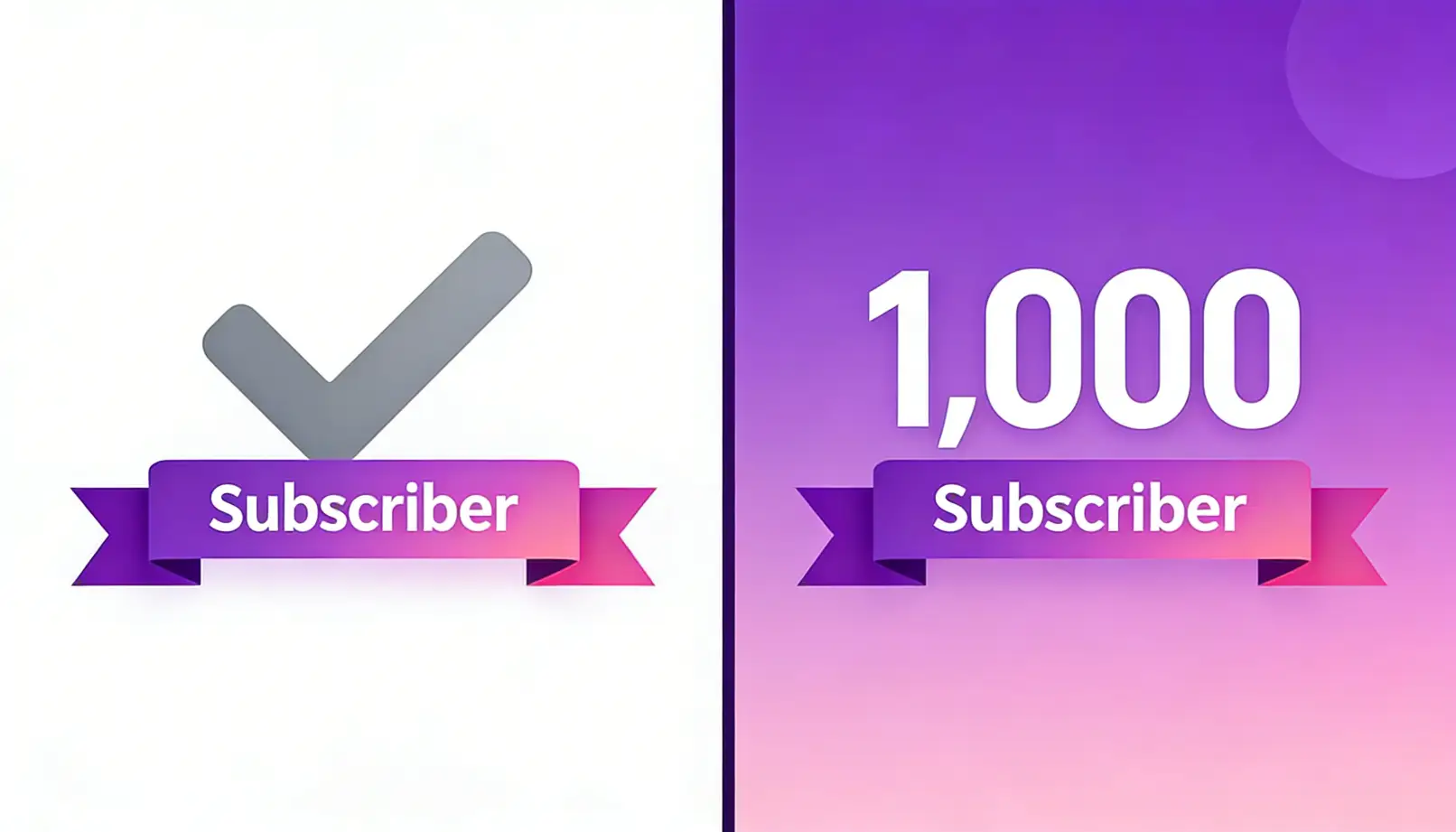
Two very different badges, two very different paths — knowing which you're targeting changes everything
Part 1 — The Gray Checkmark: YouTube Channel Verification
📋Who Is Eligible?
The core requirement is straightforward: 1,000 subscribers. But YouTube also evaluates a few additional criteria before displaying the public checkmark.
- At least 1,000 subscribers on the channel
- Good standing — no active Community Guidelines strikes
- No history of policy violations or manipulation
- The channel authentically represents a real person, brand, or business
Beyond the eligibility threshold, YouTube also looks for channels that demonstrate consistency:
- Clear, consistent identity — profile picture, full About section, cohesive branding
- Regular activity — not dormant or abandoned accounts
- Content that actually matches what the channel claims to be
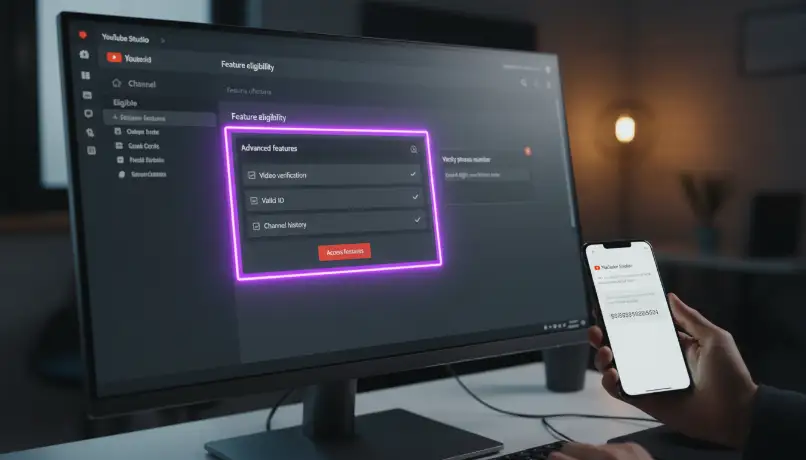
YouTube Studio's Feature Eligibility section is where the verification process begins — straightforward once you know where to look
Step-by-Step: How to Verify Your YouTube Channel
Once you've reached 1,000 subscribers, here's the exact process. It takes about five minutes:
Open YouTube Studio
Sign in to your YouTube account and navigate to studio.youtube.com — this is your creator dashboard and the starting point for verification.
Go to Settings
In the left sidebar of YouTube Studio, scroll to the bottom and click "Settings."
Select Channel Settings
In the Settings menu, click "Channel" in the left panel. This opens your channel-specific settings.
Click "Feature Eligibility"
Inside Channel settings, click the "Feature eligibility" tab. This displays all features available to your channel based on subscriber count and account standing.
Find Phone Verification Under Intermediate Features
Look for the section labelled "Intermediate features" — this is where phone verification lives. If your channel is eligible, you'll see a "Verify" option.
Alternatively, go directly to youtube.com/verify to be taken straight to the verification page.
Verify Your Phone Number
Enter your phone number. YouTube will send a verification code via SMS or automated call. Enter the code when prompted.
Verification Complete
Once your code is confirmed, the process is done. The gray checkmark should appear next to your channel name in search results within 24 hours — provided you have 1,000+ subscribers.
🔧Fixing Common Verification Problems
What Verification Actually Unlocks
The gray checkmark is the visible signal — but the phone verification process unlocks a set of creator features that have nothing to do with the badge. These are worth getting even before you reach 1,000 subscribers.
Longer Videos
Unverified channels are capped at 15-minute videos. Verification removes this limit entirely — essential for educational content, tutorials, and vlogs that need room to breathe.
Custom Thumbnails
Upload your own thumbnail images instead of using YouTube's auto-generated frames. This alone is worth verifying for — custom thumbnails consistently increase click-through rates by 30–50%.
Live Streaming
Go live directly from your YouTube channel. Desktop live streaming requires 50+ subscribers, mobile requires 1,000 — but verification is a prerequisite regardless.
Content ID Appeals
If someone incorrectly claims your original content, verification status strengthens your ability to dispute and win those appeals through YouTube's system.
External Links in Content
Link to external websites through cards and end screens — critical for driving traffic to your website, store, or other platforms.
Advanced Analytics
Access deeper audience insights, traffic source data, and engagement metrics that help you make better content decisions at every stage of growth.
Part 2 — The Official Badge: Notable Channel Status
This is where YouTube verification gets genuinely interesting — and considerably more complex. The official checkmark (the more prominent badge seen on major creators, brands, celebrities, and public figures) is not available through a form or application process. YouTube awards it based on your real-world presence and cultural significance.
🌐What YouTube Actually Looks For
YouTube hasn't published a definitive checklist, but analysis of verified channels reveals consistent patterns:
Real Public Presence Off-Platform
Significant activity across Instagram, TikTok, and Twitter/X. News articles in reputable publications. Wikipedia pages or documented third-party evidence of significance.
Substantial Subscriber Count
No published threshold, but most officially verified independent creators have hundreds of thousands to millions of subscribers. Public figures with strong offline presence can qualify with smaller audiences.
Cultural Relevance
Official Artists, professional athletes, major news outlets, politicians, established brands — YouTube prioritises verification where cultural significance is clear and documented.
Impersonation Risk
YouTube verifies channels where fake accounts pose a genuine user safety concern. If multiple imposters are claiming to be you, verification becomes more urgent from YouTube's perspective.
🏗️Building the Authority That Leads to the Official Badge
Whether you're targeting the official checkmark or simply building a channel people trust by default, these strategies establish real, documented authority:
The Official Artist Channel (OAC) Programme
If you're a recording artist or musician, this is the most direct and structured path to getting an official badge on YouTube — and it comes with substantial additional benefits beyond verification alone.
🎵What Is an Official Artist Channel?
An OAC consolidates all of a musician's YouTube content into one centralised, verified presence — official uploads, featured videos, music videos, and auto-generated content from streaming. It's YouTube's music-industry verification programme.
Verified Badge
The music note or checkmark icon confirming this is the artist's official presence on YouTube.
Music Shelf
A dedicated music shelf on your channel page displaying your catalogue, organised by release date and format.
YouTube Music Integration
Your content appears correctly in YouTube Music search results with proper attribution and artist profile data.
Priority in Music Search
OAC channels get prioritised placement in search results for artist name and song queries.
📨How to Get an Official Artist Channel
Method 1: Through Your Distributor (Most Common)
If you distribute music through DistroKid, TuneCore, CD Baby, Amuse, or similar services, they can submit an OAC request on your behalf. Most major distributors have a direct relationship with YouTube specifically for this purpose. This is the most reliable and fastest route.
Method 2: Through Your YouTube Partner Manager
If you're in the YouTube Partner Program and have a dedicated partner manager assigned to your account (typically channels with substantial subscriber counts), they can submit the OAC request directly on your behalf.
Method 3: Direct Request via YouTube Help Centre
Search "YouTube Official Artist Channel" in the Help Centre to find the current official request form. You'll need to demonstrate that your music is available on YouTube Music, you own and operate the channel, and you have a documented history of music releases.
Part 3 — The YouTube Partner Programme
Many creators conflate channel verification with the YouTube Partner Programme. They're distinct systems — but both matter enormously for channel growth, and understanding the difference (and the connection) is essential.
📊YPP Requirements in 2026
Tier 1 — Fan Funding Access
500 subscribers · 3 public uploads in the last 90 days · 3,000 watch hours OR 3 million Shorts views in the last 12 months.
Tier 2 — Full Monetisation
1,000 subscribers · 4,000 watch hours OR 10 million Shorts views in the last 12 months.
💰What YPP Unlocks Beyond Verification
- Ad revenue from video content (CPM-based earnings on every monetised view)
- YouTube Premium revenue share for watch time by Premium subscribers
- Channel Memberships — paid subscriber tiers with exclusive perks
- Super Thanks — viewer tips on individual videos
- Super Chat and Super Stickers — live stream revenue tools
- YouTube Shopping — sell products directly through the platform
- Priority access to YouTube Creator Support
Part 4 — Reaching 1,000 Subscribers Faster
Whether you're approaching the verification threshold or looking to get there faster, these are the strategies that actually work — not the generic "post consistently and be yourself" advice that fills most articles.
🔍Build a Searchable Content Strategy
YouTube is the world's second-largest search engine. The creators who grow fastest aren't always the most talented — they're the ones making content that people are actively searching for.
Keyword Research Tools Worth Using
- TubeBuddy— browser extension for keyword research and competitor analysis (free tier available)
- VidIQ— similar to TubeBuddy, excellent for content gap analysis
- Google Trends— identify whether YouTube topics have growing or declining search interest
- AnswerThePublic— see the exact questions people ask about your topic
🖼️The Thumbnail-Title Formula That Gets Clicks
Your click-through rate (CTR) is the single most impactful growth metric in YouTube's algorithm. The average CTR across YouTube is 2–10%. Channels with optimised thumbnails and titles regularly achieve 10–20%+.
Thumbnail Best Practices
Faces with strong visible emotion · High-contrast colours that pop against YouTube's light background · Bold, readable text (3–5 words maximum) · Single clear focal point — no clutter.
Title Formula
[Hook] + [Keyword] + [Promise/Curiosity Gap]
Example: "I Tested 10 Viral Recipes (The Results Shocked Me)" — Hook + implied keyword + curiosity gap that demands a click.
📅Consistency Beats Perfection — Every Time
The most common reason channels stall before reaching the verification threshold is inconsistent posting. YouTube's algorithm actively rewards channels that publish on a reliable schedule — regardless of how good individual videos are.
Starting Out
1 long-form video per week minimum. Focus on quality over frequency but don't let perfection delay publishing.
Steady Growth Phase
2–3 long-form videos per week. Add Shorts to your cadence to extend reach into YouTube's separate Shorts feed.
Shorts Acceleration Strategy
1–3 Shorts per day on trending topics in your niche. Shorts have massive organic reach for small channels and are currently the fastest path to 1,000 subscribers for new accounts.
📊Engagement Signals That Drive Algorithmic Growth
Part 5 — Protecting Your Verified Channel
Getting verified is stage one. Keeping it is just as important — and many creators lose their verification through entirely avoidable mistakes.
📋Community Guidelines — What Actually Gets Channels Struck
The most common violations that creators make unintentionally:
- Copyright infringement— using music, video clips, or images you don't have rights to. Use YouTube's Audio Library (free), or paid services like Epidemic Sound or Artlist
- Misleading thumbnails/titles— the thumbnail and title must honestly represent the video content. Curiosity-driven titles are fine; deliberate deception is not
- Spam and deceptive practices— using artificial means to inflate metrics, keyword stuffing, false descriptions
- Advertiser-unfriendly content— excessive profanity, graphic violence, or controversial topics without appropriate age restrictions can trigger demonetisation or strikes
🛡️Handling Impersonation Attempts
Ironically, getting verified often increases impersonation attempts — the badge makes the real you more prominent, giving fakers more incentive to mimic your channel for credibility.
Navigate to the impersonating channel
Find the fake channel claiming to be you.
Click the three-dot menu below their channel name
Select "Report" from the dropdown menu.
Select "Impersonation" as the violation type
Follow YouTube's submission steps and provide as much evidence as possible — your verified channel, screenshots, and any supporting documentation.
🔒Account Security Non-Negotiables
- Enable two-factor authenticationon your Google account — this is the single most important security step. Non-negotiable for verified creators
- Use a strong, unique password for your YouTube/Google account — not reused from any other service
- Never share login credentials with collaborators — add them as channel managers through YouTube Studio → Permissions instead
- Audit connected apps quarterly and revoke access from any you no longer actively use
- Consider maintaining two separate Google accounts — one personal, one exclusively for your YouTube channel
Part 6 — The Cold Start Problem: The GTR Socials Perspective
At GTR Socials, we work with creators at every stage — channels with a few hundred subscribers trying to reach their first 1,000, and established YouTubers looking to grow faster. Here's what we've observed about the verification milestone across thousands of channels:
When your channel has 200 subscribers, YouTube's algorithm shows your videos to a tiny initial test group. Even genuinely excellent content can fail to gain traction because it doesn't reach enough people in the critical early window to generate meaningful engagement signals.
This creates a frustrating paradox: you need engagement to get distribution, but you need distribution to get engagement. Most new channels get stuck in this loop for months.
🚀How Strategic Initial Growth Breaks the Loop
Reaching 1,000 subscribers with real, interested viewers in your niche does several things simultaneously:
- Unlocks the verification threshold and the gray checkmark — the obvious benefit
- Sends YouTube's algorithm the early engagement signals that your content is relevant and wanted in your niche
- Establishes social proof that makes organic discovery visitors more likely to subscribe themselves
- Creates the appearance of a credible, active channel rather than a dormant account that new viewers scroll past
A channel that reaches 1,000 subscribers through real, niche-relevant engagement is in a fundamentally different algorithmic position than one that somehow hit the threshold without genuine audience investment. Real engagement compounds — each new engaged viewer improves the signals that drive the next round of distribution.
At GTR Socials, we help creators overcome this cold start barrier with real, engaged growth that triggers the algorithmic flywheel rather than stalling it. The goal isn't the number — it's the momentum signal that number creates. Explore our YouTube subscriber growth services to see how we can help accelerate your path to verification and beyond.
Ready to Reach 1,000 Subscribers Faster?
GTR Socials helps YouTube creators overcome the cold start problem with real, niche-relevant engagement that triggers algorithmic distribution. No bots. No fake metrics. Real momentum.
Explore YouTube Growth Services →Debunking Common YouTube Verification Myths
The internet is full of misinformation about YouTube verification. Let's set the record straight on the ones that cost creators the most time and energy:
Your YouTube Verification Action Plan
Everything above distilled into a concrete, stage-by-stage action plan. Find your current position and execute from there:
Under 1,000 Subscribers — Build Momentum
- Post at least 1–2 long-form videos per week on a consistent schedule
- Add 1–3 Shorts per day on trending niche topics to accelerate subscriber growth
- Use TubeBuddy or VidIQ to research keywords before every upload
- Optimise thumbnails and titles for CTR — test variations using YouTube's built-in tool
- Reply to every comment within 24 hours — community engagement signals matter
- Cross-promote on Instagram, TikTok, and any existing social audience
- Collaborate with channels of similar size to share audiences
- Complete phone verification now in YouTube Studio — don't wait until you hit 1,000
Just Hit 1,000 Subscribers — Unlock Everything
- Complete phone verification immediately in YouTube Studio → Settings → Channel → Feature Eligibility
- Apply for the YouTube Partner Programme if you've also met the watch hour requirements
- Enable custom thumbnails and begin A/B testing different designs systematically
- Set up channel memberships if your audience is engaged enough to support them
- Enable live streaming and test it with your audience for community engagement
Established Channel — Building Toward the Official Badge
- Expand your cross-platform presence systematically — the official badge follows documented multi-platform significance
- Pursue third-party media coverage: interviews, guest features, industry press
- If you're a musician, contact your distributor to initiate an OAC request
- Monitor watch time, retention, and engagement metrics monthly — these are your algorithmic health indicators
- Consider maintaining a Shorts strategy alongside long-form to maintain discovery-feed presence
- Set up Google Alerts for your brand name to catch impersonators early
Verification is a milestone — but the most successful creators treat it as a launchpad, not a destination
Frequently Asked Questions
Verification Is a Milestone — Not the Finish Line
When I finally got that gray checkmark next to my channel name, I thought it would feel like crossing a finish line.
It didn't. It felt like a starting gun.
The badge told my audience I was real. It stopped the impersonators cold. It unlocked features that made my channel operate like a professional content business. It validated eight months of work.
But the work didn't stop — if anything, it accelerated. Because now I had the tools and the credibility to actually build something.
The creators who get the most out of verification are the ones who treat it as the start of their next phase rather than the reward for their last one. They use the unlocked features, the credibility signal, and the momentum to build something bigger.
Your 1,000 subscribers become 10,000. Your gray checkmark becomes a pathway to the official badge. Your YouTube channel becomes a real, growing business asset.
It all starts with that first milestone.
If you're not there yet — keep building. The path is clearer than it's ever been.
If you're already verified — use what's in this guide to prepare for what comes next.
People are searching for what you make.
Make sure they find the real you.
Comments (0)