

Last week, I witnessed something shocking happen: A small business owner I know spent three hours meticulously crafting their ideal Facebook cover photo for their page: elegant design elements combined with professional photography and compelling text overlay. Once uploaded and proud of their hard work, however, half their carefully written message had been cut off on mobile viewing devices!
Frustrating is how 2026 Facebook image sizes work: the platform displays your images differently depending on where they appear, the device someone's using and how they scroll. Get your dimensions wrong, and your beautiful content turns into pixelated garbage--or worse, it gets cut off entirely.
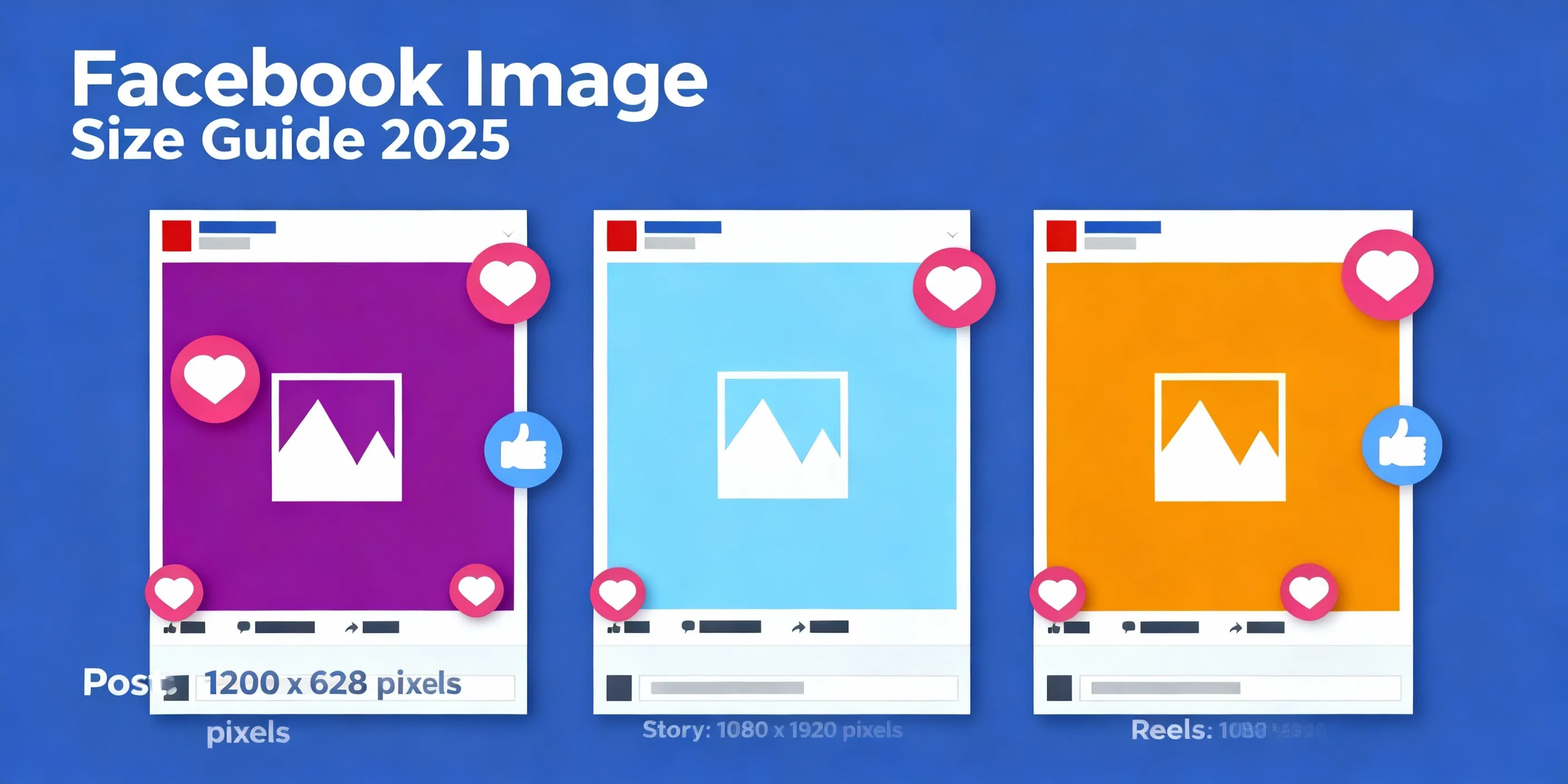
Facebook displays images differently on mobile and desktop - proper sizing is essential
Once you understand the right dimensions for each type of Facebook content, creating images that look sharp, professional, and engaging across every device becomes much simpler. Visuals drive engagement more than ever before in 2026--getting this right is no longer optional--it is essential!
No matter if you are managing a business page, personal branding or running advertisements on Facebook; this guide covers every image dimension you require for successful engagement with them. No fluff; just updated specs which work.
Why Facebook Image Sizes Actually Matter (Beyond Just Looking Good)
Before we delve into the numbers, let's first talk about why this matters for your business.
Facebook's algorithm carefully considers how people respond to your content. When someone stops scrolling for an extended amount of time to look at your post, that is a positive indicator for Facebook; when they quickly scroll past with unresponsive images like blurry or poorly cropped ones quickly scrolled by, that indicates it wasn't engaging enough.
Images with appropriate dimensions should load faster, display correctly and capture attention--all factors which influence how many people Facebook will show your content to. Think of image optimization as part of your content strategy rather than as simply an administrative task.
There is also the professionalism factor. When customers arrive on your Facebook page and see an image that has text cut off on mobile, this may not inspire trust from customers. First impressions matter and social media images often serve as their first representation.
Facebook Profile Picture Size: Your Digital First Impression
Your Facebook profile picture serves as the image that will accompany every post, comment and interaction your page makes - so it should be instantly recognisable even at thumbnail size!
Most people make one common error when designing logos: designing square images with no regard for how Facebook displays profile pictures as circles; this means the corners will get cropped if your logo contains important elements in its corners; otherwise they'll vanish altogether. Here are design tips that really count:
Make sure that your most important visual elements are located near the center of the image. Imagine a circle, cut off 15% from each corner - that is your safe zone.
Use bold imagery. Logos that incorporate intricate text become unreadable at profile picture size; to avoid this problem, try simplifying or symbolizing your logo before uploading as profile picture image.
Test on mobile first. Over 98% of Facebook users access it through mobile devices; what looks great on a desktop may appear much different on a phone display.
Personal brands benefit most from close-up photos rather than full-body shots, since you want your face to stand out within that small circle.
Facebook Cover Photo Size: Your Page's Billboard
Cover photos load differently on desktop and mobile. Your cover photo is one of the key focal points of your page, setting the visual tone for all that follows. Unfortunately, Facebook displays this banner image differently depending on whether viewed from desktop or mobile; most designers only design for one or the other version.
On desktop, the banner will be wide and horizontal; on mobile, however, its shape changes into something closer to a square image with some edges cropped off - meaning important text or visuals on either end may go unseen by mobile users.
I have witnessed businesses post their hours of operation, phone number or key selling points as text on their cover photo--all right in the area that will get cropped out on mobile. Don't make this mistake.
✅The Safe Zone Strategy
Avoid placing text too closely to where your profile picture sits in the bottom left corner; on desktop computers this area will be covered by your profile photo. Facebook offers up to 100KB for cover photos; larger doesn't always mean better; optimize file sizes to speed loading without compromising quality.
🎯What really works for cover photos
High-quality lifestyle images that convey your brand personality tend to perform better than text-heavy designs, so think of your cover photo as setting the atmosphere rather than communicating a specific message.
Seasonal updates keep your page current. Changing up the cover photo every few months shows that your page remains vibrant and active.
Action shots tend to engage more than static ones; for example, showing people eating food at your restaurant or mid-workout with fitness products captivate viewers more effectively than static images do.
Facebook Post Image Dimensions: Where Most of Your Content Lives
Image optimization will likely focus on regular Facebook posts, as getting these right can directly increase engagement rates.
Facebook's algorithm favors posts with images, provided those images are formatted correctly. Uploading one that's too small could cause Facebook to stretch it and render it unprofessional; upload one too large with an unexpected aspect ratio and it could crop unexpectedly.
The 1200x630 recommendation isn't arbitrary--it has been created with optimal display in both news feed and sharing in mind. This size looks good on mobile, desktop and as link preview.
⚠️Common Mistakes to Avoid
Text-heavy images may violate Facebook's ad policies for organic posts as well as ads. While Facebook recently relaxed their 20% text rule for ads, such images still tend to receive less distribution; its algorithm prefers images where the actual image takes center stage rather than dense paragraphs of text.
Multiple images in a post should all have the same dimensions; otherwise, Facebook will crop them to match and potentially alter them in unflattering ways.
📊What drives engagement
Humans are hardwired to notice and respond to other humans, making photos with faces significantly more popular among their likers than images without faces.
Bright and high-contrast images stand out in an otherwise mundane news feed. Remember that your image must compete against hundreds of posts, ads and videos; muted designs might look sophisticated but don't stop the scroll.
Real, authentic content works better than overly polished stock photos; people want to connect with real brands and real people rather than generic corporate imagery.
Facebook Story Dimensions: Vertical Content for Mobile-First Audiences
Facebook Stories require vertical 9:16 format for optimal mobile viewing
Stories have quickly become one of the most engaging formats on Facebook, with over 500 Million people watching stories daily. Unlike feed posts, stories take over an entire mobile screen; therefore, content must be designed specifically to create this vertical, immersive experience.
Facebook Stories are temporary; they vanish after 24 hours. Because of this temporary nature, people tend to engage with them quickly and may pass quickly through them. Your image must immediately draw viewers in for optimal success!
📐Design for the vertical format
To design for vertical viewing, keep text and visual elements centered within an area approximately 1080 pixels wide by 1420 pixels high on your screen. Any gaps may be covered by elements like your profile name or call-to-action buttons.
Reusing horizontal images for stories can look lazy and cut off key information. Instead, create vertical-specific content or use apps with backgrounds to properly format horizontal images.
Text must be large and legible for optimal reading experience. Remember that people will likely be browsing stories quickly in environments filled with distractions; if they need to squint to read yours they'll simply move onto another story.
✨Story Content that Works
Background shots work particularly well within the Stories format. Quick updates, work-in-progress shots and casual moments make sense within stories because of their authenticity and short lifespan.
Interactive elements enhance engagement. Facebook provides polls, questions and other interactive stickers that turn passive viewing into active participation.
Recreate story-specific content rather than simply reposting feed content; your audience can detect when you're recycling older posts instead of creating something tailored for stories.
Facebook Reels Dimensions: Short-Form Video Specifications
Facebook Reels have quickly become an essential element of its platform, with Facebook actively prioritizing this format in its algorithm. If Reels seem to dominate your feed recently, that may be intentional as Facebook competes with TikTok and Instagram Reels by rewarding creators who use Reels.
Reels mirror Stories in terms of dimensions (9:16 vertical), but differ significantly in strategy. Stories are designed for quick consumption; Reels provide permanent content intended to reach new viewers who might have come across your page by chance.
🚀Creating Reels that Gain Traction
Engage viewers from the Outset. Facebook measures "engagement" according to how long people watch a video, so if your first frame doesn't grab viewers immediately they may simply scroll right past. Think of your opening frame like an image thumbnail--make it count!
Reels videos must adhere to vertical framing for best results, unlike Facebook feed videos which allow some flexibility. Reels should fill the entire mobile screen; any horizontal videos with black bars on either side appear confused about this format and must not appear confusing either.
Stay within the safe zones for text overlays. Facebook's user interface elements (such as your username, audio info and interaction buttons) appear at the edges of Reels; design your text so as to stay away from these areas.
🔥What's Working on Facebook Reels in 2026
Educational content has proven particularly successful on Reels. Quick tips, how-to guides, and "things you didn't know" formats have seen incredible reach despite pages having small followings.
Trending audio boosts discoverability. Like TikTok, Facebook's algorithm favors Reels that feature popular audio clips. You can access trending sounds directly in Reels creation tool.
Real, authentic content often outshone highly produced videos on Reels. People visit Reels for entertainment and quick value, not watching what feels like commercials.
Facebook Event Cover Photo Size
When promoting events on Facebook, an event cover photo serves as the visual representation that appears in newsfeeds, reminders, and when people share your event.
Event photos differ from link preview images in that their dimensions must match those found in link previews, with Facebook automatically overlaying event names and details across your image. As such, designing with that element in mind is key when designing event images for Facebook.
Keep the bottom third of your event cover photo free of elements that might obscure important visual elements, as Facebook may overlay event details here. Otherwise, your carefully designed image could end up with text obscuring part or all of it!
Select images that convey the atmosphere of the event. A networking event requires different visual treatment than product launches or community fundraisers; therefore, images should immediately show attendees what kind of experience awaits them at your event.
Facebook Link Preview Image Size
When sharing links on Facebook--whether they lead to blog posts, product pages, news articles or news stories--Facebook will pull an image for preview purposes automatically. If your website doesn't properly utilize Open Graph tags it could select an unsuitable image that often produces undesirable results.
Businesses looking to drive traffic to their website recognize this is especially crucial; link preview images often determine whether people click through or ignore.
⚙️Optimizing link previews
Create Open Graph meta tags on your website, so Facebook knows exactly which image to display as the preview instead of leaving this decision up to chance. Many website builders and WordPress plugins make this step simple.
Create custom images for essential pages. Your homepage, top product pages and blog posts should all feature specifically-created preview images instead of random photos from the page itself.
Subtle include your logo or branding - when shared, the preview image should still recognizeable as part of your brand even without context.
Facebook Ad Image Dimensions: Paid Content Specifications
If you're running Facebook ads, image quality directly impacts the cost per result. Facebook charges less for ads with high engagement rates; properly optimized images play an integral part in driving engagement rates higher.
Facebook has since relaxed their previous 20% text rule, whereby ads with more than 20% text coverage were limited; however, that doesn't mean your ad images should now contain tons of text; ads featuring less text perform better at auction and offer increased reach.
💡Ad image strategies that reduce costs
Place products or services into context by showing lifestyle images which demonstrate their worth more effectively than catalog-style images.
Test out different aspect ratios. While 1200 x 628 images may work best on mobile feeds, square images (1080 x 1080) often take up more screen real estate and provide greater exposure.
Before optimizing for desktop, optimize for mobile. Since most Facebook ad impressions occur on mobile devices, that is where your image must look its best.
Facebook Group Cover Photo Size
Facebook Groups require distinct image requirements than Pages, with their cover photo appearing differently on mobile. As these spaces serve a community purpose, their visual style must feel welcoming while reflecting its purpose.
Group cover photos offer more freedom than Page cover photos since there is no profile picture overlapping them, enabling you to use all width of an image without fearing blocked off areas.
Imagery that emphasizes community and connection often works best when used by groups. Think about what makes someone feel included, then let your cover photo reflect that feeling of inclusion.
Facebook Video Dimensions and Specifications
Video content has the potential for greater reach on Facebook than static images do, provided its dimensions correspond with how people will watch it. Since most video views occur with sound disabled on mobile phones, this dictates the approach you should take when producing video content for this platform.
Square and vertical videos outshone landscape videos on mobile. Since they take up more screen space in a feed, they're more likely to grab viewers' attention and stop scrolling.
Captions should always accompany videos viewed without sound since most viewers watch these without audio and captions aren't an optional addition; rather they must be part of your message for it to resonate effectively.
First impressions matter! Facebook counts a view after only three seconds, but more importantly users determine whether to continue watching within those first few moments. Make sure that your most compelling content is up front-loaded!
How to Resize Images for Facebook: Practical Workflows
Selecting appropriate dimensions is only half of the battle; creating or resizing images to those specifications also requires an effective process.
🛠️Tools to Make Resizing Easy
Canva offers Facebook-specific templates with all of the right dimensions set so that you can design directly in that size rather than having to resize after. They offer both free and paid options; their Facebook templates can be found under their free version.
Adobe Photoshop and similar professional tools offer precise control, but can require a steep learning curve. Once you become adept with these tools, create presets for common Facebook dimensions to speed up workflow and save time in the future.
Pixlr and Fotor can quickly resize images online; or alternatively you could try free tools like ResizeImage.net which provide quick adjustments. They're great if you already have an image you just need cropped to Facebook specifications.
✨Best practices for image optimization
- Export at high quality but monitor file sizes. Facebook compresses images upon uploading, so starting out with high-resolution files helps preserve detail while files over 15MB may take too long to upload or even time out altogether.
- Use an sRGB color profile when uploading images to social networks, such as Facebook. This ensures colors look uniform across devices. Fancy color profiles like Adobe RGB may look beautiful in Photoshop but display incorrectly when displayed there.
- Keep original, high-resolution files. Don't just store Facebook-sized versions; keep the original large file so that you can re-export at different dimensions if required for other platforms or purposes.
Mobile vs Desktop: How Facebook Displays Images Differently
Even experienced social media managers sometimes get caught out: an image that looks perfect on desktop could have key elements omitted on mobile, and vice versa.
Facebook's mobile app uses different cropping algorithms than its desktop site; mobile prefers a taller height when rendering news feed images while desktop prefers wide cropping for cover photos. As we stated previously, mobile and desktop differ considerably when cropping cover photos.
📱Approach Your Content Mobile-First
- Always test images before posting to social media using a test account or through Creator Studio preview tools.
- Assume most users will access your content through mobile first. Design for mobile, and ensure it still looks good on desktop later rather than vice versa.
- Keep important elements centered in images - even when cropped differently for different devices, the center will always remain visible.
Common Facebook Image Mistakes (And How to Fix Them)
After helping hundreds of businesses optimize their Facebook presence, I have witnessed numerous common image mistakes on Facebook that I know how to prevent - here are the most prominent of them along with ways to remedy them.
❌Mistake #1: Reusing image dimensions across platforms
What works on Instagram might not translate well onto Facebook and vice versa. Each platform has different optimal dimensions that need to be accounted for when creating content for their platform - using generic images across all of them makes the content appear suboptimal in all cases.
❌Mistake #2: Failing to honor safe zone restrictions on cover photos
Placement of text or key visual elements too near the edges of cover photos could result in them being cropped out on mobile or covered up by your profile picture.
❌Mistake #3: Uploading Low-resolution Images
Beginning with low-quality images and then further degrading them through Facebook compression is not ideal - these pixelated or blurry pictures look unprofessional and get less engagement.
❌Mistake #4: Not testing on multiple devices
What appears great on a laptop may look completely different when seen through a phone, which is where most people will actually view it.
❌Mistake #5: Neglecting Facebook Compression
Facebook compresses all uploaded images in order to reduce file sizes and improve loading times, so if your image quality is barely acceptable it will become noticeably worse due to compression.
The Connection Between Image Quality and Facebook's Algorithm
Let's tackle something most image size guides ignore: how the quality and dimensions of images affect reach and engagement.
Facebook's algorithm tracks how long people look at posts, click images to view larger versions, and engage with your content - these metrics can all be affected by properly-sized and high-quality images that affect all three metrics.
Uploading images that are too small causes Facebook to stretch it and the resultant pixelation makes people scroll past faster, while uploading incorrect dimensions causes cropping issues that make people not engage with your content as it doesn't make sense.
On the flipside, images that display consistently across devices tend to receive longer view times and higher engagement rates - this tells Facebook your content is valuable and they'll show it more people.
Image quality can be crucial if you're trying to grow your page organically; every post competes against Facebook's algorithm for reach, so superior images provide you with a competitive advantage.
How GTR Socials Can Boost Your Facebook Content Strategy
A successful Facebook strategy involves more than simply producing perfectly sized and captivating images - it also relies on building a hefty social proof and engagement momentum behind your content to stand out and achieve maximum impact.
GTR Socials can provide the boost your visual content needs to get noticed by its target audience and trigger its algorithm. Our strategic growth services can give it the momentum it deserves!
Quality images combined with genuine engagement signals create a potency combination that can help your content reach its fullest potential organically. GTR Socials' expertise lies in helping businesses overcome what we refer to as the "cold start problem," where great content may get overlooked simply due to not gaining initial traction.
Service packages ranging from Facebook post likes and shares to comments will ensure your optimized images get maximum visibility on social media. While not attempting to replace organic growth with paid services, our goal is not only to jumpstart it but to give content the initial push it needs to activate Facebook's algorithm and reach more people organically.
Wrapping Up: Your Facebook Image Size Checklist
Achieve professional-looking content requires precise image sizes on Facebook; here is your quick reference checklist:
- Profile Picture:180 x 180 pixels, designed for circle crop
- Cover Photo:820 x 312 pixels, keep key content within a 640 x 312 area for best viewing
- Regular Posts:1200 x 630 pixels, 1.91:1 aspect ratio
- Stories:1080 x 1920 pixels, 9:16 vertical aspect ratio
- Reels:1080 x 1920 pixels, 9:16 vertical aspect ratio, up to 90 seconds
- Event Covers:1200 x 628 pixels, keeping the bottom third clear
- Link Previews:1200 x 630 pixels with Open Graph tags
- Videos:Square (1080 x 1080) or vertical (1080 x 1920), to maximize mobile-first reach
Businesses that thrive on Facebook in 2026 won't necessarily be those with big budgets or flashy designs; rather, those that understand its technical requirements and can create content that displays properly across devices will do better.
Make the time and invest in setting up templates with accurate dimensions, creating a workflow for quickly resizing and optimizing images efficiently, testing content on mobile before publishing. Your investment in getting these details right will pay dividends with higher engagement, improved reach and an overall more professional brand presence.
Your images are often the first thing potential customers see when encountering your brand on Facebook, so ensure they're being shown in an engaging, sharp, framed, and designed format for maximum impact. Achieve professionality on Facebook through these details that set it apart.
Now that you understand exactly which dimensions to use for every type of Facebook content, the next step should be implementing this knowledge in practice. Create templates, optimize existing images, and see how using proper formatting increases engagement rates. Although your audience might not recognize that all your images are perfectly proportioned and formatted for optimal viewing experience, they'll definitely notice the professional, polished outcome!
📚 Additional Resources & Official Documentation
Ready to Optimize Your Facebook Presence?
Perfect images deserve perfect engagement. Let GTR Socials help you build the momentum your content needs to succeed on Facebook's algorithm.
Master Facebook image dimensions, combine them with strategic engagement growth, and watch your content reach its full potential in 2026.
Comments (0)