

Strategic timing transforms the same content from mediocre to viral on LinkedIn
The Timing Experiment That Changed Everything
Two months ago, I ran an experiment that completely changed how I think about LinkedIn timing.
I had a killer post ready to go. A thoughtful breakdown of an industry trend I'd spent hours researching. Good content. The kind that usually performs well.
I published it at 8:47 PM on a Tuesday night because that's when I finished writing it.
Result: 23 likes, 4 comments.
Not terrible, but not great for the effort I'd put in.
A week later, I posted something similar—honestly, probably slightly less insightful—this time at 8:00 AM on a Wednesday.
Result: 487 likes, 63 comments, 3 job opportunities in my DMs.
Same quality content. Same network. Different time. Completely different results.
That experience sent me down a rabbit hole. I started tracking my posts meticulously. I analyzed when my network was most active. I studied research on LinkedIn usage patterns. I tested different times with different content types.
What I discovered wasn't just "post at 8 AM on Wednesday" (though that is part of it). I learned that LinkedIn timing is more nuanced and strategic than most people realize.
There isn't ONE "best time to post on LinkedIn." It depends on your industry, your audience, your goals, and your content type. But there ARE data-backed patterns that consistently drive better engagement. This guide breaks them all down.
What 2026 Data Says About the Best Posting Times
Multiple studies analyzing millions of LinkedIn posts reveal clear engagement timing patterns. Here's what the data shows:
🏆 Overall Best Times (Cross-Industry Averages)
🥇 Peak Engagement Window
Tuesday-Thursday, 8:00-10:00 AM
Why it works:
- Highest engagement rates across all industries
- Users check LinkedIn during morning coffee routine
- Fresh mindset, ready to engage with professional content
- Before meetings and deep work blocks begin
🥈 Secondary Peak Window
Tuesday-Thursday, 12:00-1:00 PM
Why it works:
- Lunch break browsing
- Mental break from work tasks
- Quick feed scrolling
- Catching up on morning notifications
🥉 Wednesday Sweet Spot
Wednesday, 8:00-10:00 AM
Why it works:
- Absolute best single time slot
- Mid-week sweet spot
- Professionals settled into week but not overwhelmed
- Highest concentration of active users
⚠️ Low Engagement Times to Avoid
• Friday afternoons (after 2 PM) - mentally checked out
• Weekends (Saturday/Sunday) - lowest overall engagement
• Early mornings (before 7 AM) - limited active users
• Late evenings (after 8 PM) - outside business hours
• Monday early morning (before 9 AM) - week not started yet
These are averages across millions of posts. Your specific audience may behave differently. Use these as starting points, then test and refine for YOUR network.
Why Timing Matters (Algorithm + Human Psychology)
It's not just about when people are on LinkedIn. It's about how the algorithm works and how people think.
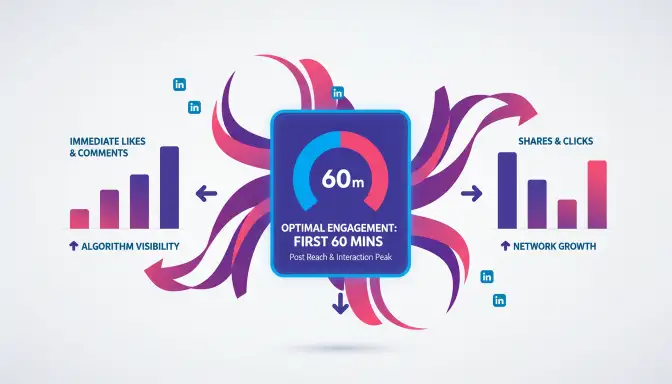
LinkedIn's algorithm expands post distribution based on initial engagement patterns
🤖 The LinkedIn Algorithm's Timing Factor
When you publish a post, LinkedIn shows it to a small test group of your network (roughly 1-10% of connections). The algorithm evaluates:
• Engagement in the first 60 minutes
• Quality of engagement (comments > reactions > impressions)
• Speed of engagement
• Who engages (influencers and engaged users weight more)
If your post gets strong engagement quickly, LinkedIn expands distribution:
- Shows to more of your connections
- Pushes to second-degree connections
- May appear in hashtag feeds
- Could surface in LinkedIn's "Top Posts" or news feeds
If engagement is weak in that first hour, your post dies:
- ✗Limited distribution
- ✗Won't reach most of your network
- ✗Algorithmic burial
You want to post when your most active connections are online. If you post when your network is asleep or offline, you miss that critical first-hour engagement window. The algorithm sees weak engagement and buries your post.

The first 60 minutes after posting determine whether your content thrives or dies
🧠 Human Behavior Patterns
Morning Mindset (8-10 AM)
- Users checking in and catching up
- Fresh attention, more likely to engage
- Coffee-scrolling before diving into work
- Most receptive to thought leadership
Lunch Break (12-1 PM)
- Mental break from work tasks
- Quick 10-15 minute scrolling sessions
- High user volume but shorter attention spans
- Good for visual content and quick reads
End of Day (5-6 PM)
- Winding down, less focused engagement
- Catching up on notifications
- More passive scrolling
- Lower quality engagement overall
Evenings & Weekends
- LinkedIn shifts to "personal time mode"
- Most professionals disconnect from work mindset
- Lower engagement quality even if views are decent
- Exception: Sunday evening prep for the week ahead
LinkedIn activity follows the professional workday rhythm. Post when your audience is in "work mode" and actively networking—not when they're off the clock.
Best Times by Industry (One Size Doesn't Fit All)
Different industries use LinkedIn differently. Here's how to time your posts for maximum industry-specific impact:
💻 Technology & Software (B2B SaaS, IT, Developers)
Best Times:
- Tuesday-Thursday, 8:00-9:00 AM (pre-meeting catch-up)
- Tuesday-Thursday, 12:00-1:00 PM (lunch break)
- Wednesday, 9:00 AM (highest activity day)
Why: Tech professionals often start early and check LinkedIn in short bursts between deep work sessions.
Content that works: Product launches, tech insights, industry news, thought leadership on emerging tech
📢 Marketing & Advertising
Best Times:
- Tuesday-Thursday, 8:00-10:00 AM (morning content consumption)
- Wednesday, 7:30-9:00 AM (earlier than other industries)
- Thursday, 12:00-1:00 PM (end-of-week momentum)
Why: Marketing professionals are early adopters of social platforms and often check LinkedIn before other platforms.
Content that works: Case studies, creative campaigns, industry trends, marketing strategies
💼 Finance & Professional Services (Banking, Consulting, Legal)
Best Times:
- Monday-Thursday, 7:00-8:00 AM (early risers, before client meetings)
- Tuesday-Wednesday, 6:00-7:00 AM (finance pros start early)
- Tuesday-Thursday, 12:00-1:00 PM (lunch hour)
Why: Finance professionals often start work earlier and stay later. They check LinkedIn before markets open or before client calls.
Content that works: Market analysis, industry regulations, thought leadership, professional insights
🏥 Healthcare & Pharmaceuticals
Best Times:
- Monday-Wednesday, 7:00-8:00 AM (before rounds/shifts)
- Tuesday-Thursday, 12:00-2:00 PM (longer lunch breaks)
- Sunday evening, 7:00-9:00 PM (week prep, healthcare-specific)
Why: Healthcare workers have irregular schedules. Many check LinkedIn on Sunday evenings or during work breaks.
Content that works: Research findings, patient care insights, industry news, professional development
🎓 Education & Non-Profit
Best Times:
- Tuesday-Thursday, 8:00-9:00 AM (before school/work starts)
- Wednesday, 12:00-1:00 PM (lunch break)
- Tuesday-Thursday, 3:00-4:00 PM (after school for educators)
Why: Educators follow school schedules. Peak engagement is before school and after school ends.
Content that works: Educational resources, student success stories, funding opportunities, education trends
📈 Sales & Business Development
Best Times:
- Monday-Thursday, 7:00-8:00 AM (prospecting time)
- Tuesday-Thursday, 8:00-10:00 AM (high-energy networking)
- Tuesday-Wednesday, 5:00-6:00 PM (follow-up time)
Why: Sales professionals actively use LinkedIn throughout the workday for prospecting and networking.
Content that works: Sales tips, success stories, industry news, networking strategies
👥 Recruiting & HR
Best Times:
- Monday, 8:00-10:00 AM (week planning, job posting)
- Tuesday-Thursday, 8:00-10:00 AM (candidate sourcing)
- Wednesday, 9:00 AM-12:00 PM (peak recruiting time)
Why: Recruiters heavily use LinkedIn mornings for sourcing and outreach.
Content that works: Job postings, company culture, hiring tips, career advice
Day-by-Day Posting Strategy
Each day of the week has its own engagement characteristics. Here's the complete breakdown:
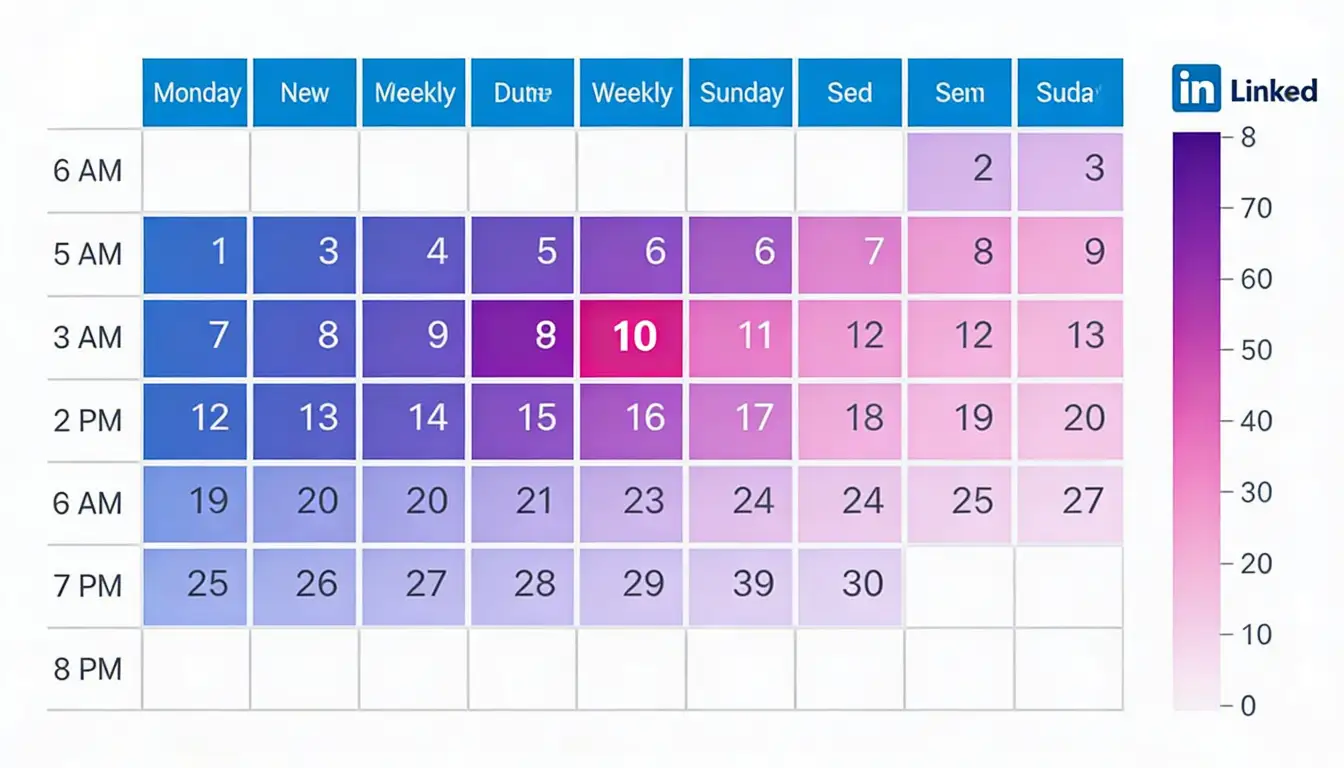
Each day of the week has distinct engagement patterns - Wednesday morning reigns supreme
Energy Level: Moderate
User Mindset: Catching up on weekend news, planning the week
Engagement Rate: Medium (lower than mid-week but better than Friday/weekend)
What to Post:
- Motivational content ("Monday motivation")
- Week planning tips
- Industry news roundups
- Goal-setting content
What to Avoid:
- ❌ Heavy, complex content (attention not fully engaged yet)
- ❌ Highly promotional posts (too pushy for Monday mindset)
Energy Level: High
User Mindset: Productive, engaged, ready to learn
Engagement Rate: Very high
What to Post:
- Thought leadership
- Industry insights
- Educational content
- Polls and questions (high response rates)
Energy Level: Peak
User Mindset: Mid-week confidence, full professional engagement
Engagement Rate: Highest of the week
What to Post:
- Your absolute best, most important content
- Product announcements
- Major thought leadership pieces
- Content you want maximum reach for
Energy Level: High (slightly lower than Wednesday)
User Mindset: Still productive but mentally preparing for weekend
Engagement Rate: Very high
What to Post:
- Follow-up content from earlier in week
- Discussions and conversations
- Case studies
- Professional development content
Energy Level: Moderate to low (drops sharply after noon)
User Mindset: Wrapping up week, mentally preparing for weekend
Engagement Rate: Medium (mornings only), very low (afternoons)
What to Post (mornings only):
- Lighter, inspirational content
- Weekend reading lists
- Reflective thought leadership
- Team wins and celebrations
Energy Level: Very low
User Mindset: Personal time, not professional networking
Engagement Rate: Lowest of the week
What Works (rarely):
- Sunday evening: Week prep tips, motivational content
- Content that can sit and get Monday morning views
Timing by Content Type (Different Formats Need Different Strategies)
Not all LinkedIn content should be posted at the same time. Different formats perform better at different times:
📝 Text Posts (LinkedIn Native Posts)
Best Times: Tuesday-Thursday, 8:00-10:00 AM
Why: Text posts require reading and mental engagement. Morning is when people have cognitive bandwidth to read and think.
Pro Tip: Hook them in the first 2-3 lines. That's all they see before the "see more" cutoff.
🎥 Video Content
Best Times: Tuesday-Thursday, 8:00-9:00 AM and 12:00-1:00 PM
Why: Video performs well during coffee breaks and lunch when people scroll with sound off (captions are critical).
Pro Tip: First 3 seconds are crucial. Hook immediately. Keep videos under 90 seconds for maximum engagement.
📄 Long-Form LinkedIn Articles
Best Times: Tuesday-Wednesday, 8:00-9:00 AM
Why: Articles require 5-10+ minutes to read. People consume long-form when they have time—morning coffee reading or unhurried lunch breaks.
Pro Tip: Post a text post about your article at peak time, then link to it. Don't just publish the article alone.
🖼️ Image Posts & Carousels
Best Times: Tuesday-Thursday, 8:00-10:00 AM, 12:00-1:00 PM, any day
Why: Visual content gets quick engagement. Works well during focused morning hours and scrolling lunch breaks.
Pro Tip: Use carousel posts for how-tos, data visualizations, or listicles. They generate more engagement than single images.
📊 Polls
Best Times: Tuesday-Thursday, 8:00-9:00 AM (to capture full 24-hour voting window)
Why: Polls need time to accumulate votes. Post early morning so you get the full day of voting.
Pro Tip: Check back and engage with voters throughout the day to boost visibility of your poll.
🎉 LinkedIn Events
Best Times: Monday or Tuesday, 8:00-10:00 AM, at least 1-2 weeks before event
Why: Events need time for people to see, consider, and register. Beginning of week is best for promotion.
Pro Tip: Promote your event multiple times on different days/times leading up to it.
How to Find YOUR Best Times (Testing Framework)
General advice only gets you so far. Here's how to discover the optimal posting times for YOUR specific network:

Testing and tracking your own data reveals the perfect posting times for YOUR specific audience
📊 Step 1: Analyze Your Network Activity
Access LinkedIn Analytics:
- Click on your profile
- Go to "Analytics"
- Check "Visitor Analytics" to see when people view your profile most
- Check "Update Analytics" to see when your posts get attention
What to look for:
- Time-of-day patterns in profile views (indicates when your network is active)
- Day-of-week trends in post engagement
- Peak activity hours
🧪 Step 2: Run Controlled Tests
Week 1: Post same content type (e.g., text posts) at different times
• Monday 8 AM
• Tuesday 12 PM
• Wednesday 8 AM
• Thursday 5 PM
Week 2: Post same content type at different times
• Tuesday 7 AM
• Wednesday 9 AM
• Wednesday 12 PM
• Thursday 8 AM
Weeks 3-4: Refine based on what worked best in weeks 1-2
Metrics to track:
- Reach (impressions)
- Engagement rate (reactions + comments ÷ impressions)
- Comments (highest quality engagement)
- Profile views from post
- Connection requests or messages received
🌍 Step 3: Consider Time Zones
If your network is global:
Strategy A: Focus on Your Largest Segment
Identify where most of your connections are located. Post for that time zone.
Strategy B: Post Multiple Times
One post for US East Coast (8 AM ET), one for Europe (8 AM GMT), one for Asia-Pacific (8 AM local).
Strategy C: Use "Sweet Spot" Times
Post at times that work for multiple regions. Example: 12 PM ET = lunch for US East Coast, early evening for Europe.
If your network is regional: Post according to your local time zone. Simple.
📈 Step 4: Track and Optimize Monthly
Create a simple tracking spreadsheet:
| Date | Time | Content Type | Impressions | Engagement % | Comments |
|---|---|---|---|---|---|
| 2/1/26 | 8:00 AM | Text | 1,247 | 4.2% | 12 |
| 2/3/26 | 12:00 PM | Video | 892 | 2.1% | 4 |
After 30 days, analyze:
- Which times consistently perform better?
- Which content types work best at which times?
- Are there day-of-week patterns?
Adjust YOUR posting strategy based on YOUR data, not just general best practices. Your network is unique. Let the data guide you.
Common Timing Mistakes That Kill Engagement
Even great content fails if you make these timing mistakes:
The Problem: You finish writing a post at 11 PM and publish immediately.
Why It Fails: Your network is asleep. The algorithm sees almost no one engaging. By morning, your post is buried in feeds.
The Fix: Write whenever you want. Schedule for optimal times.
The Problem: "I always post at 8 AM because it worked once."
Why It Fails: Different days have different optimal times. Different content types need different timing. Audience behavior changes over time.
The Fix: Vary posting times based on day of week and content type.
The Problem: Following generic "best times" advice without checking your own analytics.
Why It Fails: Your network may not behave like the average. Finance professionals, teachers, entrepreneurs all have very different patterns.
The Fix: Start with general best practices, then test and refine for YOUR audience.
The Problem: Posting 3-4 times daily because "more content = more reach."
Why It Fails: LinkedIn's algorithm penalizes over-posting. Your posts compete with each other. Your network experiences fatigue.
The Fix: Quality over quantity. 1-2 high-quality posts daily maximum. Most professionals should post 3-5 times per week.
The Problem: Posting again just 2-3 hours after your last post.
Why It Fails: Your new post buries your old post in feeds. You're competing with yourself.
The Fix: Space posts minimum 4-6 hours apart, ideally 24 hours for each post to breathe.
The Problem: You post at 8 AM then don't check it again until end of day.
Why It Fails: The first 60-90 minutes are critical. If you don't respond to comments quickly, engagement stalls.
The Fix: Post and stay available for 60-90 minutes to reply to comments immediately. This signals the algorithm.
The Problem: "Never post on weekends" becomes a hard rule.
Why It Fails: Sunday evening works for some niches (entrepreneurship, freelancing, career development).
The Fix: Test weekend posting for your audience. Sunday 7-9 PM can work for career-focused content.
Scheduling Tools & Resources
You can't manually be online every Tuesday at 8 AM. That's where scheduling tools come in:
🔵 LinkedIn Native Scheduling
How it works:
- Create your post
- Click the clock icon
- Select date and time
- Schedule
Pros: Free, native to platform, simple
Cons: Basic features, no bulk scheduling, desktop only
Best for: Occasional scheduling, simple needs
Hootsuite
Features: Multi-platform scheduling, analytics dashboard, best time suggestions, team collaboration
Cost: From $99/month (Professional plan)
Best for: Social media managers handling multiple accounts
Buffer
Features: Clean scheduling interface, optimal timing tool, analytics tracking, browser extension
Cost: From $6/month (Essentials plan)
Best for: Solopreneurs, small businesses, easy scheduling
Sprout Social
Features: Advanced analytics, ViralPost™ feature (auto-finds best times), comprehensive reporting, team collaboration
Cost: From $249/month
Best for: Enterprises, agencies, data-driven organizations
Whichever tool you use, set up notifications so you can respond to comments in that critical first hour. Scheduling the post doesn't mean you can disappear—you need to engage when it goes live.
🎯 The Strategic Growth Advantage
At GTR Socials, we help professionals and businesses build authentic LinkedIn presence.
Here's what we've learned about timing and engagement:
1. Optimal Timing: Post when your target audience is most active
2. Quality Content: Create posts that genuinely provide value
3. Strategic Initial Engagement: Get real engagement from professionals in your industry in that critical first hour
4. Sustained Engagement: Respond to comments and keep conversations going
Think of it like launching a rocket. Timing is choosing the right launch window. Quality content is having a well-built rocket. Strategic initial engagement is the booster that gets you off the ground.
All three working together = LinkedIn success. Learn more about our LinkedIn growth strategies.
Frequently Asked Questions
Your LinkedIn Timing Quick Reference
1. Best Overall Time: Wednesday 8:00-10:00 AM
2. Best Days: Tuesday, Wednesday, Thursday
3. Avoid: Friday afternoons, weekends
4. Critical Window: First 60 minutes after posting
5. Test for YOUR Audience: General advice is a starting point, not a rule
⏰ Quick Decision Tree
What day is it?
- Monday: 9-11 AM
- Tuesday: 8-10 AM or 12-1 PM
- Wednesday: 8-10 AM (BEST)
- Thursday: 8-10 AM or 12-1 PM
- Friday: 8-11 AM only
- Weekend: Don't (unless Sunday 7-9 PM for specific niches)
What content type?
- Text post: 8-10 AM
- Video: 8-9 AM or 12-1 PM
- Article: Tuesday-Wednesday 8-9 AM
- Poll: 8-9 AM (give it time to collect votes)
- Image/Carousel: 8-10 AM or 12-1 PM
What industry?
- Finance: 7-8 AM (earlier than average)
- Marketing: 8-10 AM
- Tech: 8-9 AM or 12-1 PM
- Healthcare: 7-8 AM or 12-2 PM (or Sunday 7-9 PM)
- Education: 8-9 AM or 3-4 PM
🚀 Final Thoughts
Here's what I've learned after months of testing and refining my LinkedIn posting schedule:
Timing matters. But it's just one piece of a bigger strategy.
The winning LinkedIn formula is:
- Genuine, valuable content (the foundation)
- Consistent posting schedule (the habit)
- Strategic timing (the amplifier)
- Active engagement (the community builder)
Wednesday at 8 AM is powerful because that's when your audience is most receptive to what you have to say. It's not about gaming the system. It's about respecting your audience's time and attention.
Follow the best practices in this guide. Test them with your audience. Refine based on your data. Repeat.
That's how you build a LinkedIn presence that actually works—whether you're job hunting, generating business leads, establishing thought leadership, or growing your professional network.
Ready to Maximize Your LinkedIn Impact?
GTR Socials helps professionals build authentic LinkedIn presence through strategic timing, quality content, and genuine engagement.
Explore LinkedIn Growth Services →Now stop reading and go schedule your next post for 8 AM Wednesday.
Your network is waiting.
Comments (0)