

Understanding the perfect timing for Facebook posts can transform your engagement and reach
The Truth About Timing (My 12-Like vs 247-Like Story)
For six months, I posted on Facebook whenever I felt like it.
Sometimes I'd wake up at 7 AM with coffee and think, "Oh yeah, I should post something today." Other times I'd remember at 10 PM while scrolling in bed. Occasionally at a random Tuesday afternoon when inspiration struck.
I created good content. Spent hours on graphics, crafted thoughtful captions, researched trending topics. But engagement? Crickets. Maybe my mom would like it. A few friends who felt obligated. Reach was pathetic. Engagement was basically nonexistent.
I blamed everyone but myself:
- "Facebook is suppressing organic reach!" (Sure, but competitors were getting engagement)
- "My content isn't good enough" (Even though I was creating the same quality as successful pages)
- "The algorithm hates me" (Spoiler: The algorithm doesn't care about you personally)
Then I ran an experiment. I took the SAME POST and published it at different times over several weeks:
- Monday 8 AM:12 likes, 0 comments
- Wednesday 1 PM:247 likes, 34 comments
- Thursday 7 PM:189 likes, 28 comments
- Saturday 10 AM:31 likes, 2 comments
The EXACT same content. 20x difference in engagement just from timing.
It doesn't matter how good your content is if nobody's around to see it. When you post at the wrong time, Facebook's algorithm assumes nobody cares, stops showing it, and your hard work disappears into the void.
That's when everything changed. Once I understood that timing wasn't about luck—it was about strategy—my entire Facebook presence transformed.
This guide will show you exactly what I learned (and what the data proves) about when to post on Facebook for maximum engagement and reach.
Why Timing Matters: The Algorithm Psychology You Need to Understand
Before we dive into specific times, you need to understand WHY timing has such a massive impact on your reach.
🔍1. The Initial Test Window
Here's what most people don't know: When you publish a post on Facebook, it doesn't immediately show it to all your followers.
Facebook's algorithm works like this:
Your post is initially shown to only 1-10% of your audience. Facebook watches how this test group reacts:
• Do they like it?
• Do they comment?
• Do they share it?
• How long do they stay engaged?
If your test group engages, Facebook thinks "Oh, this is good content" and shows it to more people. If they don't engage, Facebook assumes it's low-quality and cuts off your reach—even if the content is actually excellent.
The problem: If you post when your target audience isn't online, your test group might not engage at all. Not because the content is bad, but because nobody's around to see it.
Facebook interprets this as poor content and throttles your reach. Game over.
⚡2. The Snowball Engagement Effect
Social proof drives engagement. When people see others have liked and commented on a post, they're more likely to engage themselves.
Here's what happens when you post at the RIGHT time:
- You post when your audience is actively on Facebook
- Initial engagement comes in quickly (likes, comments, shares)
- Facebook's algorithm sees this and thinks "Quality content!"
- Your post gets shown to more people
- More engagement → more reach → more engagement → snowball effect
Here's what happens at the WRONG time:
- You post when your audience is offline (sleeping, working, commuting)
- Little to no initial engagement
- Facebook assumes low quality
- Limited distribution
- Your post never reaches its full audience
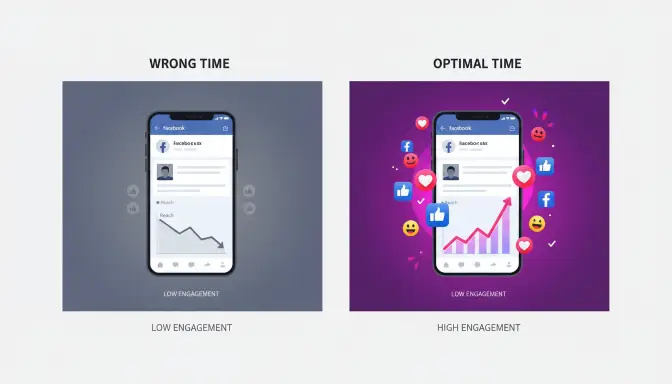
The dramatic difference between posting at the right time versus the wrong time
⏱️3. The Critical 2-3 Hour Window
Facebook posts have a "half-life"—a period during which they receive the majority of their engagement.
The first 2-3 hours after posting are CRUCIAL. This is when Facebook decides whether your post deserves wider distribution. A strong start means extensive reach. A weak start means your post dies quickly.
Unlike Instagram or Twitter, Facebook posts can continue getting engagement for up to 48 hours after posting. But that initial window determines everything.
🎯4. The Recency Factor
Facebook's algorithm prioritizes recent content. When users open Facebook, they see a mix of:
- Recent posts(posted within hours)
- Popular posts(high engagement)
- Personalized content(based on their interests)
Posting when your audience is actively browsing means your content is both recent AND getting engagement—a powerful combination that tells Facebook to prioritize your post.
Timing matters because it determines whether your post gets that crucial initial engagement that tells Facebook's algorithm "This is worth showing to more people." Without that early momentum, even brilliant content gets buried.
Research-Backed Best Times to Post on Facebook (2026 Data)
Multiple studies analyzing over 25 million Facebook posts have identified consistent patterns in when engagement peaks. Here's what the data shows:
📊The Overall Best Times (All Industries)
•Best Days:Tuesday, Wednesday, Thursday
•Best Times:9-10 AM, 1-3 PM, 7-9 PM (weekdays)
•Single Best Time:Wednesday 1-3 PM
| Time Window | Why It Works | Best For |
|---|---|---|
| 9-10 AM | Morning routine, commute, coffee break browsing | News, inspiration, educational content |
| 1-3 PM | Lunch break - highest engagement window across all industries | All content types (optimal window) |
| 7-9 PM | Evening relaxation after work/dinner | Entertainment, longer content, engagement |
📅Day-by-Day Breakdown
Monday:
- Best times: 9 AM, 1 PM, 7 PM
- Engagement level: Moderate (people easing into work week)
- Avoid: Very early morning (people overwhelmed with work)
Tuesday:
- Best times: 9 AM, 1-3 PM, 8 PM
- Engagement level: High (people settled into routine)
- Sweet spot for most content types
Wednesday:
- Best times: 9 AM, 1-3 PM (PEAK), 8 PM
- Engagement level: Highest (60-75% above average)
- The single best day to post for most businesses
Thursday:
- Best times: 9 AM, 1-2 PM, 8 PM
- Engagement level: High (building toward weekend)
- Good for product launches, announcements
Friday:
- Best times: 9 AM, 1 PM
- Engagement level: Moderate to Low (mental weekend mode)
- Avoid: After 3 PM (people checking out)
Saturday:
- Best times: 10 AM-12 PM
- Engagement level: Low (people doing weekend activities)
- Least recommended day for most businesses
Sunday:
- Best times: 10 AM-12 PM, 7-9 PM
- Engagement level: Low to Moderate (relaxation day)
- Better for lifestyle/entertainment content
These are general patterns from U.S. audience data. Your specific results will vary based on your target demographics, industry, and content type. Use these as a starting point, then optimize for YOUR audience.
Best Times by Industry: Because One Size Doesn't Fit All
While general guidance is useful, different industries need different timing strategies because their audiences have different behaviors and mental states.
💼1. B2B & Professional Services
📊Professional Services, B2B, Consulting
Recommended Days/Times: Tuesday, Wednesday, Thursday at 9 AM, 12-1 PM, 5-8 PM
Why: Your audience is professionals who browse Facebook during work breaks (morning coffee, lunch) and after hours.
Avoid: Weekends (B2B audiences aren't thinking about work solutions on Saturday)
🛍️2. Retail & E-Commerce
🛒Online Stores, Retail Brands, E-Commerce
Recommended Days/Times: Wednesday, Thursday, Friday at 1-3 PM, 7-9 PM
Why: Lunch browsing and evening "shopping mode" when people are relaxed
Peak: Thursday-Friday afternoons (weekend shopping preparation)
🍕3. Restaurants & Food/Beverage
🍽️Restaurants, Cafes, Food Brands
Recommended Days/Times: Thursday-Saturday at 11 AM-1 PM, 7-9 PM
Why: Meal planning times (lunch decision-making, dinner options)
Peak: Friday 11 AM-1 PM (weekend planning begins)
💪4. Health & Fitness
🏋️Gyms, Fitness Coaches, Health Brands
Recommended Days/Times: Monday, Tuesday, Wednesday at 6-7 AM (morning motivation), 12-1 PM, 5-6 PM (post-workout)
Why: People feel motivated early in the week and around workout times
Avoid: Friday-Sunday (people take fitness breaks)
🎬5. Entertainment & Media
📺Content Creators, Entertainment, Media
Recommended Days/Times: Wednesday, Thursday, Friday at 3-6 PM, 7-11 PM
Why: People seek entertainment during downtime and evening relaxation
Peak: Weekday evenings (highest entertainment consumption)
📚6. Education & Online Learning
🎓Online Courses, Educational Content, Tutoring
Recommended Days/Times: Tuesday, Wednesday, Thursday at 8-9 AM, 1-3 PM, 8-10 PM
Why: Self-improvement mindset peaks morning and evening (focused learning sessions)
Peak: Evening hours when people dedicate time to learning
❤️7. Nonprofits & Causes
🤝Charities, Advocacy, Community Organizations
Recommended Days/Times: Tuesday, Wednesday, Thursday at 12-1 PM, 7-9 PM
Why: People engage best with emotional content when they have mental space for meaningful topics
Peak: Midweek when people are reflective but not stressed
🏠8. Real Estate
🏡Real Estate Agents, Property Listings
Recommended Days/Times: Thursday, Friday, Saturday, Sunday at 10 AM-2 PM
Why: Home buyers are most active on weekends with time to browse properties
Peak: Weekend viewing hours
🎨9. Creative Services & Design
🖌️Designers, Artists, Creative Agencies
Recommended Days/Times: Tuesday, Wednesday, Thursday at 10 AM-12 PM, 2-4 PM
Why: Creative professionals browse during "creative breaks" and mid-afternoon inspiration seeking
Peak: Mid-morning creative energy hours
👶10. Parenting & Family
🍼Parenting Products, Family Services, Kids' Brands
Recommended Days/Times: Monday-Friday at 1-3 PM, 8-10 PM
Why: Nap time browsing (afternoons) and after kids' bedtime (evenings)
Peak: Evening hours when parents finally have personal time
Notice how industry timing aligns with when your target audience is in "industry mode." Fitness content works when people think about fitness. Food content works when people think about meals. Align your posting time with your audience's mental state.
Best Times by Content Type: What You're Posting Matters
Different content formats require different levels of attention and have different engagement patterns. Here's when to post each type:
🎥Video Posts
Best Times: 1-3 PM, 7-9 PM (prime time)
Why: Videos require time and attention. People watch videos when they can focus, not during quick scroll breaks.
Tip: Longer videos (3+ minutes) perform best in evening hours when viewers have more time to watch completely.
Avoid: Early morning rush hours when people are multi-tasking
🔗Link Posts (Blog Articles, External Content)
Best Times: 9-10 AM, 1-2 PM
Why: People click links during active browsing sessions, not passive scrolling. Morning and lunch are when users are more likely to click through.
Avoid: Late night browsing when people skim Facebook rather than click away from the platform
📸Photo Posts
Best Times: Any high-engagement period
Why: Photos are quick to consume and easy to engage with (like, comment) without requiring time investment.
Peak: 1-3 PM for maximum visibility
Advantage: Most versatile content type for timing
📝Text Posts / Status Updates
Best Times: 8-9 AM, 7-9 PM
Why: People read longer text when they have mental space—morning coffee or evening relaxation
Peak: Evening hours for thought-provoking or emotional text posts
Avoid: Busy midday when people want quick visual content
🔴Live Videos
Best Times: Tuesday-Thursday, 6-9 PM
Why: Live videos need real-time audience participation. Evening weekdays have the largest available audience.
Critical: Announce your live stream time in advance so your audience doesn't miss it!
Avoid: Weekend evenings when people are out doing activities
🎁Promotional/Sales Posts
Best Times: Thursday-Friday, 1-3 PM
Why: People make purchase decisions toward end of week with weekend in mind
Peak: Thursday afternoon for "weekend sale" promotions
Tip: Include urgency ("ends Friday!") to boost engagement
Vary your content types throughout the week and match each to its optimal time window. Don't post video content at 9 AM just because that's when you schedule everything. Strategic timing by content type can boost engagement 30-50%.
The Timezone Challenge (And How to Solve It)
Here's what most Facebook timing guides ignore: What if your audience is in different timezones?
The "best time to post" advice assumes everyone is in one timezone. But reality is messier.
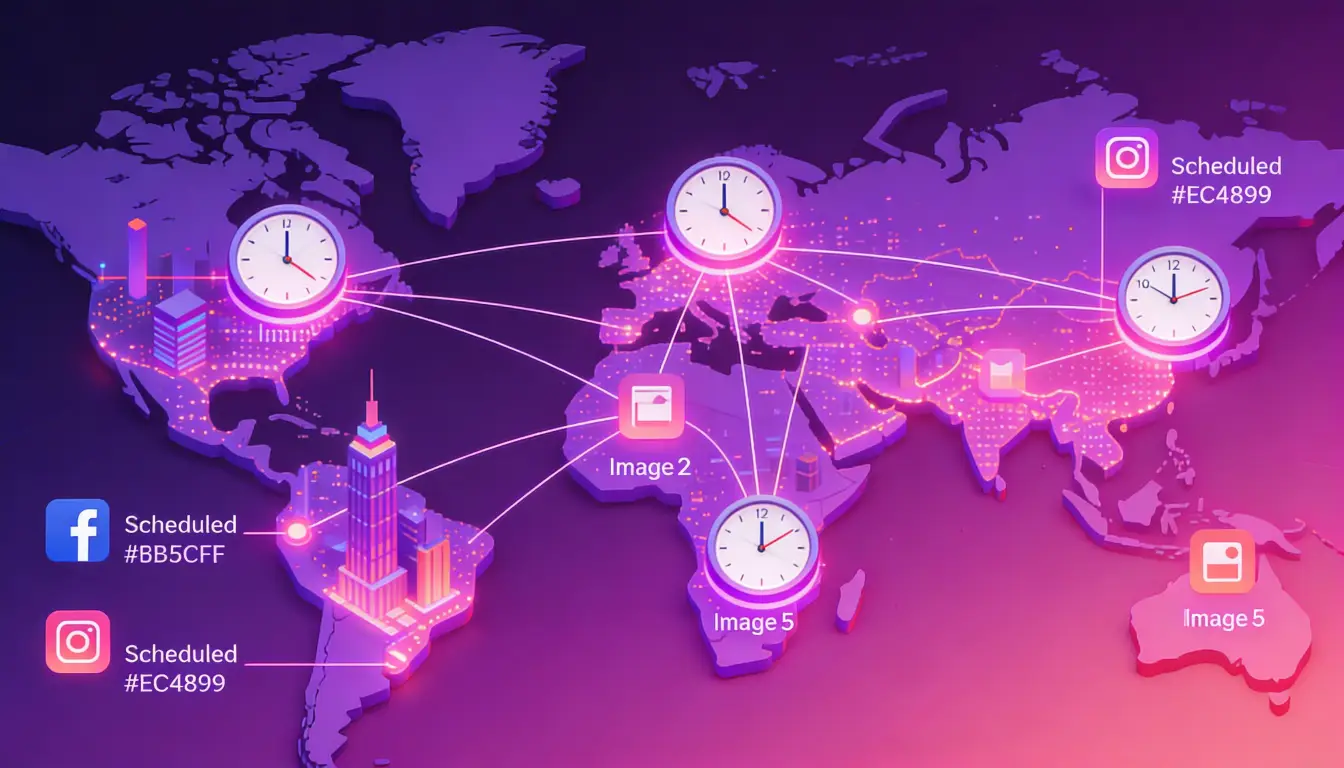
Managing multiple timezones requires strategic thinking about when and where your audience is active
🌍Scenario 1: Local Business (One Timezone)
Strategy: Simple - Use Your Local Timezone
Example: You run a coffee shop in Denver. Post during Mountain Time when locals are browsing.
Action: Post at the best times for YOUR timezone where your customers actually live and shop.
Tools: Facebook automatically posts in your profile timezone—no adjustment needed
🗺️Scenario 2: National Audience (Multiple U.S. Timezones)
This gets tricky. You have several options:
Option A: Optimize for Largest Segment
If 70% of your audience is on the East Coast, post for Eastern Time. West Coast followers will see your posts at slightly off-peak times, but you're maximizing reach for the majority.
Option B: Post Multiple Times
Post the same content twice: once at 1 PM ET (for East Coast) and again at 1 PM PT (for West Coast). This ensures both audiences see it at peak times. Requires more effort but maximizes reach across timezones.
Option C: Choose a Compromise Time
Post at 2 PM ET = 11 AM PT. Not perfect for either timezone, but decent for both. Works reasonably well without requiring multiple posts.
🌏Scenario 3: International Audience (Multiple Countries)
Most complex. Here are your strategies:
- Focus on Primary Geography:If 70% of followers are in the U.S., optimize for American audiences. International followers will engage when relevant to them.
- Create Regional Pages:Many brands use separate Facebook pages for different regions (Brand USA, Brand UK, Brand Australia) with timezone-specific posting.
- Use Facebook's Scheduling Intelligence:Facebook Business Suite can automatically optimize posting times for different geographic segments.
📊How to Check Your Audience Geography
Go to Facebook Insights → Audience
Find the "Top Countries and Cities" section
Analyze the Distribution
See what percentage of followers are in each location
Make Strategic Decisions
Don't guess about timezone strategy—data shows you where your followers actually live
Don't assume your audience geography. A business in New York might have most followers in California. A small business in London might have 60% U.S. followers. CHECK YOUR DATA before choosing a timezone strategy.
How to Find YOUR Perfect Posting Times: The Testing Framework
Generic best times are a useful baseline, but the BEST times for your page come from your specific audience data.
Here's exactly how to discover them:
📊Step 1: Analyze Your Current Analytics
Facebook Insights shows you when YOUR audience is online:
Go to Your Facebook Page
Click on "Insights" in the left menu
Click "Posts" Section
Look for the "When Your Fans Are Online" chart
Study the Heat Map
Dark blue = high activity, Light blue = moderate activity, White/gray = low activity
What to look for:
- Which days show the darkest blue (most active days)?
- What times show the darkest blue (most active hours)?
- Are there any surprising patterns (e.g., your audience is active at 10 PM but not 9 AM)?
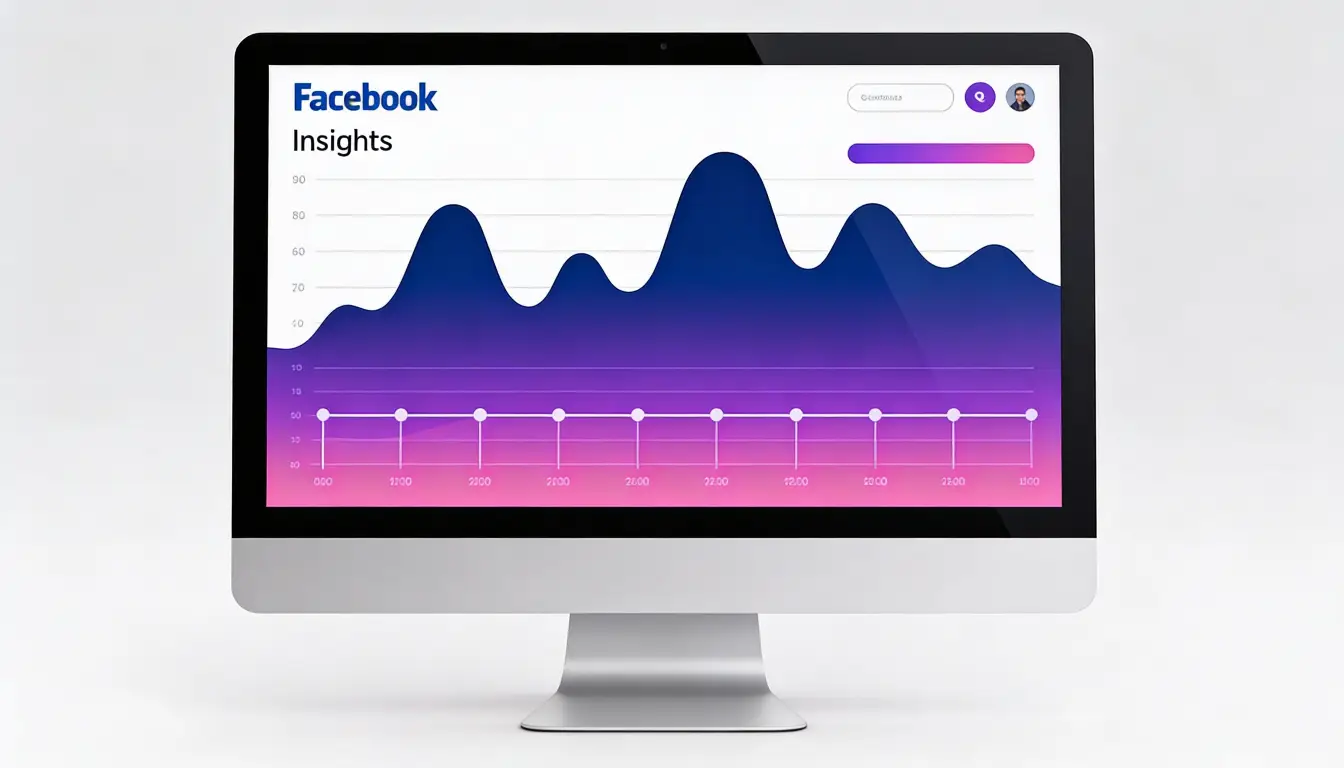
Facebook's "When Your Fans Are Online" analytics provide crucial data for optimizing your posting schedule
This data is specific to YOUR audience. If your heat map shows dark blue at Wednesday 1-3 PM and Thursday 7 PM, that's your answer. Don't ignore your own data for generic advice.
🔍Step 2: Identify Your Best-Performing Posts
Look for posts that already got high engagement:
- Go to Insights → Posts
- Sort by "Engagement" or "Reach"
- Note your top 10-20 posts
- Record what time/day each was published
Pattern recognition: If 7 out of your top 10 posts were published on weekdays between 1-3 PM, that's significant data.
🧪Step 3: Run Controlled Tests
Now scientifically test different times:
Test Morning Times
Post Monday, Wednesday, Friday at 9 AM
Test Afternoon Times
Post Monday, Wednesday, Friday at 1 PM
Test Evening Times
Post Monday, Wednesday, Friday at 7 PM
Compare Results
Which time window got the best average engagement and reach?
Keep everything else constant:
- Similar topics and content types
- Similar post length and format
- Same use of hashtags (if using)
Track these metrics:
- Reach (how many people saw it)
- Engagement (likes, comments, shares)
- Engagement rate (engagement ÷ reach)
- Click-through rate (if links included)
After 3-4 weeks, you should clearly see which time windows work best for YOUR audience.
📅Step 4: Test Different Days
Once you know the best TIME, test which DAYS work best:
- Week 1:Post at 1 PM on Tuesday
- Week 2:Post at 1 PM on Wednesday
- Week 3:Post at 1 PM on Thursday
- Week 4:Post at 1 PM on Friday
Compare results. Maybe Tuesday at 1 PM outperforms Wednesday at 1 PM for your specific audience.
🔄Step 5: Continuous Optimization
Your audience changes. Habits shift. Seasons affect behavior.
Quarterly check-ins:
- Every 3 months, review "When Your Fans Are Online"
- Check your best-performing posts from last quarter
- Adjust your posting schedule based on new data
What worked in January might not work in July. Stay flexible and data-driven.
1. Start with Facebook Insights data
2. Analyze your historical best performers
3. Run controlled time tests (3-4 weeks)
4. Test different days once you have best time
5. Re-evaluate quarterly
This systematic approach finds YOUR perfect times—not generic recommendations.
5 Timing Mistakes Killing Your Reach
I've seen these mistakes ruin otherwise great content. Here's how to avoid them:
❌Mistake #1: Posting at the Same Time Every Day for "Consistency"
The Reality: Different days have different optimal times. Wednesday at 1 PM might be perfect, but Saturday at 1 PM is terrible.
Why it fails: Your audience has different behaviors on different days. Forcing consistency over optimization means sacrificing reach.
The fix: Create a posting schedule that varies by day while maintaining frequency. Example: Monday 9 AM, Wednesday 1 PM, Friday 7 PM—consistent frequency, optimized timing.
❌Mistake #2: Posting When It's Convenient for YOU
Why it fails: Your schedule doesn't align with your audience's browsing habits.
The reality check: It doesn't matter when content creation ends. What matters is when your audience is online.
The fix: Separate content creation from publishing. Create content on your schedule, but SCHEDULE posts for optimal times using Facebook's scheduling tool.
❌Mistake #3: Ignoring Your Own Analytics
Why it fails: Every audience is different. B2B audiences behave differently than fitness audiences.
The problem: Generic advice might say "post at 1 PM" but your audience might be most active at 8 PM.
The fix: Use industry best practices as a STARTING POINT, then optimize based on YOUR "When Fans Are Online" data.
❌Mistake #4: Never Testing Different Times
Why it fails: "Okay" performance might be 50% of what's actually possible with optimal timing.
The missed opportunity: Without testing, you'll never know if 1 PM gets you 100 likes but 7 PM would get you 300 likes.
The fix: Run tests quarterly. Even small improvements compound over time. Going from 100 to 150 average likes per post = 50% more engagement on every single post moving forward.
❌Mistake #5: Posting Too Frequently
Why it fails: Facebook penalizes pages that post too often. Each post competes with your own posts for audience attention and reach.
The data shows: One well-timed, high-quality post typically gets more total engagement than three average posts.
Facebook's recommendation: Most pages should post 1-2 times per day maximum.
The fix: Quality over quantity. Better to post once at the perfect time with great content than five times at random with mediocre content.
Most timing mistakes come from convenience (posting when YOU want) or assumptions (not checking YOUR data). Fix: Be strategic about timing, test regularly, and let data guide decisions.
Tools & Resources to Make Timing Easy
You don't have to manually post at specific times. These tools make strategic timing effortless:
🆓Free Tools
1. Facebook Business Suite (Meta Business Suite)
What it does: Facebook's built-in scheduling tool with AI-powered timing recommendations
How to use: When creating a post in Business Suite, click the dropdown next to "Publish" → Select "Schedule" → Set date and time
Bonus feature: Business Suite suggests optimal posting times based on when your audience is most active
Cost: Free
2. Facebook Insights
What it does: Comprehensive analytics showing when your fans are online and which posts perform best
How to access: Your Page → Insights → Posts → "When Your Fans Are Online"
Cost: Free
💳Paid Tools (Worth It for Serious Pages)
1. Hootsuite
What it does: Schedule posts across multiple platforms, bulk scheduling, analytics, timing optimization suggestions
Best for: Managing multiple pages or platforms efficiently
Pricing: Starts at $99/month
2. Buffer
What it does: Simple scheduling interface, optimal timing suggestions, clean analytics
Best for: Solo creators or small teams
Pricing: Starts at $6/month per channel
3. Sprout Social
What it does: Advanced scheduling, detailed analytics, team collaboration, best time recommendations
Best for: Agencies and larger businesses
Pricing: Starts at $249/month
4. Later
What it does: Visual content calendar, Facebook scheduling support, planning tools
Best for: Visual content creators
Pricing: Starts at $25/month
Start with free tools (Facebook Business Suite). Upgrade to paid only when you're managing multiple platforms or need batch scheduling. Most small businesses do fine with free tools + disciplined scheduling.
Strategic Implementation: How to Actually Use This Information
Knowing the best times means nothing without implementation. Here's how to put it into practice:
📦1. Batch Content Creation + Scheduling
The workflow:
- Set aside time for content creation (e.g., Sunday afternoon)
- Create a week's or month's worth of content all at once
- Schedule each piece for optimal times using Facebook Business Suite
- Spend weekdays engaging with comments, not creating content
Why this works: Separating creation from distribution means you can create on YOUR schedule but publish on your AUDIENCE's schedule.
🔄2. Recycle Evergreen Content
The strategy:
- Identify your best-performing posts from 6-12 months ago
- Repost them (with minor updates to keep fresh)
- Schedule for optimal times to reach new audience members
Why this works: Most followers haven't seen posts from 6+ months ago. Your best content deserves multiple lives.
🧪3. Test Different Times with Same Content
The experiment:
Take a great post that worked well. Repost it at a different time to see if it performs even better.
Example: Original post at 1 PM got 200 likes. Repost at 7 PM and see if it gets 250 likes. Now you know 7 PM might be better for that content type.
A client's video about home organization got 150 engagements at 2 PM. We reposted it at 8 PM and it got 380 engagements. Same video. 2.5x better results just from timing.
The Truth: Timing Isn't Everything
Let me be brutally honest:
Perfect timing won't save bad content.
If your post is boring, irrelevant, or low-value, posting at the "perfect time" won't help. It'll just fail faster.
⚖️What Actually Matters Most
| Factor | Impact on Reach |
|---|---|
| Content Quality | 70% - Must be engaging, valuable, relevant |
| Posting Timing | 20% - Can amplify or diminish good content |
| Engagement Strategy | 10% - Responding to comments, community building |
The formula for sustainable growth:
Great Content × Strategic Timing × Active Engagement = Maximum Reach
Remove any one element and results suffer. But timing amplifies the good content you're already creating.
🚀Beyond Organic: A Complete Facebook Strategy
Organic reach on Facebook has declined over time. Even perfectly timed posts might only reach 5-10% of your followers organically.
A comprehensive Facebook strategy includes:
1. Consistent Value
Create content that genuinely helps your audience. Build loyalty with a smaller engaged group rather than chasing vanity metrics.
2. Strategic Engagement
Respond to every comment on your posts within the first 2-3 hours. This signals to Facebook's algorithm that your content sparks conversation, which broadens reach.
3. Community Building
Engage deeply with followers who regularly interact. Facebook prioritizes showing your posts to people who've engaged with you before.
4. Smart Growth Services
When used strategically, services like GTR Socials can help generate that crucial initial momentum:
- Strategic likes in the first 2-3 hourssignal to Facebook's algorithm that your content is engaging
- Page likes from active users in your nichebuild an engaged audience base
- Authentic comments from real accountsboost engagement metrics
These services work best when combined with quality content posted at optimal times. They're amplifiers, not replacements. Explore strategic Facebook growth services.
The compounding effect: Quality content + Strategic timing + Initial engagement boost = Algorithm favor = More organic reach = Sustainable growth
5. Paid Promotion When It Makes Sense
Sometimes spending $10-20 to boost a post can multiply organic performance. Consider paid when:
- Launching something important (announcement, product launch)
- Content is already performing well organically (double down on winners)
- You have evergreen content worth amplifying long-term
Frequently Asked Questions
Q: Should I post at different times on weekends vs weekdays?
Yes. Weekday behavior is typically work-driven (lunch breaks, before/after work) while weekend behavior is leisure-driven (mid-morning to early evening). Adjust accordingly.
Q: How many times per day should I post on Facebook?
Quality beats quantity. For most pages, 1-2 posts per day is optimal. More than that risks audience fatigue and algorithmic penalties.
Q: Does posting at the "perfect time" guarantee engagement?
No. Timing is a tool to maximize the reach of great content. It doesn't make bad content work—it helps good content reach more people.
Q: My audience seems to be online all the time. When should I post?
Look for concentration peaks, not just any activity. Even with a global audience spread across timezones, insights will show times with HIGHER concentration. Target those.
Q: Can I post the same content multiple times to reach different timezones?
Yes, but space them out (at least 12-24 hours apart) and vary them slightly to avoid followers who see both from getting annoyed.
Q: Do holidays and special events affect best posting times?
Absolutely. Facebook usage spikes on holidays (Thanksgiving, Christmas, New Year's). Check year-over-year data for holiday-specific patterns.
Q: How long should I test before determining my best times?
Minimum 4 weeks to account for week-to-week variance. Ideally 8-12 weeks for statistically significant patterns.
Q: Does Facebook penalize scheduled posts vs manual posts?
No. Facebook treats scheduled posts the same as manual posts in terms of reach. Schedule without worry!
Q: Should I avoid posting when major news breaks?
Yes, if it's relevant to your audience. Major breaking news dominates feeds. Wait a few hours unless you can add value to the conversation.
Q: Do live videos have different optimal times than regular posts?
Yes. Live videos need real-time audience participation, so evening weekdays (6-9 PM) typically work best when the most people are available.
Q: My best performing posts were all posted at random times. Should I ignore timing?
Those posts likely succeeded despite timing, not because of it. Imagine how much better they could have performed with optimal timing!
Q: Can I use the same posting times for Instagram and Facebook?
Not necessarily. While there's overlap, Instagram and Facebook audiences can have different browsing patterns. Test each platform separately.
Conclusion: Make Every Post Count
Timing matters. But it's not magic—it's strategy.
The difference between posting at 8 AM on Monday versus 1 PM on Wednesday can be 10-20x more engagement on the exact same content. That's not luck. That's understanding how Facebook's algorithm works and when your audience is actually paying attention.
This Week:
• Check your "When Fans Are Online" in Facebook Insights
• Identify your top 5 best-performing posts and note their timing
• Schedule your next 3 posts for optimal times
This Month:
• Run controlled time tests (3-4 weeks)
• Track results in a simple spreadsheet
• Identify YOUR best times (not generic recommendations)
Quarterly:
• Review "When Fans Are Online" for changes
• Analyze last quarter's top posts
• Adjust posting schedule based on new data
Remember the fundamentals:
- Start with research-backed best times for your industry
- Customize based on YOUR audience data from Facebook Insights
- Test regularly and track results
- Adjust quarterly as audience behavior shifts
- Use scheduling tools to post strategically, not conveniently
- Quality content + Strategic timing = Maximum impact
Timing amplifies good content—it doesn't save bad content. Focus on creating value first, then use strategic timing to ensure that value reaches the most people possible.
Your audience is waiting for your content at specific times. Now you know when. Make every post count.
Stop posting randomly. Start posting strategically.
The data is clear. The tools are available. The strategy is proven. Now it's time to implement.
🚀 Ready to Maximize Your Facebook Reach?
Strategic timing is just one piece of the puzzle. Combine optimal posting times with quality content and smart growth strategies to build a thriving Facebook presence.
Timing matters. But what matters most is showing up consistently with content your audience values. Master both, and your Facebook presence will thrive.
Comments (0)