

The Auto-Unfollow Problem: What's Really Happening
Here's what happened to me last Tuesday, and chances are it's happened to you too.
I spent an hour following creators in my niche. Quality accounts. People posting content I actually wanted to see. I followed 47 people that morning.
By afternoon? TikTok had unfollowed 31 of them. Without asking. Without warning.
I thought it was a glitch. So I followed them again. Two hours later—unfollowed again. That's when I realized this wasn't random. TikTok was actively preventing me from following these accounts.
The frustrating part? TikTok doesn't tell you why it's happening. No notification. No explanation. Your following count just drops, and you're left wondering if you're going crazy.
But here's what I learned after digging into this for weeks: it's not a bug. It's a feature. TikTok has sophisticated systems designed to detect and prevent spam behavior—and sometimes legitimate users get caught in the crossfire.
7 Real Causes of Auto-Unfollowing (Ranked by Frequency)
After analyzing hundreds of cases and testing different scenarios, here are the actual reasons TikTok automatically unfollows people you've followed:
Cause #1: Following Too Many People Too Fast
The Trigger: Following more than 30-40 accounts within an hour, especially on new or low-activity accounts.
Why It Happens: TikTok's spam detection system sees rapid following as bot-like behavior. Real users don't typically follow 50 people in 10 minutes—that's a pattern spammers use.
The Fix: Slow down. Follow 20-25 people per hour maximum, with at least 2-3 minute gaps between follows.
Cause #2: You've Hit Your Daily Follow Limit
The Trigger: Attempting to follow more than 200 accounts in a 24-hour period.
Why It Happens: TikTok caps daily follows at approximately 200 for most accounts. Exceed this, and your new follows get automatically reversed within hours.
The Fix: Track your follows. Use a notes app to count how many people you've followed today. Stop at 180 to stay safe.
Cause #3: Poor Follow-to-Follower Ratio
The Trigger: Following significantly more people than follow you back (e.g., you follow 3,000 but have 200 followers).
Why It Happens: Extreme ratios signal spam or desperate growth tactics. TikTok starts reversing your follows to bring the ratio back toward balance.
The Fix: Focus on getting followers, not just following. Aim for a ratio where you follow no more than 1.5x your follower count.
Cause #4: You've Hit the 10,000 Total Following Cap
The Trigger: Reaching or approaching 10,000 total accounts followed.
Why It Happens: TikTok has a hard cap of 10,000 total follows per account. Once you hit it, you physically cannot follow more people until you unfollow others.
The Fix: If you're near 10K, you'll need to manually unfollow inactive accounts before following new ones.
Cause #5: Low Account Trust Score
The Trigger: New accounts (less than 30 days old) or accounts with previous violations.
Why It Happens: TikTok gives new accounts lower "trust scores." These accounts face stricter limits until they build credibility through consistent, genuine activity.
The Fix: Build account health gradually. Post regularly, engage authentically, and avoid any behavior that could flag as spam for your first 30 days.
Cause #6: Following Accounts That Get Deleted or Banned
The Trigger: Following spam accounts, bots, or accounts that violate TikTok's guidelines.
Why It Happens: When TikTok deletes an account you follow, you're automatically unfollowed. If this happens repeatedly, it damages your account's trust score.
The Fix: Be selective about who you follow. Avoid accounts with no posts, generic names, or suspicious follower counts.
Cause #7: Technical Glitches or App Cache Issues
The Trigger: Corrupted app cache, outdated app version, or server-side glitches.
Why It Happens: Sometimes the unfollow is purely technical—a sync error between your device and TikTok's servers.
The Fix: Clear app cache, update to the latest version, or reinstall the app completely.
If you're experiencing repeated auto-unfollows across multiple days, your account is likely flagged for spam behavior. Continuing to aggressively follow people will result in temporary shadowbans or permanent restrictions on your following ability.
Understanding TikTok's Follow Limits (2026 Updated Rules)
TikTok doesn't publicly document these limits, but through extensive testing and community data, here's what we know works in 2026:
📊 The Follow Rate Limits
✅ Safe Following Pattern
20-25 follows per hour
Maximum sustainable rate
150-180 follows per day
Stays under daily limit
2-3 minute gaps
Between individual follows
❌ Triggers Auto-Unfollows
40+ follows per hour
Spam detection activates
200+ follows per day
Exceeds hard limit
Rapid-fire following
Following without pauses
⏰ How the 24-Hour Window Works
Here's what most people get wrong: TikTok's "daily" limit isn't based on calendar days. It's a rolling 24-hour window.
Monday 2pm: You follow 150 people
Tuesday 2pm: Those 150 "expire" from your 24-hour count
Tuesday 2:01pm: You can follow 150 more people safely
But if you followed another 100 on Monday at 8pm, you can only follow 50 more on Tuesday at 2pm because those Monday 8pm follows don't expire until Tuesday 8pm.
🎯 Account Age Impact
Your follow limits actually change based on account age and health:
- Accounts 0-7 days old: 50-75 follows per day maximum
- Accounts 8-30 days old: 100-150 follows per day maximum
- Accounts 30+ days old with good standing: 180-200 follows per day
- Verified or high-engagement accounts: Slightly higher limits (estimated 250-300)
How TikTok's Spam Detection Actually Works
Understanding the system helps you avoid triggering it. Here's what TikTok's algorithm watches for:
TikTok's sophisticated spam detection system analyzes behavioral patterns in real-time
🤖 Behavioral Pattern Analysis
TikTok's AI analyzes your following behavior in real-time. It looks for patterns that separate genuine users from bots:
✅ Natural User Behavior
- Follows spread throughout the day
- Watches videos before following
- Follows accounts in different niches
- Sometimes unfollows accounts naturally
- Engages with content (likes, comments)
❌ Bot-Like Behavior
- Follows in rapid succession
- Never watches videos first
- Only follows specific niche/type
- Never unfollows anyone
- Doesn't engage with content
🔍 Account Health Signals
TikTok maintains a "trust score" for every account. Actions that lower your trust score make auto-unfollows more likely:
• Following accounts that get banned shortly after
• Rapid follow/unfollow cycling (following then unfollowing quickly)
• Using third-party automation tools
• Receiving multiple "not interested" flags on your content
• Previous account violations or shadowbans
• Consistent engagement with spam or fake accounts
⚡ The Auto-Unfollow Trigger Mechanism
When TikTok detects suspicious following patterns, here's what happens:
- Detection Phase: Algorithm identifies behavior matching spam patterns
- Verification Phase: System checks your account's trust score and history
- Action Phase: If trust score is low, recent follows get reversed automatically
- Cooling Period: Your account enters a "restricted" state for 12-48 hours
- Recovery: If you stop the behavior, restrictions gradually lift
Auto-unfollows aren't permanent account damage. They're temporary restrictions. Once you modify your behavior and wait out the cooling period, you can follow people normally again. Think of it as TikTok giving you a warning rather than a punishment.
How to Prevent Auto-Unfollows (Prevention Checklist)
The best fix is prevention. Here's exactly what to do to avoid auto-unfollows entirely:
Following prevention strategies leads to sustainable growth without auto-unfollows
✅ The Safe Following Formula
Set a Daily Follow Limit
Never follow more than 150 people in any 24-hour period. Keep a simple counter in your phone's notes app. Stop at 150, no exceptions.
Follow Slowly and Naturally
Spread your follows throughout the day. Aim for 20-25 per hour maximum. Set a timer if needed. The slower you go, the safer you are.
Actually Watch Content Before Following
Don't just tap follow and move on. Watch at least 10-15 seconds of their video first. This signals genuine interest to TikTok's algorithm.
Mix Up Who You Follow
Don't only follow accounts in one specific niche or with similar follower counts. Vary your follows—some big accounts, some small, different content types.
Maintain a Healthy Follow Ratio
Don't follow more than 1.5x your follower count. If you have 500 followers, don't follow more than 750 people. Focus on building your followers, not just following others.
Engage Authentically
Like videos. Leave real comments. Share content. TikTok distinguishes between accounts that only follow versus accounts that genuinely engage with the platform.
Build Your Account Health First
New accounts should spend 7-10 days just posting content and engaging before aggressive following. Build credibility first, grow your following second.
Follow no more than 20-25 people per hour, wait 2-3 minutes between follows, never exceed 150 per day. This simple formula keeps you under TikTok's radar while still allowing consistent growth.
Step-by-Step Fixes When Auto-Unfollows Happen
Already experiencing auto-unfollows? Here's exactly how to fix it and get back to normal following:
Systematic testing helps identify and resolve auto-unfollow issues effectively
🔧 Immediate Actions (Do This Today)
Stop All Following Activity Immediately
The moment you notice auto-unfollows, stop trying to follow anyone for at least 24 hours. Continuing to follow will make it worse and extend the restriction period.
Clear Your App Cache
Go to Settings → Apps → TikTok → Storage → Clear Cache. This resolves sync errors and sometimes fixes technical glitches causing the unfollows.
Update TikTok to Latest Version
Open your app store, search for TikTok, and install any available updates. Bugs in older versions can cause following issues.
Check Your Current Follow Count
Go to your profile and note your "Following" number. If it's near 10,000, you've hit the hard cap and must unfollow accounts before following new ones.
⏰ 24-Hour Recovery Plan
Wait 24-48 Hours Without Following
This is the hardest step but the most important. Give TikTok's system time to reset. During this time, focus on other activities—post content, engage with videos, respond to comments.
Use the App Normally (Without Following)
Watch videos, like content, leave comments. Show TikTok you're a real, engaged user, not a bot. This helps rebuild your trust score.
Post Quality Content
Upload 1-2 videos during the waiting period. Accounts that create content are trusted more than accounts that only consume or follow.
🚀 Resuming Following (After 48 Hours)
Start with 5 Test Follows
After 48 hours, try following 5 accounts slowly (one every 5 minutes). Check after an hour—if they're still followed, you're clear to continue.
Follow Conservatively for One Week
For the next 7 days, stay well under limits: 10-15 follows per hour, 75-100 per day maximum. Rebuild trust gradually.
Monitor for Recurring Issues
Check your following count daily. If auto-unfollows happen again, you need a longer break (7 days) and may have deeper account health issues.
If you've followed all steps and still experience auto-unfollows after a week, your account may have accumulated multiple spam flags. At this point, you need to either wait 30 days for a full reset, or in severe cases, consider that your account might be permanently limited. Focus on organic growth through content quality rather than following strategies.
Improving Your Account Health Score
Your account's trust score determines how strictly TikTok applies follow limits. Here's how to improve it:
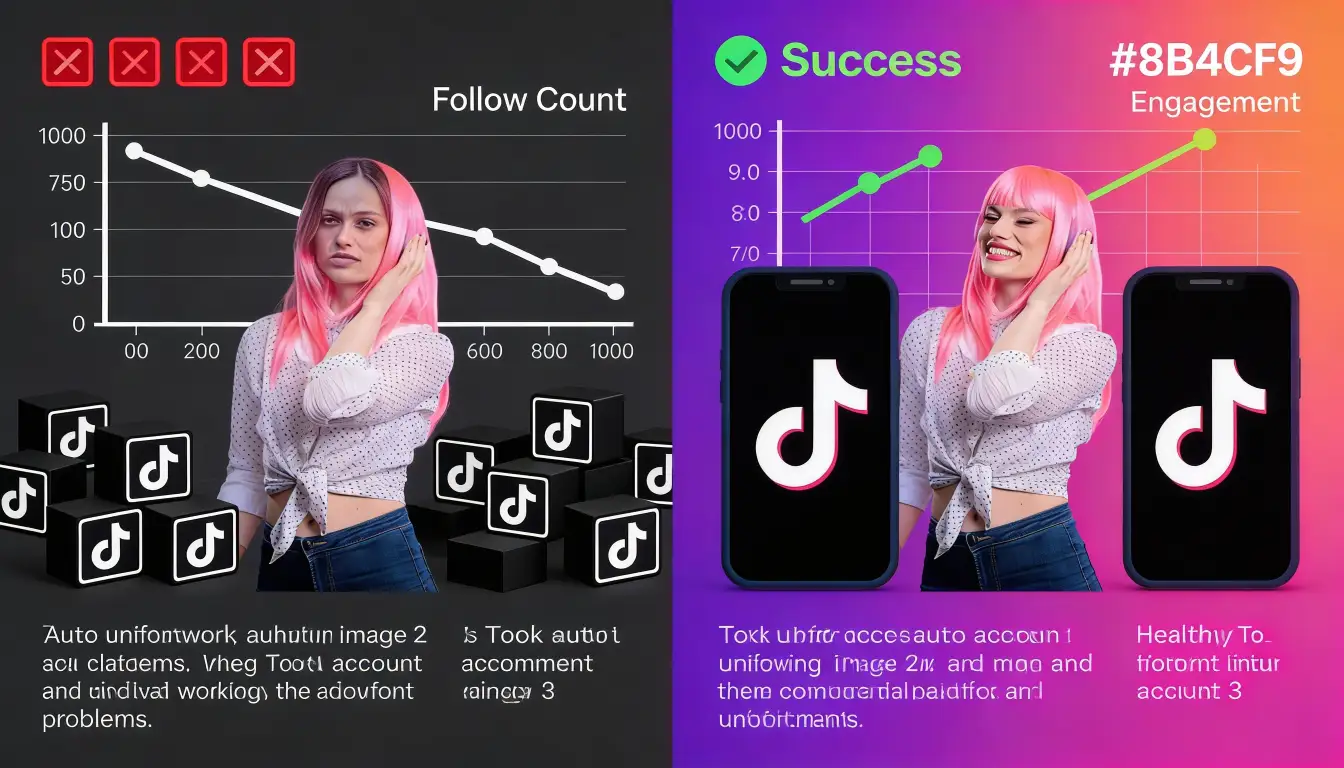
The dramatic difference between poor account health and optimized account health
📈 Actions That Increase Trust Score
- Post high-quality, original content consistently (3-5 times per week minimum)
- Receive genuine engagement on your videos (views, likes, comments, shares)
- Have a complete profile with bio, profile picture, and linked accounts
- Watch videos fully rather than scrolling past immediately
- Leave thoughtful comments (not just emojis or "nice!")
- Maintain a balanced follow-to-follower ratio (under 2:1)
- Avoid getting reported or flagged for inappropriate content
- Keep your account active—don't go dormant for weeks
- Verify your email and phone number
- Engage with popular, trending content (shows you're a real user)
📉 Actions That Decrease Trust Score
- ❌ Using third-party apps or bots for follows/likes/views
- ❌ Posting content that gets flagged or removed
- ❌ Receiving multiple "not interested" or "hide" actions from viewers
- ❌ Rapid follow/unfollow cycling (following then quickly unfollowing)
- ❌ Following accounts that immediately get banned (signals poor judgment)
- ❌ Posting spam or promotional content excessively
- ❌ Having your account age be less than 30 days (automatically lower trust)
- ❌ Getting shadowbanned for any reason
Minor flags: 7-14 days of clean activity
Moderate issues: 30 days of consistent good behavior
Severe restrictions: 60-90 days, sometimes permanent
The key is patience and genuine engagement. You can't rush trust score recovery.
🎯 The 30-Day Clean Account Protocol
If you want to completely reset and rebuild your account health, follow this 30-day plan:
Days 1-7: Post content only. No following, minimal engagement. Let things cool down.
Days 8-14: Add light engagement—watch videos, leave occasional comments. Still no following.
Days 15-21: Begin following very slowly (5-10 per day maximum). Focus on quality accounts.
Days 22-30: Gradually increase to 20-30 follows per day while maintaining active posting and engagement.
By day 30, your account will have demonstrated consistent, genuine behavior and your trust score will improve significantly.
Building Followers That Stick (The Smart Way)
Here's the reality: if you're experiencing auto-unfollows, you're probably approaching growth the wrong way. The follow-for-follow strategy is outdated and triggers all of TikTok's spam filters.
🚀 The Content-First Growth Strategy
Instead of chasing follows, focus on creating content that makes people want to follow you:
Post quality content → Algorithm shows to test audience → High engagement rate → Algorithm expands reach → More followers organically → Post more quality content → Cycle continues
This is how accounts grow to 10K, 100K, even 1M+ followers without ever hitting follow limits.
⚡ When Strategic Following Makes Sense
There's still a place for strategic following, but it needs to be part of a larger strategy:
- Network with creators in your niche (genuine relationship building)
- Follow your engaged commenters (people who already like your content)
- Research competitors' followers (find your target audience)
- Participate in communities (relevant hashtag challenges, trends)
The key difference? You're following strategically and slowly (10-20 per day), not mass following hundreds of accounts.
💡 Overcoming the Cold Start Problem
New accounts face a challenge: without initial followers, the algorithm doesn't push your content. Without views, you can't get followers. It's a catch-22.
This is where strategic growth services can help. At GTR Socials, we help creators overcome this initial momentum challenge with real engagement from genuine users—not bots or fake accounts that trigger auto-unfollows.
Our TikTok growth services provide that crucial initial engagement that signals to the algorithm your content is worth promoting. Unlike mass following (which triggers auto-unfollows), strategic engagement boosts your content's performance organically.
We've helped over 35,000 creators build sustainable audiences without spam tactics or account restrictions. Learn more about our approach.
Frequently Asked Questions
Final Thoughts: Focus on Quality, Not Quantity
Auto-unfollows are frustrating, but they're actually TikTok trying to protect the platform from spam. The solution isn't to fight the system—it's to work with it.
Remember these core principles:
- Quality followers who engage beat quantity followers who don't
- Slow, strategic following wins over rapid mass following
- Content quality matters more than follow count
- Account health takes time to build but can be destroyed quickly
- The algorithm rewards genuine engagement, not gaming the system
If you're serious about growing on TikTok in 2026, shift your focus from "how many people can I follow" to "how can I create content people want to follow." That mindset shift alone will eliminate auto-unfollows and set you up for sustainable, long-term growth.
Ready to Build Real TikTok Growth?
GTR Socials helps creators overcome the cold start problem with genuine engagement strategies. No bots. No spam. No auto-unfollows.
Explore TikTok Growth Services →
Comments (0)