即時処理
公開リンクを貼り付け、結果をプレビューしてダウンロード — デスクトップソフト不要。


無料 · 登録不要 · 標準&HD
このツールの理由
ユーザー名を入力して、そのアカウントのプロフィール写真を利用可能なサイズでプレビュー・保存 — 無料・登録不要。
公開リンクを貼り付け、結果をプレビューしてダウンロード — デスクトップソフト不要。
アプリや拡張機能のインストール不要。デスクトップとモバイルで動作します。
無料ツールと本物のエンゲージメントを組み合わせ、共有コンテンツがより多くの人に届くようにします。
個人利用のみ。著作権と各プラットフォームの利用規約を尊重してください。GTRSocialsは第三者プラットフォームと提携していません。

公開されているインスタグラムのプロフィール写真をフル解像度でダウンロード — 円形のトリミングなし、CDN圧縮なし、アカウント不要。
10秒。アカウント不要。アプリ不要。毎回フル解像度。
誰かのインスタグラムプロフィールにいて、その写真が目を引きます。印象的な写真かもしれません。友達が写真を変えたので、そのフル画像が欲しいかもしれません。もしかしたら、3年前に設定した自分の古いプロフィール写真かもしれませんが、どこにも保存しておらず、今は戻したいと思っています。
それをタップします。インスタグラムは、少し大きくなった同じ円形のトリミングをライトボックス内に表示します。デスクトップで右クリックして保存しようとしますが、小さく圧縮されたバージョンがダウンロードに入ります — 幅が100ピクセル程度で、ほとんど使えません。モバイルで長押ししてみますが、何も役に立ちません。
インスタグラムのプロフィール写真は公開されています。それを画面からデバイスに、使える品質で取得するのは全く別の問題です。
GTRインスタグラムプロフィール写真ダウンローダーは、これを数秒で解決します。
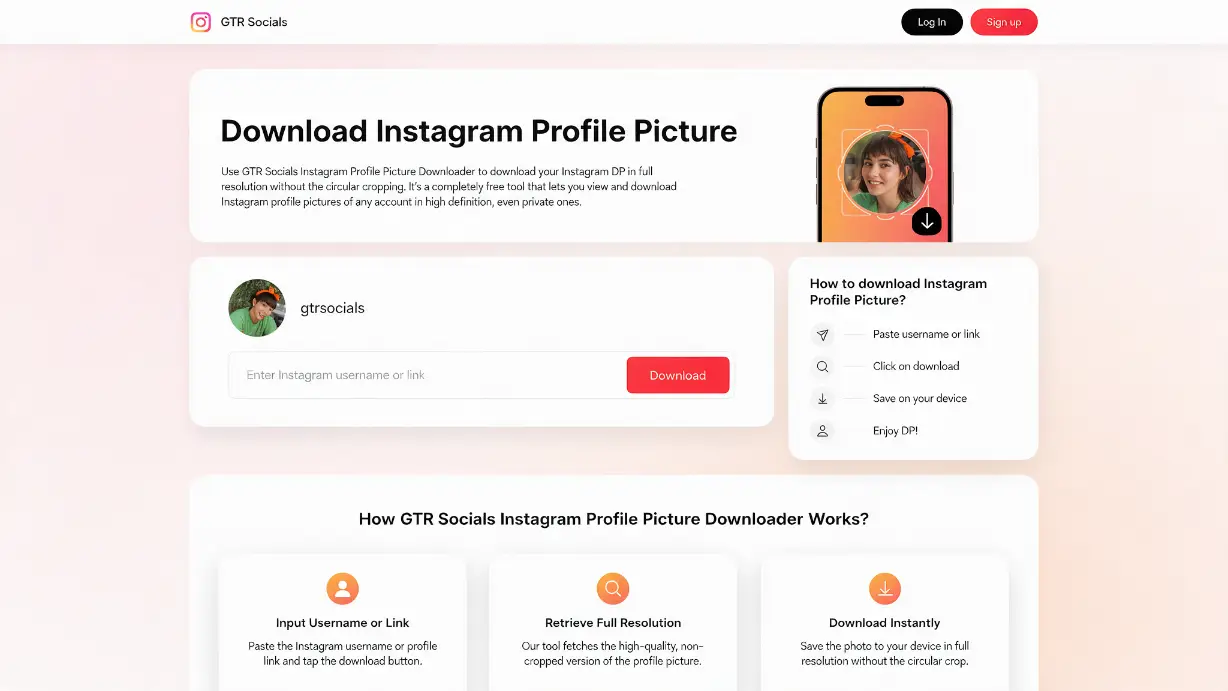
GTR Socials Instagram Profile Picture Downloader — フル解像度、円形トリミングなし
簡単なはずです。画像はそこにあります。見ることができます。なぜ保存できないのでしょうか?
インスタグラムが表示するすべての画像は、そのコンテキストに適した解像度でコンテンツ配信ネットワークを通じてルーティングされます。タイムラインの円形アバターは小さいです。ライトボックスバージョンは少し大きくなります。ユーザーがアップロードしたフル解像度のオリジナルはインスタグラムのサーバーにありますが、そこにクリーンな道は与えられません。
右クリックや長押しをすると、圧縮されたCDN提供のバージョンが保存されます — ソースファイルではありません。品質が重要な場合、その違いは大きいです。
ライトボックス画像を保存できたとしても、円形が四角にトリミングされているだけです — スクリーンショットを撮るとインターフェース要素も含まれます。実際にアップロードされた画像は長方形でフル解像度です。インスタグラムの円形トリミングフレームは端を切り落とし、オリジナルを保存しようとする誰にとっても価値を加えません。
Instagramを開いて、画像を取得したいプロフィールに移動します。デスクトップでは、ブラウザのアドレスバーからURLをコピーします。モバイルでは、プロフィールの三点リーダー(•••)をタップし、「プロフィールURLをコピー」を選択するか、ウェブでプロフィールを表示している場合はブラウザからリンクをコピーします。
gtrsocials.com/tools/instagram-profile-picture-downloaderにアクセスし、入力フィールドにプロフィールURLを貼り付けて、ダウンロードをクリックします。
フル解像度のオリジナルが即座にダウンロードされます — 円形のトリミングなし、インターフェース要素なし、GTRによる圧縮なし。実際にその人がアップロードした画像です。
Instagramが表示する圧縮されたCDNサムネイルではありません。ユーザーがアップロードした実際のソース画像で、元の寸法のままです。
元のアップロードされたフル矩形画像で、Instagramが表示用にクリップした円形のアバター枠ではありません。
URLを貼り付けてダウンロード。メールアドレス、アカウント、個人情報は不要です。
何も追加されていないクリーンな画像ファイル。元の画像だけです。
ログ記録なし、IP追跡なし、データ収集なし。
iPhone、Android、PC、Mac。どのブラウザでも同じプロセスです。
常に無料で無制限。
Instagramを開いてプロフィールに移動します。三点リーダー(•••)をタップし、「プロフィールURLをコピー」を選択するか、Safariでプロフィールを開いてアドレスバーからURLをコピーします。Safariでgtrsocials.com/tools/instagram-profile-picture-downloaderにアクセスし、URLを貼り付けてダウンロードをタップします。フル画像が読み込まれたら、タップして保持し、「写真に保存」を選択します。フル解像度の画像がすぐにカメラロールに保存されます。
アプリまたはchromeのinstagram.comからInstagramプロフィールURLをコピーします。Chromeを開いてgtrsocials.com/tools/instagram-profile-picture-downloaderにアクセスします。URLを貼り付けてダウンロードをタップします。表示された画像をタップして保持し、「画像をダウンロード」を選択します。すぐにギャラリーまたはダウンロードフォルダーで見つけることができます。
Androidのオープンファイルシステムにより、画像は余分な手順なしで期待通りの場所に保存されます。
ブラウザでinstagram.comにアクセスし、プロフィールに移動します。ブラウザのアドレスバーからURLをコピーします — instagram.com/usernameのように見えます。新しいタブを開きます: gtrsocials.com/tools/instagram-profile-picture-downloader。URLを貼り付けてダウンロードをクリックします。フル画像を右クリックして、お好みのフォルダーに保存します。
このツールに人々が訪れる最も一般的な理由です。あなたはある時点でInstagramのプロフィール写真を変更しましたが、元のファイルは電話から消えてしまい、戻したいと思っています。Instagramにはフル解像度の画像がありますが、アプリには自分がアップロードした画像を取得するためのネイティブな方法がありません。GTRはそれを提供します。
内部ディレクトリを維持するチームやビジネスは、同僚、パートナー、クライアントのためにクリーンなプロフィール画像が必要です。プロフェッショナルの公開Instagramプロフィールからフル解像度の写真を取得することは、アプリ内でスクリーンショットを撮って小さな円形のトリミングを得ることなく、プラットフォームがネイティブに対応していない明確なプロフェッショナルなニーズです。
Instagramのプロフィール写真は、プロの写真、カスタムイラスト、ブランドのビジュアルデザインが増えてきています。特にクリエイター、アーティスト、ビジネスの間で。ビジュアルリファレンスを収集しているデザイナーや写真家は、圧縮された150ピクセルの円ではなく、フル解像度のソースが必要です。
ジャーナリスト、リクルーター、研究者は、プラットフォーム間での身元をクロスリファレンスするために、実際に使用可能な画像が必要です。圧縮された円形のサムネイルは、視覚的な比較作業にはほとんど役に立ちません。GTRからのフル解像度のオリジナルが、意味のある調査に実際に必要なものです。
パートナーシップのためにInstagramクリエイターを評価しているマーケティングチームは、ピッチデッキ、メディアキット、内部文書のためにクリーンでプロフェッショナルな品質のプロフィール画像が必要です。GTRツールは、プロの仕事に必要な品質レベルで資産を提供します。
時にはシンプルです。友人や家族が持っているプロフィール写真が気に入っています。それが欲しいのです。それは完全に正当な理由であり、プラットフォームはそれをもっと簡単にすべきです。
アカウントは不要です。個人データは収集されません。GTRは公開されているプロフィール写真を取得します。これは、誰でも公開Instagramプロフィールを訪れることで見ることができる画像です。このツールは、あなたが検索しているプロフィールをログに記録したり、使用データを保存したりしません。
プライベートアカウント: GTRは公開Instagramプロフィールで機能します。プライベートアカウントは、承認されたフォロワーにのみすべてのコンテンツを制限します。プロフィール写真が公開されていない場合、ツールはそれを取得できず、正当なツールもそれを取得できません。
公開Instagramプロフィール写真は、そのプロフィールを訪れるすべての人に見えます。個人的な参照、プロフェッショナルな使用、正当な調査のためにダウンロードすることは一般的に許可されています。
自分の写真を復元すること、身元の調査と確認、プロフェッショナルな連絡先管理、クリエイティブな参考、正当なジャーナリズムと調査。
なりすまし、嫌がらせ、他人の画像を使用した偽アカウントの作成、明示的な許可なしの商業利用、またはその写真の持ち主に害を及ぼすことを目的とした何か。
この写真はアップロードした人に属します。ダウンロードしても所有権や使用権は移転しません。誰かの画像を公にまたは商業的に使用したい場合は、直接その人に尋ねてください。
特定の投稿、ストーリー、またはハイライトのURLではなく、プロフィールのURL(instagram.com/username)を貼り付けていることを確認してください。このツールはプロフィール画像を特定するためにプロフィールページのURLが必要です。
そのアカウントはプロフィールを制限しています。GTRはInstagramのアクセス制御を反映しています。プロフィールが公開されていない場合、コンテンツは正当な外部ツールを通じてアクセスできません。
そのアカウントはカスタムプロフィール画像を設定していません。取得するためのアップロードされた画像はありません。
iOSでは、フル画像をタップして長押しし、「写真に保存」を選択してください。別のダウンロードボタンを探す必要はありません。Androidでは、タップして長押しし、「画像をダウンロード」を選択してください。
URLを貼り付けた後に読み込まれるフル解像度の画像を右クリックしてください。「画像を名前を付けて保存」を選択し、保存先フォルダを選んでください。
Instagramはプロフィール写真を公開しています。それを画面から取り出し、デバイスにフル解像度で保存すること — 円形のトリミングなし、圧縮なし、スクリーンショットを撮ってサムネイルを取得することなし — がGTRが解決する問題です。
プロフィールURLを貼り付けてください。元の画像をフルで取得します。10秒で完了。