Découpe par horodatage
Choisissez des heures de début et fin exactes avec les champs ou le curseur, puis téléchargez uniquement ce segment.
Followers, likes, vues et abonnés abordables sur Instagram, TikTok, YouTube et plus. Crédit gratuit
Obtenir un crédit gratuit

Gratuit · Sans inscription · Couper des clips
Pourquoi cet outil
Définissez des horodatages de début et fin précis, puis créez un clip MP4 ou MP3 sans installer de logiciel. Les sources plus longues prennent plus de temps. Pour le fichier complet, utilisez le Téléchargeur vidéo YouTube.
Choisissez des heures de début et fin exactes avec les champs ou le curseur, puis téléchargez uniquement ce segment.
Exportez un clip vidéo ou extrayez un MP3 audio du segment sélectionné.
Les clips vidéo préfèrent la copie de flux ffmpeg pour la vitesse et la qualité ; les formats rares passent en ré-encodage léger.
Pour usage personnel uniquement. Respectez le droit d'auteur et les conditions d'utilisation de YouTube. GTRSocials n'est pas affilié à YouTube ni Google.

Cut any YouTube video to an exact clip — set your start and end points, download clean MP4, no watermark, no software required.
The GTR YouTube Video Cutter solves this in one tool, in your browser, for free.
You found a 45-minute YouTube video. The part you actually need is 90 seconds long, somewhere around the 23-minute mark.
Maybe it's a clip you want to share with someone who won't sit through the full thing. Maybe it's a key moment from a long interview you want to reference. Maybe it's a tutorial segment you want to loop and practice without scrubbing back every time. Maybe it's a highlight from a long-form video that deserves to exist as a standalone piece.
The problem is straightforward: YouTube gives you the full video or nothing. There's no clip button, no trim feature, no way to isolate the part that matters without downloading the whole thing and editing it separately — which means software, storage, and time most people don't want to spend.
The GTR YouTube Video Cutter solves this in one tool, in your browser, for free.
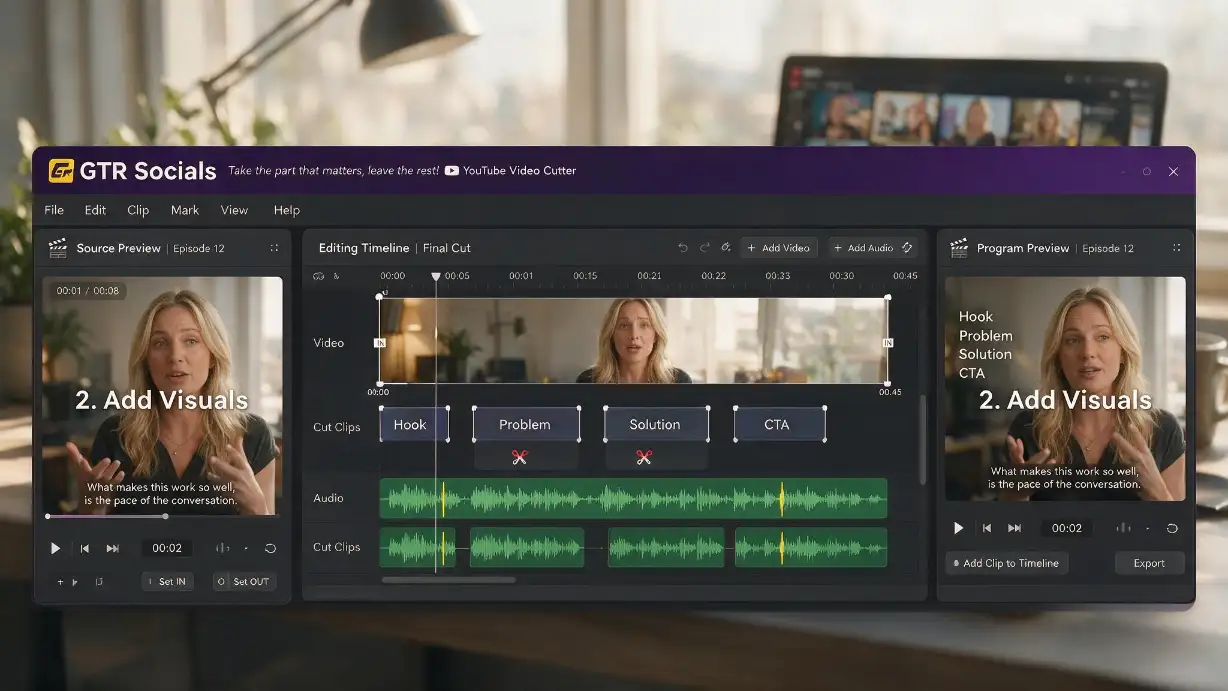
GTR Socials YouTube Video Cutter — take the part that matters, leave the rest
YouTube has a video editor. It's buried in YouTube Studio and designed exclusively for creators editing their own uploaded content. It doesn't work on other people's videos, it doesn't let you export clips, and it isn't accessible to viewers at all.
For everyone who isn't the original uploader, YouTube's position is clear: watch the whole thing or don't watch it.
Shorter clips mean less time on platform. Less time on platform means fewer ads. YouTube's entire interface is built to extend viewing sessions, not help you extract the specific 90 seconds you came for and leave. A clip tool would work directly against that objective.
YouTube does have a share-with-timestamp feature — you can link to a specific start point. But that still sends the recipient to the full video starting at your chosen moment. They see the full interface, the recommendations sidebar, the autoplay queue. You can't share a clean isolated clip. You can only share a starting point and hope they stop watching at the right place.
Find the video you want to cut on YouTube. Copy the URL from your browser's address bar or tap Share → Copy Link on mobile. Paste it into gtrsocials.com/tools/youtube-video-cutter.
Use the timeline to select exactly where your clip begins and ends. Scrub to preview the section, adjust the handles until it's precise, and confirm your cut points.
Hit Download and your trimmed clip saves directly to your device — clean, no watermark, exactly the segment you selected.
Plenty of video cutters exist online. Most of them hide the useful features behind a paywall, stamp watermarks across your output, limit clip length unless you upgrade, or require an account before you can do anything. Here's what GTR does differently:
Your clip is clean. No GTR branding, no logo overlay, nothing added to the output.
Paste a URL, set your points, download. We never ask for your email or any personal information.
The clip downloads at the source quality. No extra compression added during the cut process.
Cut the segment you actually need, not whatever length a free tier permits.
No logging of what you cut, no tracking, no data collection.
iPhone, Android, PC, Mac. Same tool, same process, any browser.
Long-form YouTube content is a goldmine for short clips. A strong moment from a podcast, a punchy answer from an interview, a demonstration from a tutorial — these work as standalone short-form pieces for Instagram Reels, TikTok, and YouTube Shorts. GTR Video Cutter lets you extract those moments without downloading the full video and running it through editing software.
A lecturer explains a concept perfectly at the 34-minute mark of a recorded seminar. You want to watch it six more times, share it with your study group, and reference it in your notes — without scrubbing to the 34-minute mark every single time. Cut the segment, save the clip, use it how you need to.
You're building a presentation and there's a 45-second clip from a YouTube video that makes your point perfectly. Embedding the full video and asking your audience to trust you'll cue it to the right moment is awkward. A clean standalone clip embedded directly in your slides is not. Cut what you need, embed what matters.
Long match broadcasts, press conference recordings, training footage — sports content on YouTube is frequently long-form and buried. Cut the goal, the moment, the quote. Share the specific thing worth sharing rather than a timestamp and a hope.